Using Settings
27
GB
Options for PC input
PC input signal compatibility chart
* Corresponding to the VGA signal
Tips
• This TV’s PC input does not support Sync on Green or
Composite Sync.
• This TV’s PC input does not support interlaced signals.
• This TV’s PC input supports signals in the above chart
with a 60 Hz vertical frequency. For other signals,
“Unsupported Signal” will be displayed. For the best
picture quality, it is recommended to use signals with a 60
Hz vertical frequency from a personal computer.
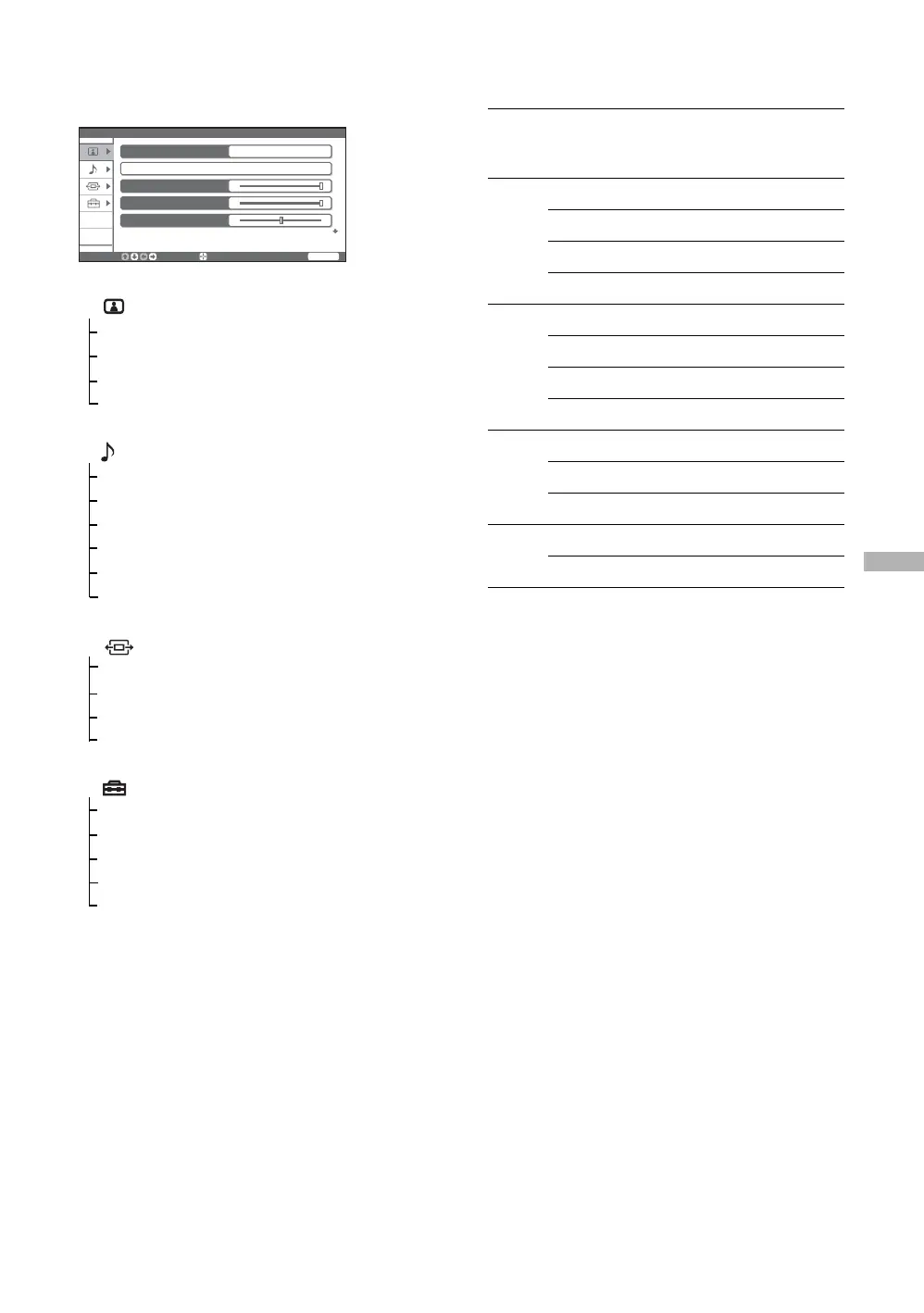
1 Picture
Display Mode (28)
Reset (28)
Iris/Picture/Brightness (29)
Color Temperature (29)
2 Sound
Sound Mode (31)
Reset (31)
Treble/Bass/Balance (31)
Effect (32)
Speaker (32)
Audio Out (32)
3 Screen
Wide Mode (33)
Auto Adjustment (34)
Phase/Pitch (34)
Horizontal Center/Vertical Center (34)
6 Setup
Power Management (39)
Video Label (39)
Language (39)
Image Shift (40)
High Altitude (40)
Picture
Display Mode Video
Reset
Iris
Picture
Brightness
Select:
Enter:
End:
WEGA GATE
Signal
Resolution
Horizontal (Pixel)
×
Vertical (Line)
Horizontal
frequency
(kHz)
Vertical
frequency
(Hz)
VESA
standard
VGA 640 × 480 31.5 60 -*
640 × 480 37.5 75 ✔
640 × 480 43.3 85 ✔
720 × 400 31.5 70 -*
SVGA 800 × 600 35.2 56 ✔
800 × 600 37.9 60 ✔
800 × 600 46.9 75 ✔
800 × 600 48.1 72 ✔
XGA 1024 × 768 48.4 60 ✔
1024 × 768 56.5 70 ✔
1024 × 768 60 75 ✔
WXGA 1280 × 768 47.4 60 ✔
1280 × 768 47.8 60 ✔


 To Next Page