EasyManua.ls Logo

Sony LBT-D117CD - Time Fade Controls; Setting Tape Duration with Buttons; Starting and Cancelling Time Fade

Sony LBT-D117CD
31 pages
Print Icon
To Next Page IconTo Next Page
To Previous Page IconTo Previous Page
Loading...
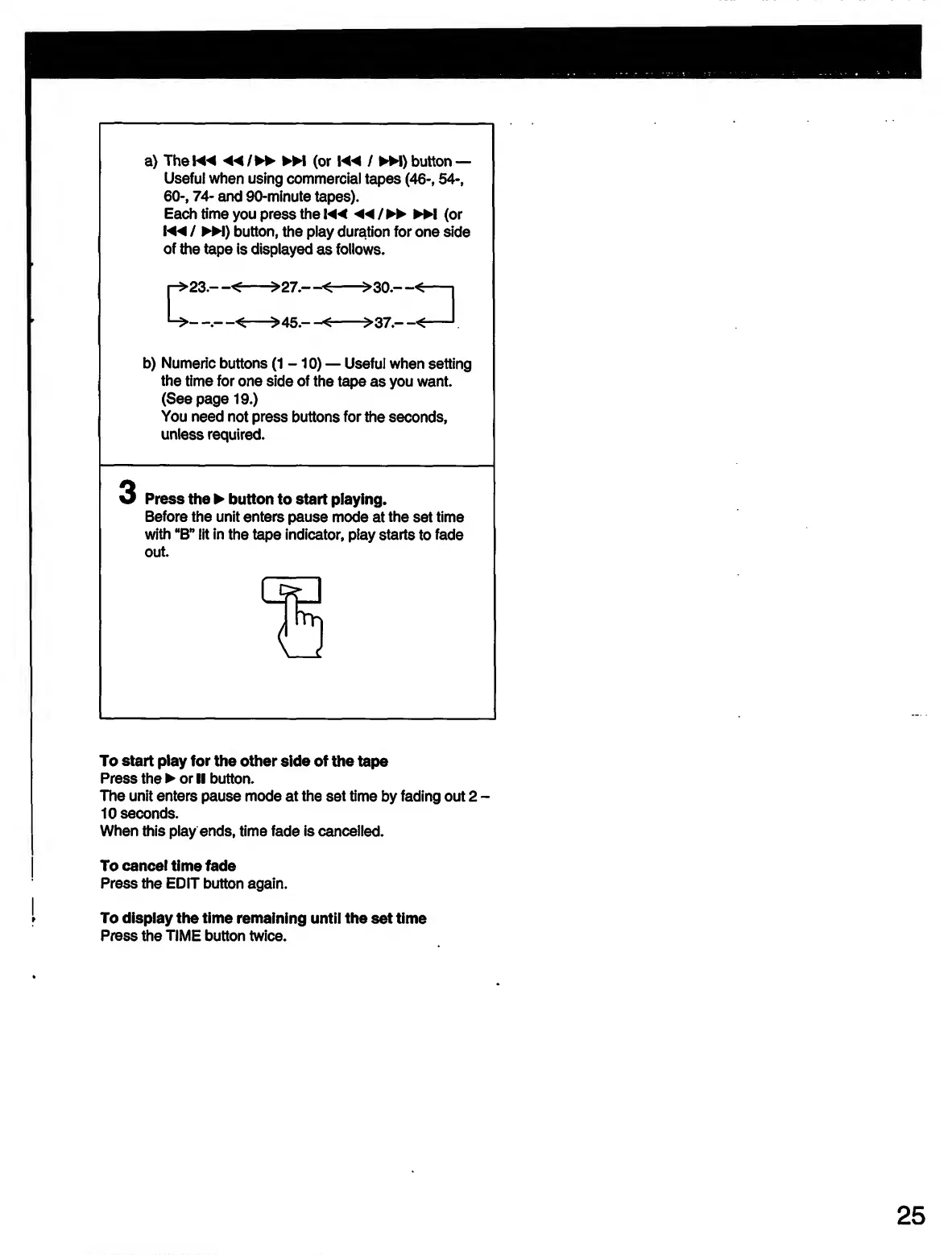
a)
The
K4
◄◄
/
M
(or
button
Useful
when
using
commercial
tapes
(46-,
54-,
60-,
74-
and
90-minute
tapes).
Each
time
you
press
the
◄◄
/
►►
(or
!
◄◄
/
«)
button,
the
play
duration
for
one
side
of
the
tape
is
displayed
as
follows.
b)
Numeric
buttons
(1-10)
Useful
when
setting
the
time
for
one
side
of
the
tape
as
you
want.
(See
page
19.)
You
need
not
press
buttons
for
the
seconds,
unless
required.
3
Press
the
button
to
start
playing.
Before
the
unit
enters
pause
mode
at
the
set
time
with
“B”
lit
in
the
tape
indicator,
play
starts
to
fade
out.
To
start
play
for
the
other
side
of
the
tape
Press
the
or
II
button.
The
unit
enters
pause
mode
at
the
set
time
by
fading
out
2
-
10
seconds.
When
this
play
ends,
time
fade
is
cancelled.
To
cancel
time
fade
Press
the
EDIT
button
again.
To
display
the
time
remaining
until
the
set
time
Press
the
TIME
button
twice.

Related product manuals