15
Step 5 Registering Your Computer with the Base Station
Preparations Prior to Access from a Remote Location
Pre-release version
z Tip
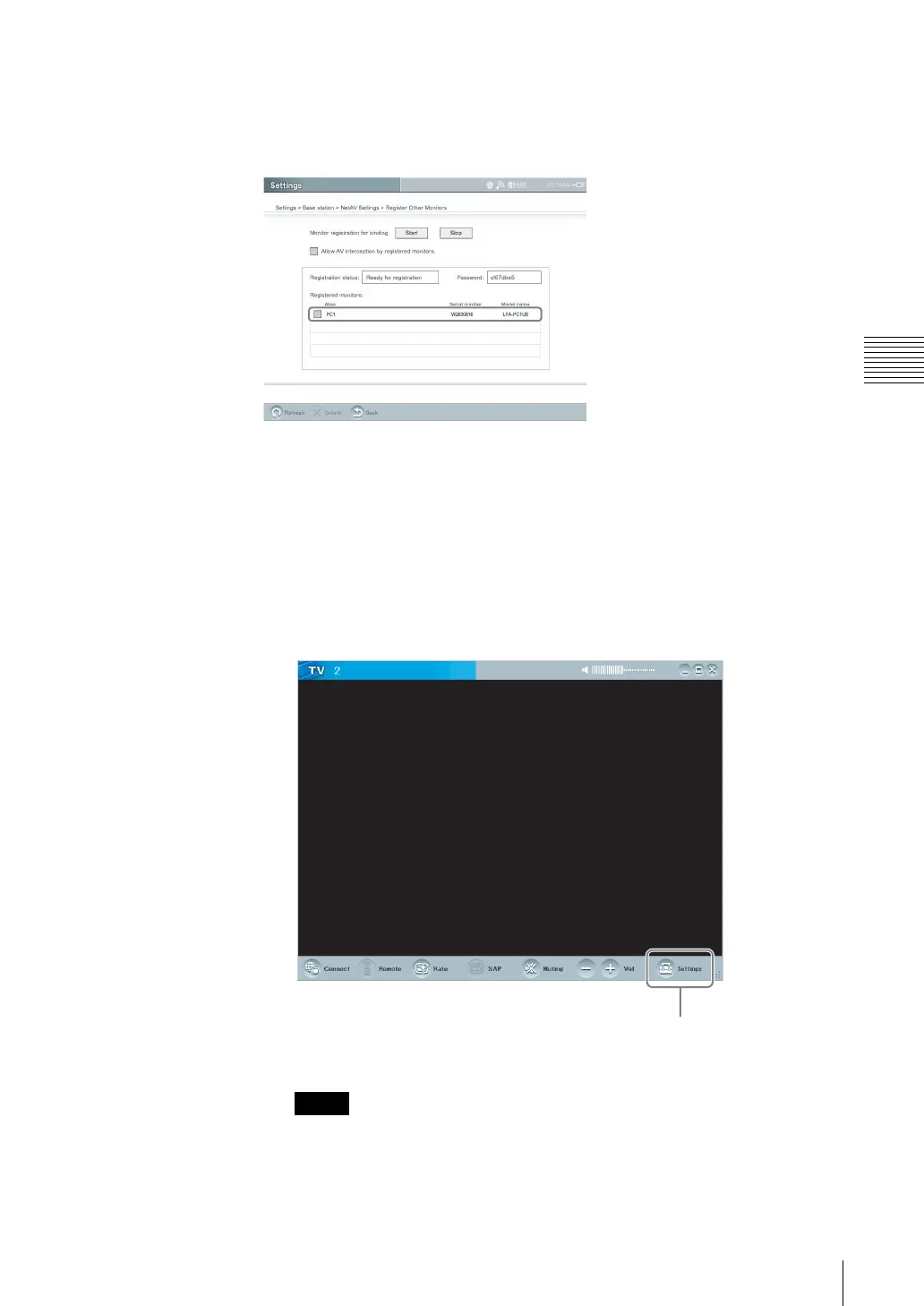
When the connection is established from the computer to the base station, the
computer is registered under the name that you set in (4) of the procedure above
in the [Registered monitors] list of the [Register Other Monitors] screen.
If the name of the registered computer does not appear, select [Refresh] to update
the display.
If You cannot Connect to the Base Station
If an error message appears when you click [Connect], perform the following
procedure at the base station to confirm the connection settings. Also confirm
that the base station is set to accept registration.
1
Click [Settings] at the right bottom of the window.
The [Settings] screen appears.
If the [Settings] button does not appear, enlarge the window until it does
appear.
Note
Settings



 To Next Page