Playback
7
Playing MD tracks in
random order
— Shuffle Play
You can play all the tracks on an MD in random
order.
`/1
2
1
3
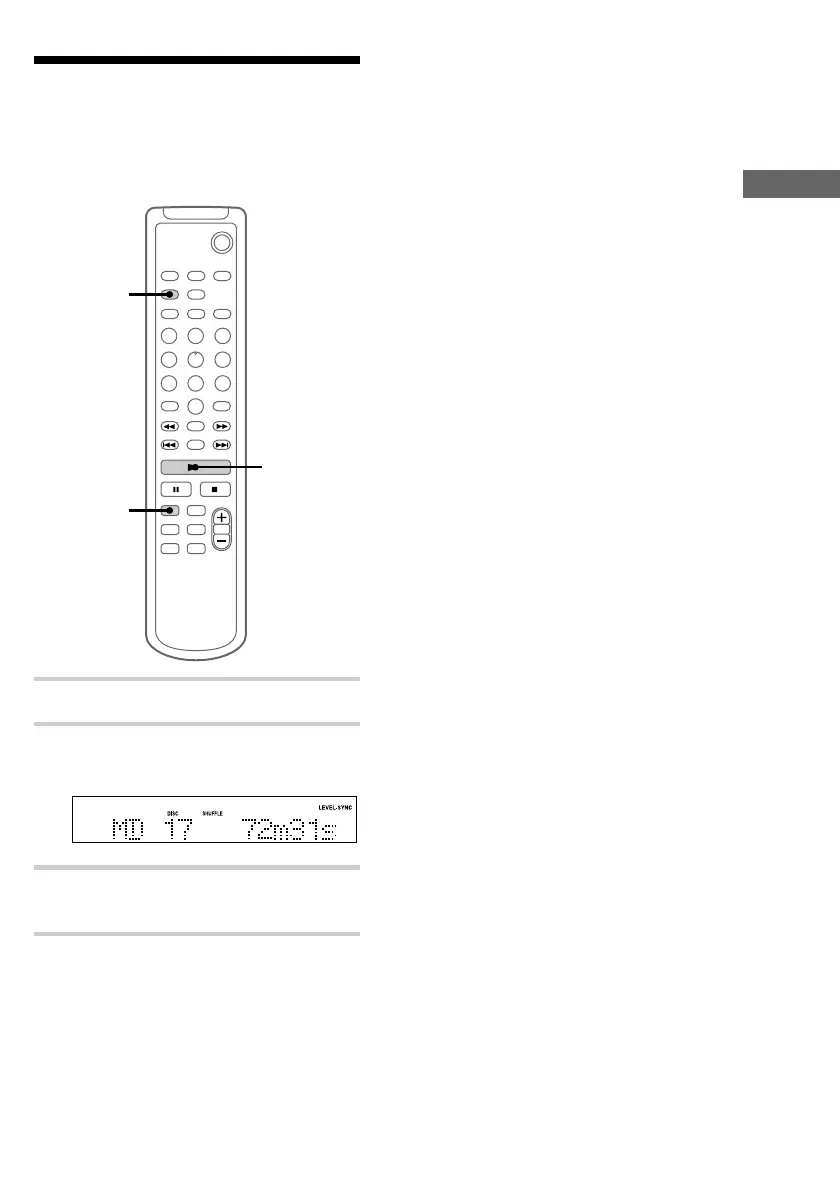
1 Press MD to switch the function to MD.
2 Press PLAY MODE repeatedly until
“SHUFFLE” appears in stop mode.
3 Press N.
Shuffle Play starts.
To cancel Shuffle Play
Press x to stop Shuffle Play, then press PLAY
MODE repeatedly until “SHUFFLE” and
“PROGRAM” disappear.
Tip
To skip a track, press >. Press . to go back to
the beginning of the current track. However, you
cannot go back to the previous track.


 To Next Page