34
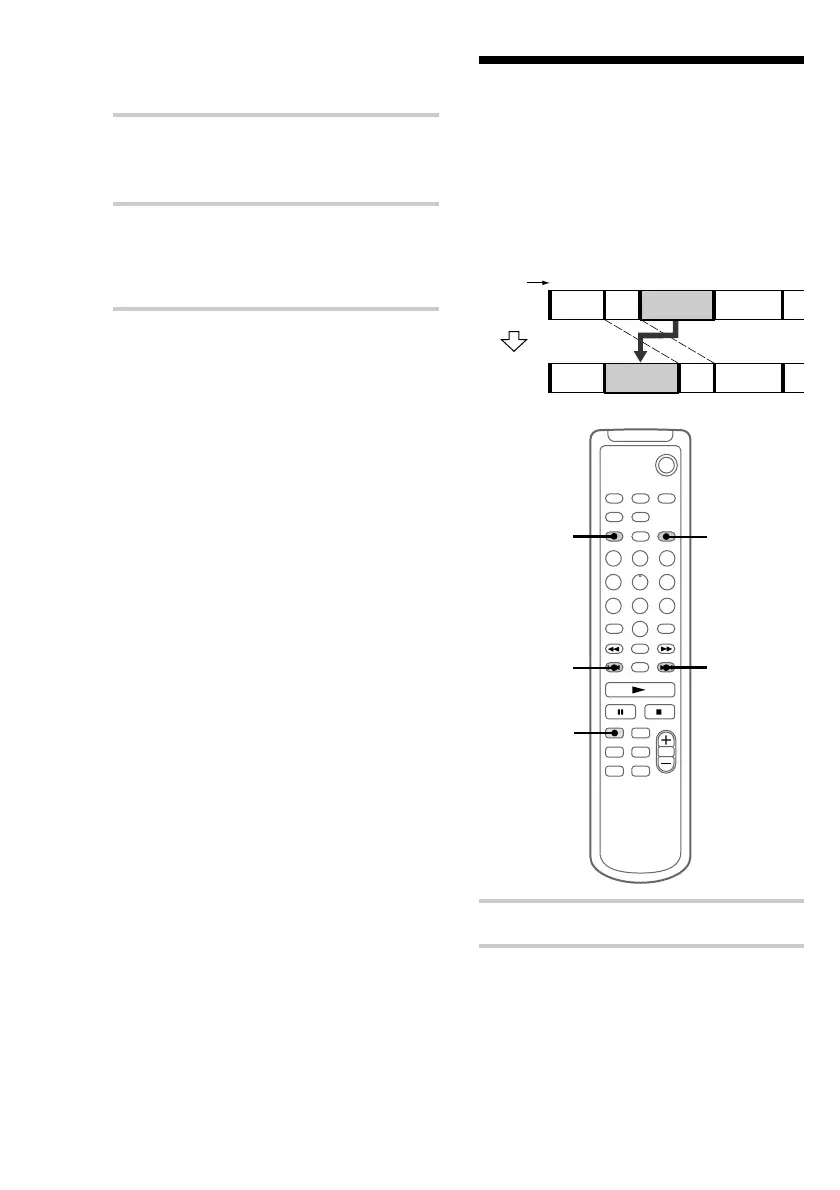
Moving recorded tracks
— Move Function
You can use this function to change the order of
any track on the disc. When you move tracks, the
tracks are automatically renumbered.
Example: Moving track 3 to position 2.
1 Press MD to switch the function to MD.
2 Press MENU/NO to display “MD Edit
Menu”.
Track
number
Original
tracks
After
MOVE
10 Press . or > repeatedly to find
point B.
The procedure is the same as step 6.
11 Press ENTER/YES if point B is correct.
“MD Complete!!” appears for a few seconds
and the portion between point A and B is
erased.
To cancel A-B Erase
Press MENU/NO before completing the
procedure.
To return to the condition before
A-B Erase
You can return to the original condition
immediately after erasing the track by using the
Undo function (see page 38).
Note
If “Impossible” appears, the specified portion cannot
be erased. This happens when you have edited the
same track many times. This is due to a technical
limitation of the MD system and is not a mechanical
error.
Erasing recordings (continued)


 To Next Page