MHC-V21/V21D
20
Ver. 1.1
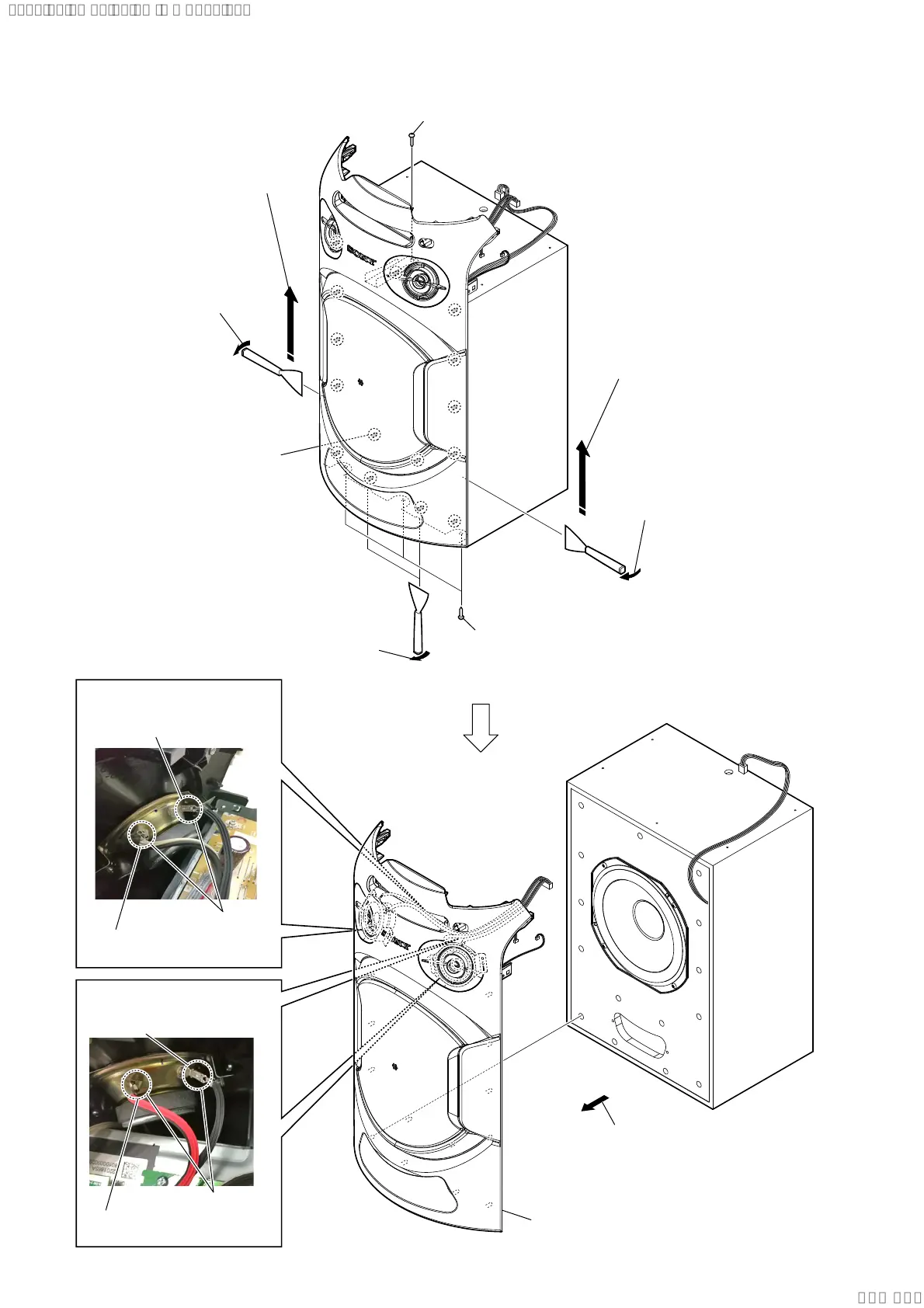
2-11. FRONT PANEL SECTION
3 Insert the jig into a space and slowly
remove the panel, front section.
Note 1: When using a jig, please work
so as not to injure panel, front
section and speaker cabinet.
4 All bosses are removed while moving
jig in the direction of the arrow, and
panel, front section is removed.
3 Insert the jig into a space and slowly
remove the panel, front section.
Note 1: When using a jig, please work
so as not to injure panel, front
section and speaker cabinet.
4 All bosses are removed while moving
jig in the direction of the arrow, and
panel, front section is removed.
total fifteen bosses
6 panel, front section
2 three screws
(4 x 13) (TR-184A)
5 Remove the
panel, front section
in the direction of an arrow.
1 one screw
(4 x 13) (TR-184A)
3 Insert the jig into a space and slowly
remove the panel, front section.
Note 1: When using a jig, please work
so as not to injure panel, front
section and speaker cabinet.
protrusion
Push the protrusion, and
remove the terminal (narrow side)
Push the protrusion, and
remove the terminal (wide side)
:LUHVHWWLQJ
protrusion
Push the protrusion, and
remove the terminal (narrow side)
Push the protrusion, and
remove the terminal (wide side)
:LUHVHWWLQJ
SYSSET
2018/08/2821:56:45(GMT+09:00)



 To Next Page