40
Saving Data to Removable Disk
Preparation
This section describes the procedure for operations for the
“Setup” data file.
You can save register data containing snapshots,
keyframes, macros and other data on a removable disk and
then recall that data.
For details about operation, refer to the User’s Guide.
1
Prepare a removable disk.
For details about configuring a removable disk for use
in the MVS system, see “Setting Up a Removable Disk
for Use” (1 p. 39).
2
Display the menu.
a Open the File >Setup, Init, KMem >Setup menu
(7111).
For operations for the “Initial Status” data file, open
the File >Setup, Init, KMem >Initial Status menu
(7112).
3
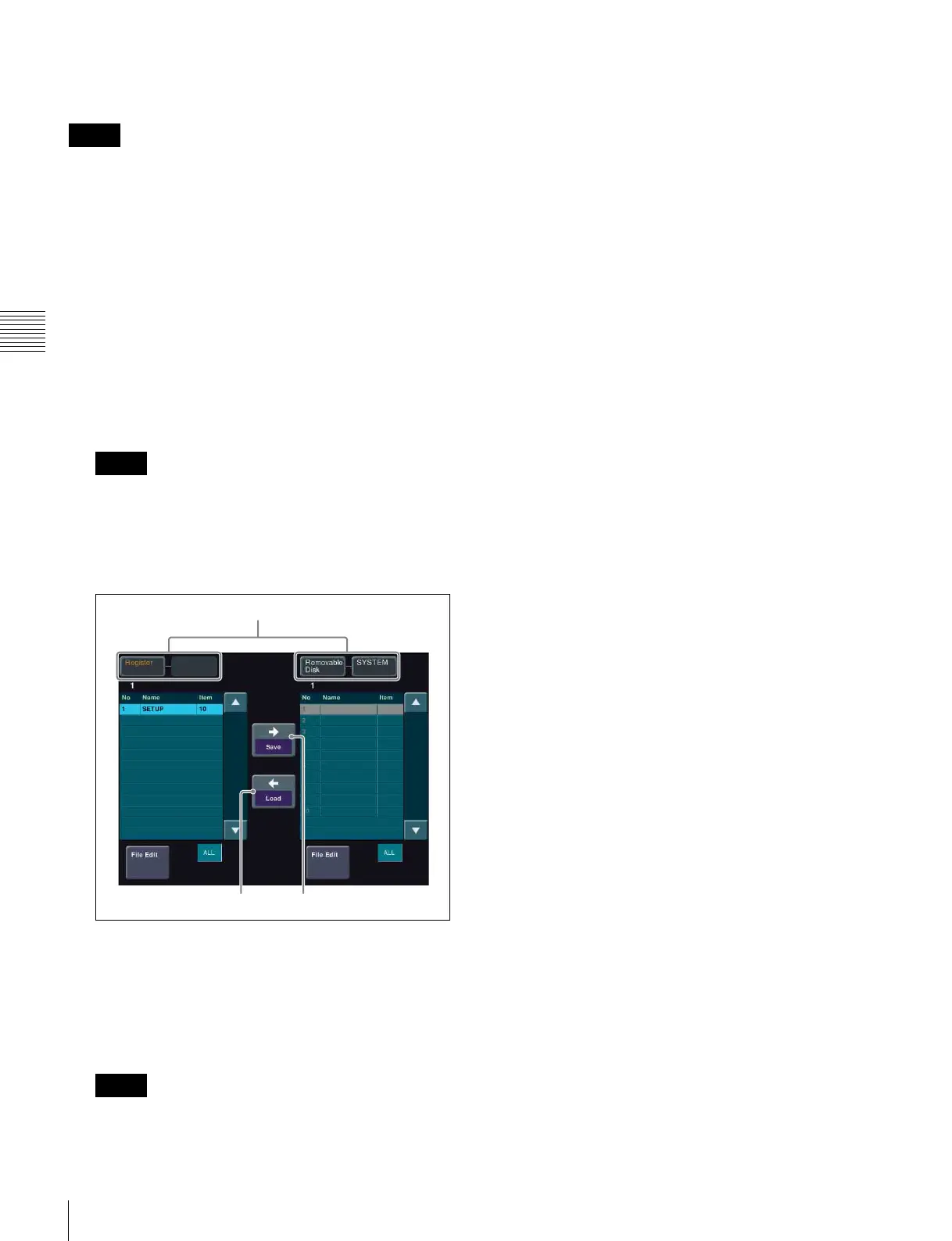
Select the target device.
Setup menu
a In the device selection area on the left, select
[Register].
b In the device selection area on the right, select
[Removable Disk] and then select [SYSTEM]
(default directory).
You can also create an arbitrary directory on the
removable disk.
4
Execute a save or recall operation.
To save data
a Press [t Save].
To recall data
a In the [Removable Disk] list on the right, select the
file you want to recall.
b Press [T Load].
Memo
Memo
Memo
Device selection area
T Load t Save












 To Next Page