91
GB
Table of
contents
Sample photo Menu Index
Smile Shutter
When the camera detects a smile, the shutter is released automatically.
You can set the sensitivity to detect a smile with OPTION.
• You cannot use [Smile Shutter] with the following functions:
– [Hand-held Twilight], [Anti Motion Blur] in [Scene Selection]
– [Sweep Panorama]
–[Manual Focus]
• If you set [Smile Shutter] to [On] while the [Zoom] feature of the camera is being used, the [Zoom]
feature of the camera is canceled.
• Smiles may not be detected correctly depending on the conditions.
• The [Drive Mode] turns to [Single Shooting] automatically.
1 MENU t [Camera] t [Smile Shutter] t
[On].
2 To set the sensitivity to detect a smile,
OPTION t desired setting.
3 Wait for a smile to be detected.
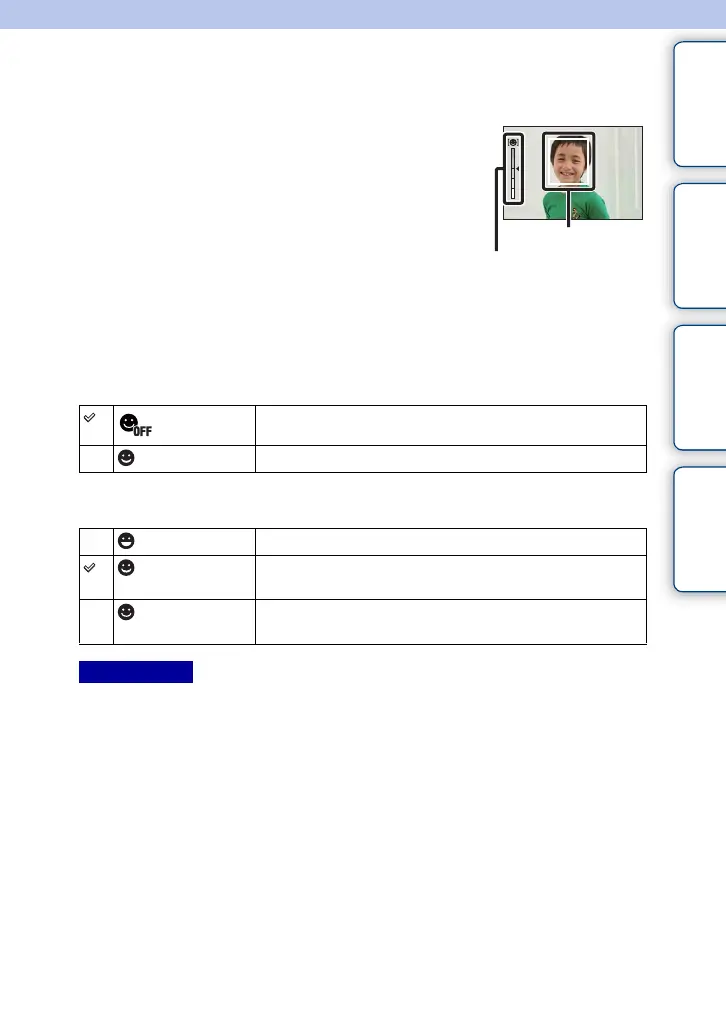
When the smile level exceeds the b point on the
indicator, the camera records images automatically.
If you press the shutter button during [Smile Shutter]
shooting, the camera shoots the image, and then returns
to [Smile Shutter] mode.
4 To exit [Smile Shutter] mode, MENU t [Camera] t [Smile Shutter] t
[Off].
(Off)
Does not use the Smile Shutter.
(On) Uses the Smile Shutter.
(On: Big Smile) Detects a big smile.
(On: Normal
Smile)
Detects a normal smile.
(On: Slight
Smile)
Detects even a slight smile.
Notes
Face Detection frame
(orange)
Smile Detection indicator
Continued r



 To Next Page
 Loading...











