182
GB
Table of
contents
Sample photo Menu Index
Cleaning Mode
Allows you to clean the image sensor.
• A blower is not supplied with the camera. Use a commercially available blower.
• Cleaning can be performed only when the battery level is (3 remaining battery icons) or more. The
use of an AC-PW20 AC Adaptor (sold separately) is recommended.
• Do not use a spray type blower as it may scatter water droplets inside the camera body.
• Do not put the tip of a blower into the cavity beyond the lens mount area, so that the tip of the blower
does not touch the image sensor.
• Hold the camera’s face downward to prevent the dust from entering in the camera.
• Do not apply a mechanical shock to the camera during cleaning.
• When cleaning the image sensor with a blower, do not blow too hard.
1 MENU t [Setup] t [Cleaning Mode] t OK.
The message “After cleaning, turn camera off. Continue?” appears.
2 Select OK.
The anti-dust is activated automatically.
3 Turn the camera off.
4 Detach the lens.
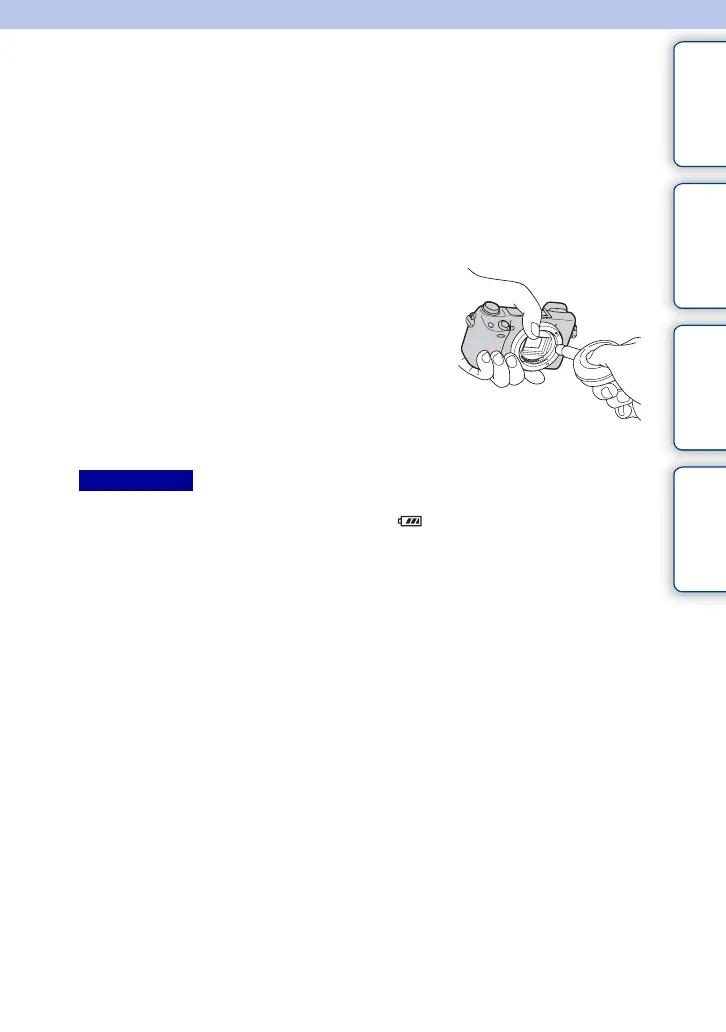
5 Use the blower to clean the image sensor
surface and the surrounding area.
6 Attach the lens.
Notes



 To Next Page
 Loading...











