112
GB
Table of
contents
Sample photo Menu Index
Picture Effect
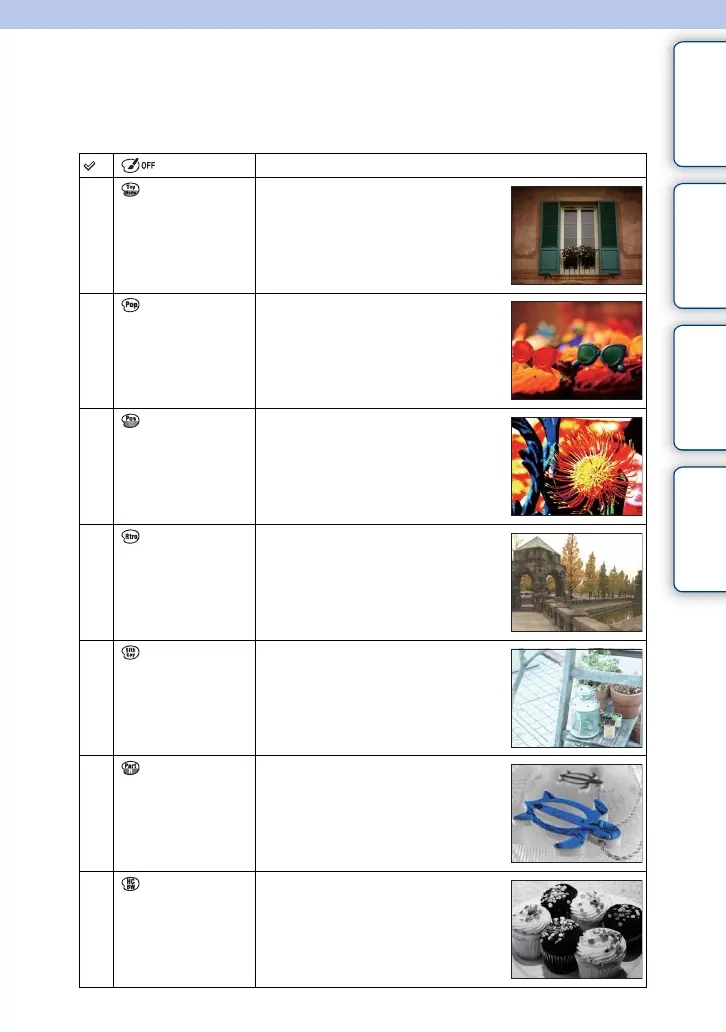
You can shoot with an effect filter to obtain the various textures.
1 MENU t [Brightness/Color] t [Picture Effect] t desired mode.
(Off) Disables the Picture Effect function.
(Toy Camera) Creates the look of a Toy Camera photo
with shaded corners and pronounced
colors.
You can set the color tone with
OPTION.
(Pop Color) Creates a vivid look by emphasizing
color tones.
(Posterization)
Creates a high contrast, abstract look by
heavily emphasizing primary colors, or
in black and white.
You can select primary colors or black
and white with OPTION.
(Retro Photo) Creates the look of an aged photo with
sepia color tones and faded contrast.
(Soft High-
key)
Creates an image with the indicated
atmosphere: bright, transparent,
ethereal, tender, soft.
(Partial Color) Creates an image which retains a
specific color, but converts others to
black and white.
You can select a color with OPTION.
(High
Contrast Mono.)
Creates a high-contrast image in black
and white.
Continued r



 To Next Page
 Loading...











