Parts Identifications
19
Overview
3. AUDIO IN (audio input selection)
switches (page 67)
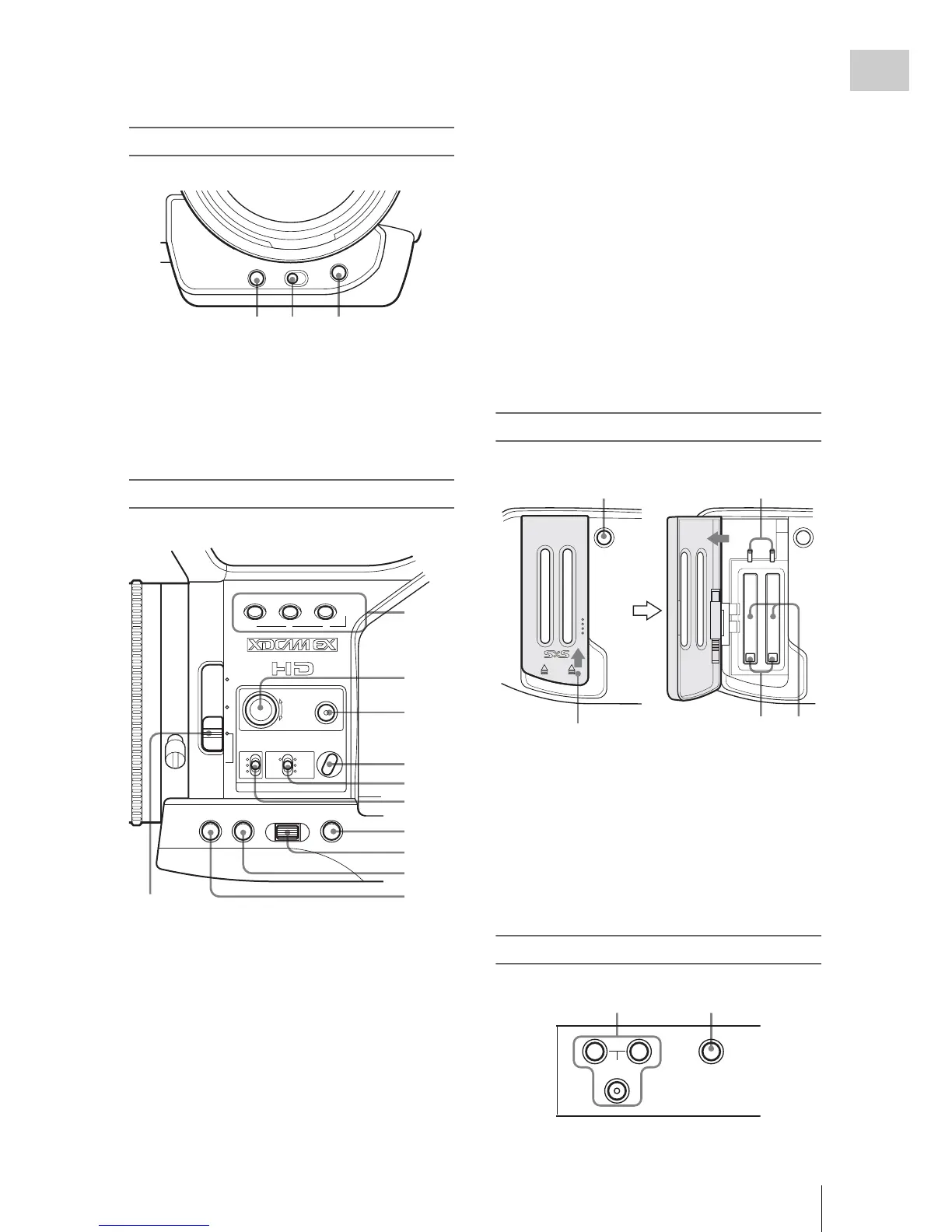
Front lower operation block
1. ASSIGN 4 (assignable 4) button (page 72)
2. SHUTTER switch (page 56)
3. WHT BAL (automatic white balance
adjustment) button (page 51)
Side operation panel
1. ASSIGN (assignable)1/2/3 buttons (page
72)
2. S&Q (Slow & Quick) Motion dial (page
76)
3. FULL AUTO button and indicator (p
age
48)
4. BARS/CAM (color bar/camera signal
swi
tching) button (page 69)
5. WHITE BAL (white balance memory)
swi
tch (page 51)
6. GAIN switch (page 55)
7. CANCEL button (page 111)
8. SEL/SET (selection/set) dial (Jog dial)
(page 111)
It functions accordingly when you turn it up
or down, or you push it horizontally.
It is called “the jog dial” in the subsequent
operating instructions.
9. MENU (menu display ON/OFF) button
(page 111)
10. STATUS button (page 105)
11. ND filter select switch (page 50)
Card slot block
1.
SLOT SELECT (SxS memory card select)
button (page 43)
2. ACCESS lamps (page 41)
3. EJECT buttons (page 42)
4. SxS memory card slots (page 41)
Upper operation panel
ASSIGN 4
SHUTTER
OFF ON
WHT BAL
12 3
123
LENS INFO BRT DISP HISTOGRAM
ASSIGN
OFF
2
1
ND
FILTER
-
+
FRAME
GAIN
STATUS MENU SEL/SET CANCEL
B
A
PRST
LATW
M
H
WHITE BAL BARS/CAM
FULL AUTO
6
7
8
9
10
11
1
2
3
4
5
SLOT SELECT
AB
OPEN
ACCESS
12
34
Slide the cover upward
to unlock.
TC/U-BIT/DURATION
A
SHOT
TRANSITION
B
12



 To Next Page