Adjusting the Viewfinder
32
Preparations
inverted only vertically, while it is also inverted
horizontally for Rec Review (page 71).
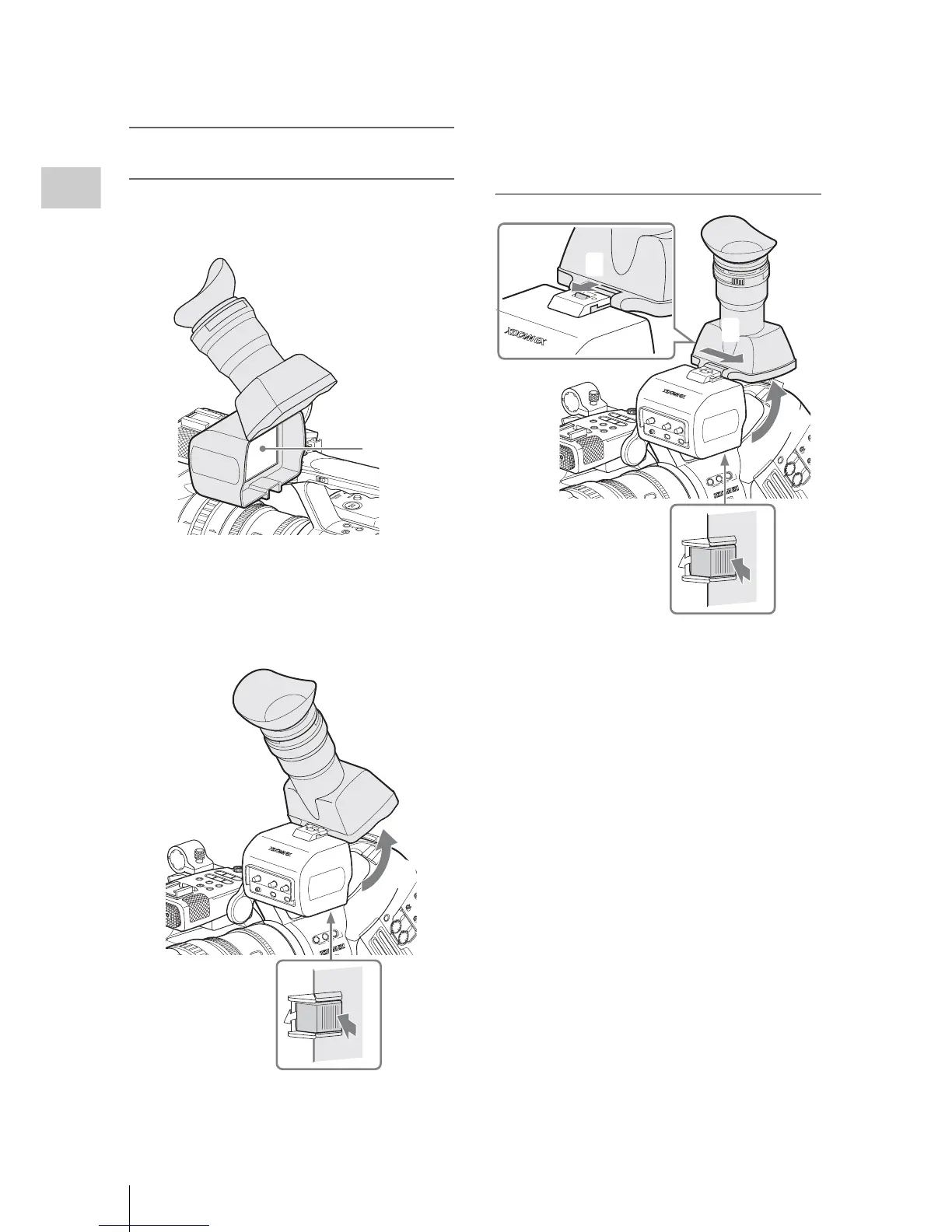
Opening/detaching the eyepiece (to
directly view the LCD screen)
You can directly view the LCD screen inside the
viewfinder by opening the eyepiece.
To open
Push the clip on the bottom to release and flip up
the eyepiece.
It locks at the 120-degree position.
Normally use it in the locked position.
Although you can open it farther from the lock
position, once return it to the closed position to
lock it at the 120-degree position again.
To detach
The eyepiece can also be detached.
1 Push the clip on the bottom to release.
2 Flip up the eyepiece.
3 Slide the knob on the top to the opposite
side of the eyepiece.
4 Detach the eyepiece by horizontally
sliding it.
81.2
STEA
DY
SHOT
AF
Full
MF
A
S
HO
T
TR
AN
SITIO
N
B
THUM
NA
IL
F R
EV
PR
EV
SEL
/S
ET
PLAY/PAUS E
ST
OP
CAN
CEL
F FW
D
N
EXT
RE
C
S
TAR
T/ST
O
P
HO
LD
l
s
L
j
G
/S
J
M
ON
ITOR
V
O
L
H
L
OFF
16:9
W
IDE
S
C
RE
E
N
16:9 W
ID
E
S
C
REE
N
LCD screen
A
CCE
S
S
SLO
T
SELE
CT
C
H-1
AUT
O
MANUAL
CH
-2
AU
D
IO
LE
V
E
L
A
UDIO
S
E
L
ECT
A
B
1 2
3
LE
NS IN
F
O
B
R
T
D
ISP
HIS
T
O
GR
AM
AS
SIGN
S
H
O
T
T
R
AN
S
ITI
O
N
A
B
T
C
/U
-
BIT/
D
U
R
AT
IO
N



 To Next Page