Dubbing/Editing
Dubbing/Editing
67
synchronization is recorded. [COMPLETE]
appears when the recording is finished.
5 Rewind the tape on your VCR, then
play back in slow mode.
5 opening numbers for each [IN] and
closing numbers for each [OUT] appear.
6 Take a note of the opening number
value of each [IN] and the closing
number value of each [OUT], then
calculate the average number value for
each [IN] and [OUT].
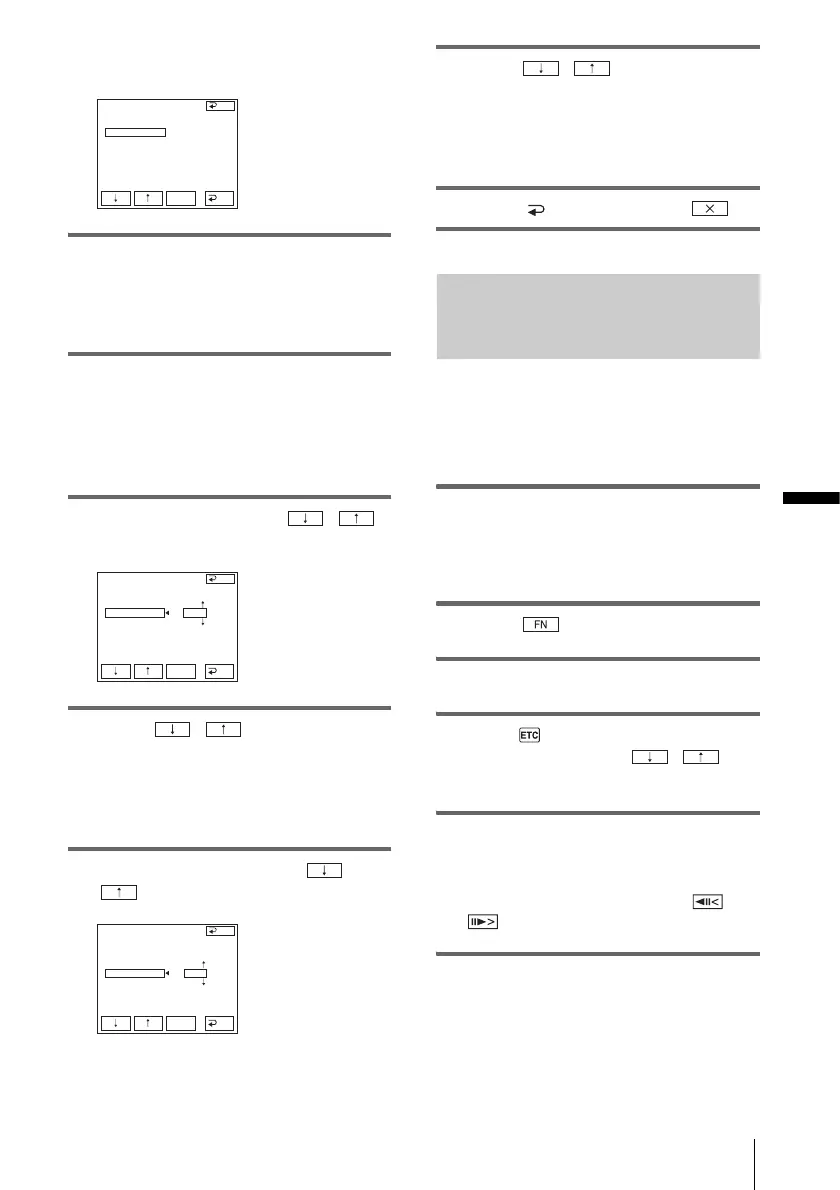
7 Select [”CUT-IN”] with / ,
then touch [EXEC].
8 Touch / to select the
average number value for [IN], then
touch
[EXEC].
The calculated start position for recording
is set.
9 Select [”CUT-OUT”] with /
, then touch
[EXEC].
10Touch / to select the
average number value for [OUT], then
touch
[EXEC].
The calculated stop position for recording is
set.
11Touch [ END], then touch .
Recording the selected scenes as
programs
When you are performing Digital program
editing for the first time to a tape in a VCR,
go through the procedures described in Steps
1 and 2 (p. 64 - p. 66) beforehand.
1 Prepare a cassette.
Insert a tape to be played back into the
camcorder, then insert a cassette for
recording into your VCR.
2 Touch to display [PAGE1].
3 Touch MENU.
4 Select (OTHERS), then select
[VIDEO EDIT] with / ,
then touch
[EXEC].
5 Search for the beginning of the first
scene that you want to dub on your
camcorder, then pause playback.
You can adjust the position with /
(frame).
6 Touch [MARK IN].
V I DEO ED I T
ED I T SET
CONTROL
ADJ TEST
”CUT
-
I
N”
”CUT
-OUT”
I
R SETUP
PAUSEMODE
I
R TEST
COMPLETE
END
EXEC
RET.
V I DEO ED I T
ED I T SET
CONTROL
ADJ TEST
”CUT
-
I
N”
”CUT
-OUT”
I
R SETUP
PAUSEMODE
I
R TEST
END
EXEC
RET.
0
V I DEO ED I T
ED I T SET
CONTROL
ADJ TEST
”CUT
-
I
N”
”CUT
-OUT”
I
R SETUP
PAUSEMODE
I
R TEST
END
EXEC
RET.
0
,continued








 To Next Page