12
GB
Checking the Supplied
Accessories
Remote control (1)
AC adaptor (1)
AC power cord (1)
CD-ROM (“Network Speaker Wi-Fi Utility”)
(1)
Operating Instructions (this manual)
Read this first (Quick Setup Guide) (Leaflet)
Preparing the Unit and
the Remote Control
1
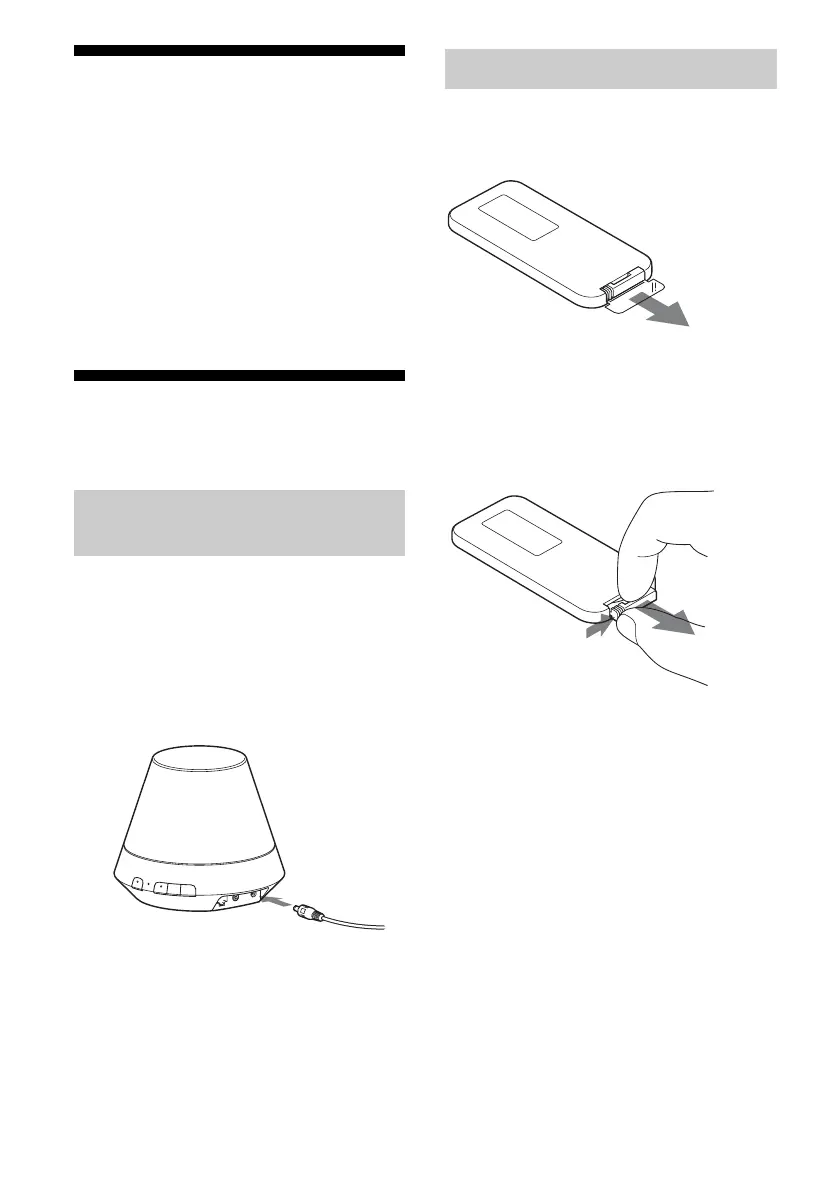
Connect the AC power cord to
the AC adaptor.
2 Plug the connector of the AC
adaptor into the DC IN terminal
on the unit.
3 Plug the AC power cord to a
wall outlet (the mains).
The supplied lithium battery (CR2025) has
already been inserted into the remote control.
Pull out the protective sheet before use.
Replacing the battery of the
remote control
If the remote control stops working, replace
the battery (CR2025) with a new one.
1 Pull out the battery holder.
2 Remove the old battery from the battery
holder and then insert a new battery.
3 Reinsert the battery holder into the remote
control.
Connecting to an AC power
source
Preparing the remote control



 To Next Page