11
GB
Getting Started
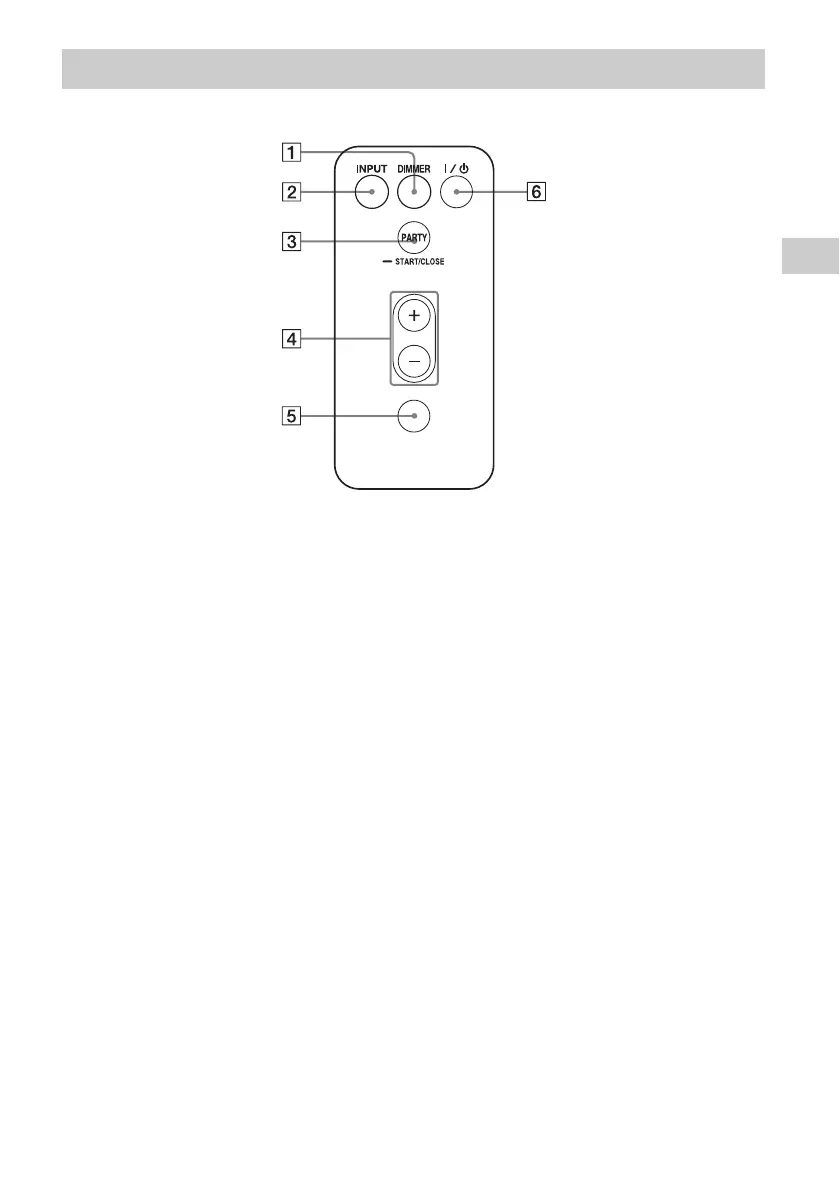
A DIMMER button
Press to change the brightness of the
illumination indicator (normal/dark).
B INPUT button
Press to switch the audio input on or off.
C PARTY button
Press to use the PARTY STREAMING
function (page 24).
D VOLUME +/– buttons
Press to adjust the volume.
E MUTING button
Press to turn the sound off temporarily.
The illumination indicator blinks in blue
during muting.
F ?/1 (ON/Standby) button
Press to switch between power on and the
standby mode currently selected (page 13).
Remote control
MUTING
VOLUME



 To Next Page