17
GB
Network Connections
Note
Before starting this procedure, be aware that your
Wi-Fi network will not be protected until the setting
is complete. After the setting is complete, your Wi-
Fi network will be protected again when you set
wireless LAN security.
1 Turn the unit on.
Check that the ?/1 (ON/Standby)
indicator changes from flashing in green
to lit in green.
Notes
• If you have set this already, perform all-reset
for the unit.
• Do not connect the network (LAN) cable.
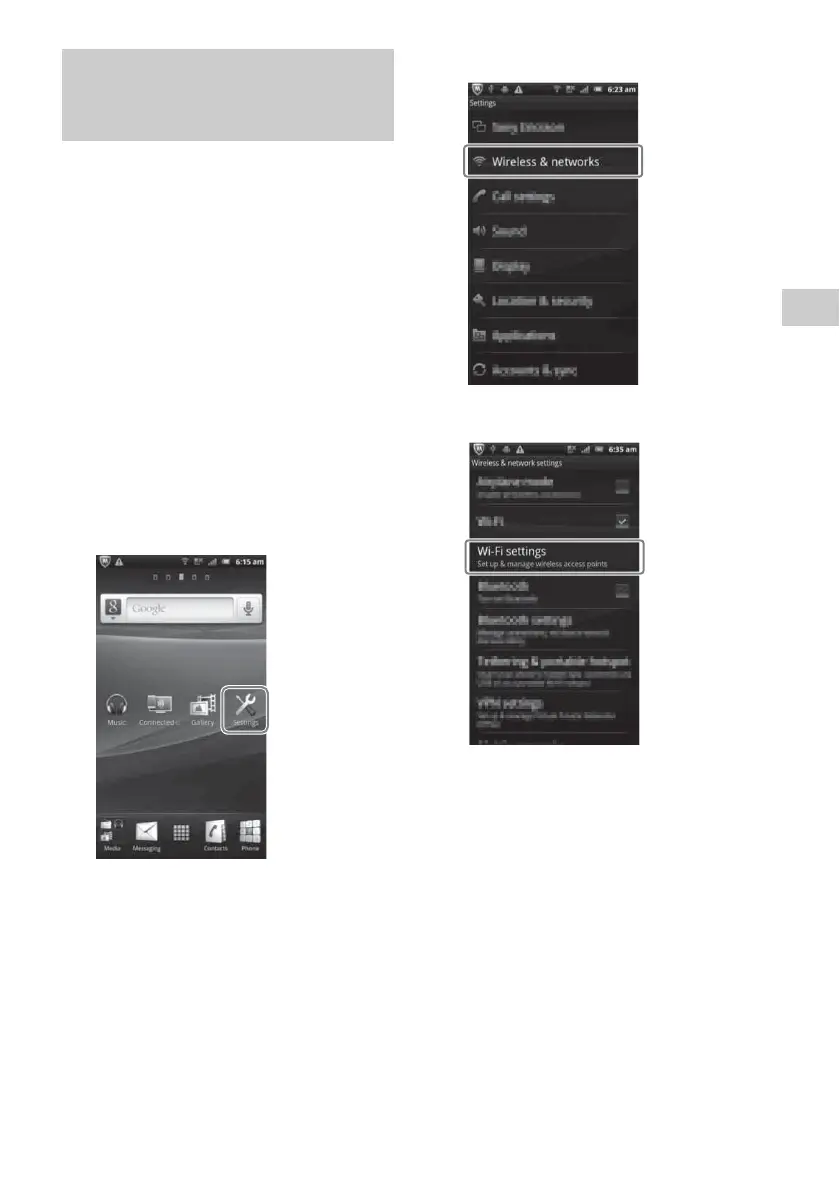
2 Tap [Settings] on the screen of
your Android device.
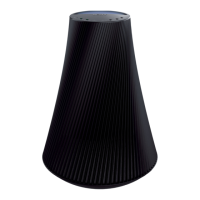
3 Tap [Wireless & networks].
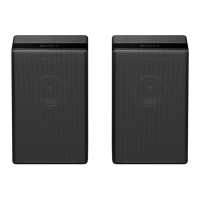
4 Tap [Wi-Fi settings].
Option 3-2: Manual setting
method using an Access Point
Scan (for Android device)



 To Next Page