24
GB
Using the PARTY
STREAMING
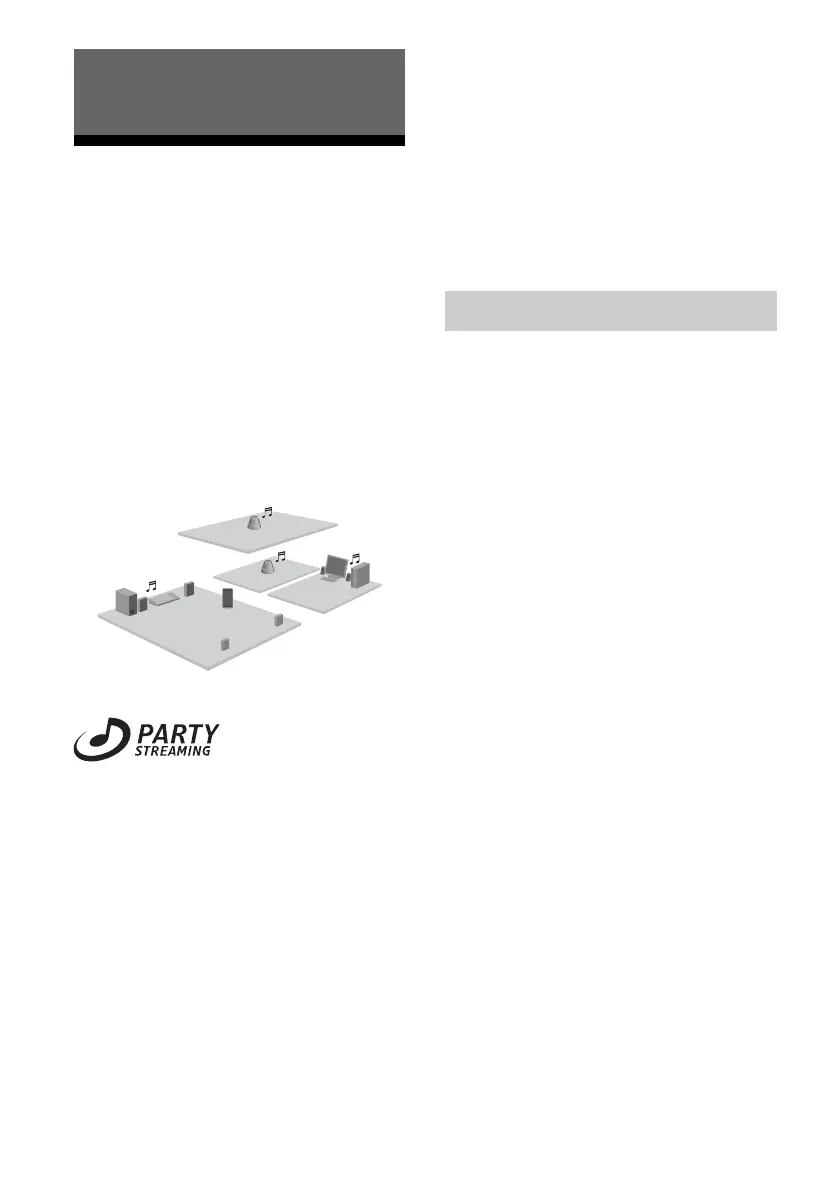
You can play back audio content that is being
played back on this unit or on another device
that has a PARTY STREAMING function at
the same time, via your home network.
While using the PARTY STREAMING
function, the device that starts a PARTY and
streams the audio content is called the
“PARTY host,” and the device that joins a
PARTY and plays the audio content streamed
from the PARTY host is called a “PARTY
guest.”
You can enjoy the PARTY STREAMING
function with other devices that have this
PARTY STREAMING logo.
PARTY STREAMING in a
wireless LAN environment
With some IEEE802.11n-compatible wireless
LAN routers/access points, the wireless LAN
transfer speed may slow down when “WEP”
or “WPA/WPA2-PSK (TKIP)” is selected for
the security method.
If the sound skips during streaming playback
using the PARTY STREAMING function, try
changing the security method to “WPA/
WPA2-PSK (AES).” This may improve the
transfer speed and the streaming playback.
Configurations of encryption (security) vary
depending on the model; please refer to the
operating instructions supplied with your
router/access point.
You can also obtain support information about
wireless LAN settings on the following
website.
http://www.esupport.sony.com/
You can start a PARTY so that other devices
which support the PARTY STREAMING
function can play the same music even though
they are in different rooms.
1 Make sure the PARTY guest
devices are turned on and are
in a status which allows them to
join a PARTY.
2 Play back audio content using
the AUDIO IN terminal or audio
content stored on the server on
your network on this unit.
3 Press and hold PARTY for a few
seconds.
The unit starts PARTY STREAMING
and the PARTY STREAMING indicator
lights up in green.
To close a PARTY
Press and hold PARTY for a few seconds.
The PARTY STREAMING indicator goes off.
Notes
• An error has occurred when the PARTY
STREAMING indicator lights up in red. Perform
the process from step 1 again.
• You cannot start a PARTY while you are currently
participating in a PARTY.
Enjoying Sony Multiple-Room
Products
Starting a PARTY



 To Next Page