68
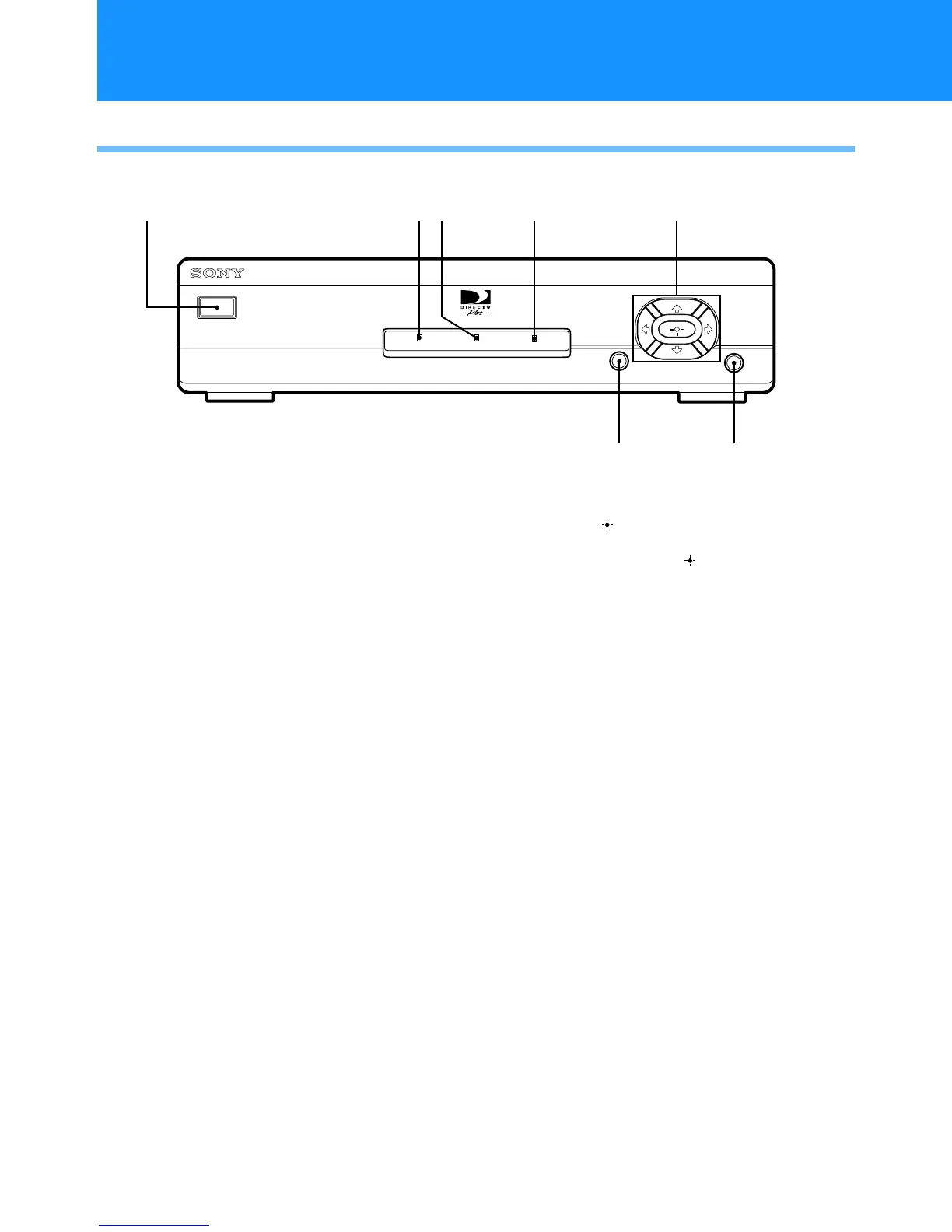
Front Panel
1 POWER Button
Turns your Digital Satellite Receiver on and off.
2 POWER Indicator
Indicates whether the Digital Satellite Receiver is
on or off.
3 TIMER Indicator
Indicates that the Timer is set.
4 MESSAGE Indicator
Indicates that you have a new message.
5 Arrow and Buttons
Thearrowbuttonsmovethehighlightinthe
on-screen displays. The button selects the
highlighted item.
6 MENU Button
Opens the Main Menu.
7 GUIDE Button
Opens the Program Guide.
POWER
POWER TIMER MESSAGE
MENUGUIDE
1
23 4 5
7
Location and Function of Controls


 To Next Page