Need help?
Do you have a question about the Sony SAT-A55P and is the answer not in the manual?
Details specifications for the digital satellite receiver unit.
Details specifications for the satellite antenna.
Highlights critical components for safe operation and replacement procedures.
Procedure for testing AC leakage from exposed metal parts to earth ground.
Methods for identifying a proper earth ground connection for safety tests.
Instructions for removing the upper case of the unit.
Instructions for removing the HB board.
Instructions for removing the A and SC2 boards.
Illustrates the location of the main circuit boards within the unit.
Provides general information and symbols used in schematic diagrams.
Shows the first part of the system's block diagram.
The first of four schematic diagrams for the A Board.
The second of four schematic diagrams for the A Board.
The third of four schematic diagrams for the A Board.
The fourth of four schematic diagrams for the A Board.
Exploded view of the unit's chassis and related parts.
Exploded view of the SAN-18D3 satellite antenna.
Lists all items included in the receiver's carton.
Provides an overview of the steps to connect the satellite receiver.
Instructions for inserting batteries into the remote control.
Instructions for connecting the satellite dish antenna and telephone line.
Instructions for connecting the receiver to a TV.
Instructions for connecting a VCR or audio system to the receiver.
Instructions for connecting the VCR controller for timer and recording functions.
Instructions for connecting the RF antenna for remote operation.
Instructions for connecting the AC power cord to the receiver.
Instructions for inserting the access card into the receiver.
Overview of the RM-Y802 and RM-Y139 remote control buttons.
How to navigate and select items in on-screen displays.
Steps to power on the satellite receiver and TV.
Instructions on how to change channels using the remote.
Explains how to navigate the main menu to access features.
Overview of the System Menu options for adjusting settings.
Guide to aiming the dish antenna for optimal signal strength.
Instructions on selecting the correct satellite dish antenna type.
How to enter zip code or location data to aim the antenna.
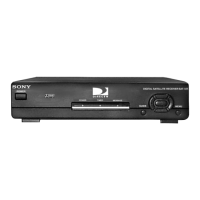
Identifies and describes the controls on the front panel of the receiver.
Identifies and describes the jacks on the back panel of the SAT-A55.
Identifies and describes the jacks on the back panel of the SAT-B55.
Troubleshooting steps for issues with picture quality or signal.
Steps to resolve issues where the unit will not power on.
Troubleshooting steps for VCR recording problems.
Information regarding FCC limits and measures to correct interference.
FCC compliance statement for the product.
Overview of the Preferences Menu for customizing displays.
How to change color scheme, station order, and surf setting.
Steps to select a preferred color scheme for on-screen displays.
How to select numerical or alphabetical station order.
How to choose stations to skip in guides and channel surfing.
Information on the future application of the Data Services feature.
Overview of the Locks & Limits feature for restricting access.
How to set a limit on pay-per-view purchase amounts.
How to limit programs based on content rating.
Instructions for blocking access to specific stations.
Steps to enter a passcode to lock the receiver settings.
Steps to enter a passcode to unlock the receiver for changes.
How to set timers to view or record programs from guides.
Steps to automatically tune to scheduled programs.
Instructions for editing or deleting scheduled timer events.
Lists codes for programming the remote to control other devices.
Lists VCR codes for remote control programming.
Lists amplifier codes for RM-Y802 remote control programming.
Lists cable box codes for RM-Y802 remote control programming.
Identifies and describes the controls on the front panel of the receiver.
Identifies and describes the jacks on the back panel of the SAT-A55.
Identifies and describes the jacks on the back panel of the SAT-B55.
 General
| Type | Satellite Receiver |
|---|---|
| Remote Control | Yes |
| Parental Controls | Yes |
| Video Outputs | Composite |
| Audio Outputs | Optical, RCA |

 To Next Page