28
Setting Up Auto Title Insert
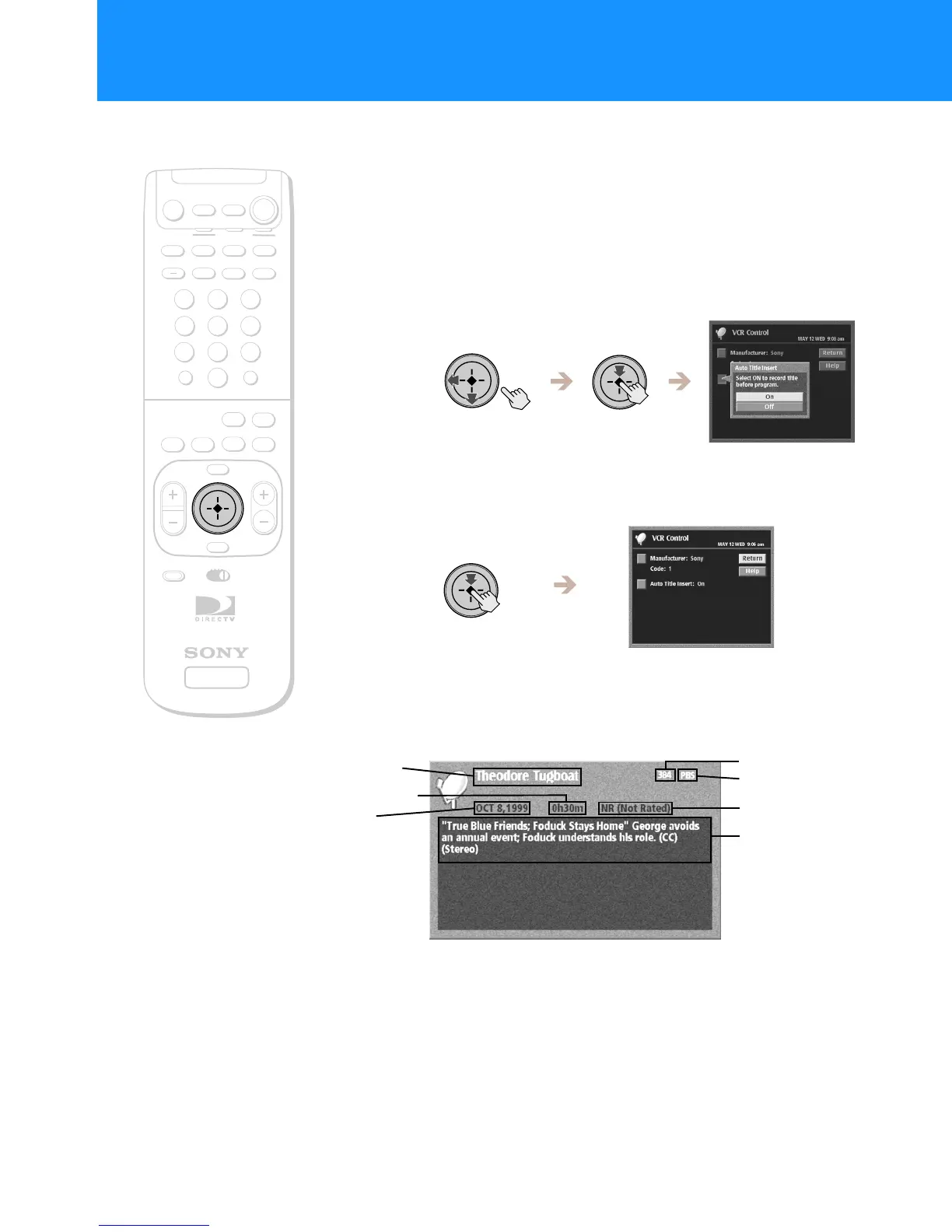
TheAutoTitleInsertfeatureletsyoudisplayinformationaboutthe
program at the beginning of a Timer & Rec event. This is convenient if
you want a “title” to appear at the beginning of programs you schedule
or record.
1
Highlight and select “Auto Title Insert” from the VCR
Control display (see page 26).
The Auto Title Insert pop-up appears.
2
Select “On” or “Off”.
The Auto Title Insert pop-up closes to show the VCR Control
display.
When the scheduled event begins
A title appears at the beginning of any Timer & Rec event.
+
SATELLITE
RECEIVER
2
8
3
4
5
6
9
SLEEP
TV/SAT
TV/VIDEO
FUNCTION
SAT
CABLE
AUDIO
VOLUME
ENTERDISPLAY
MUTING
CABLE
ALT AUDIO
JUMP
GUIDE
INDEXFAVORITE
VOL
RM-Y802
VTR3 2 DVD AMP
MENU
EXIT
CH
1
7
TV
TV
CATEGORY
CODE SET
0
POWER
SAT
Note
When you schedule two or more
consecutiveprograms,theAutoTitle
Insert feature will only appear before the
first program.
RM-Y802
Remote Control
Program description
Rating
Date
Program name
Channel
Network
Program length
Setting Up Your Digital Satellite Receiver (SYSTEM)
(continued)

 To Next Page
 Loading...