13
Connecting Your DIRECTV
PLUS™ Digital Satellite Receiver
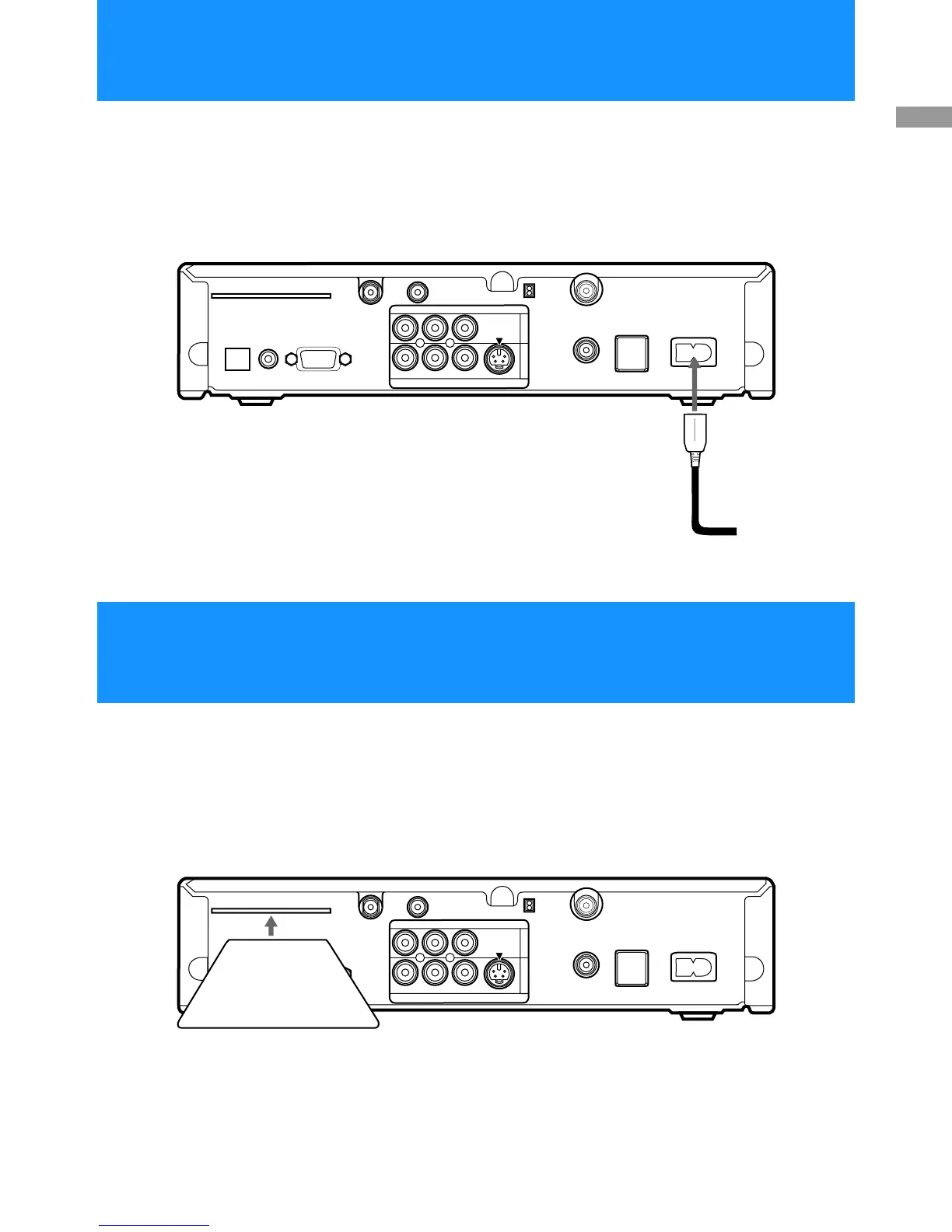
After all other connections are complete, connect the AC Power Cord to
the Digital Satellite Receiver. Then connect the AC Power Cord to a
power outlet.
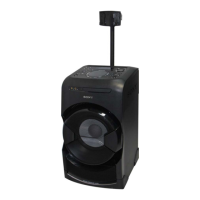
After you insert the Access Card and your Satellite Dish Antenna is
installed, you are ready to begin enjoying digital satellite programming.
Call DIRECTV at 1-800-DIRECTV (347-3288) to begin service.
ACCESS CARD
LOW SPEED DATA
VCR CONTROL
DIGITAL
OUT
(O
P
TIC
A
L
)
SATELLITE IN
RF REMOTE
R
L(M
O
NO
)
V
ID
E
O
O
UT
A
U
DIO
V
ID
E
O
S
V
ID
E
O
CH3
CH4
VHF/UHF IN
VHF(SAT)/UHF
OUT
TEL LINE
AC IN~
1
2
AC Power Cord
to power outlet
Digital Satellite Receiver
ACCESS CARD
LOW SPEED DATA
VCR CONTROL
DIGITAL
OUT
(O
P
T
IC
A
L
)
SATELLITE IN
RF REMOTE
R
L(M
O
N
O
)
V
ID
E
O
O
U
T
A
U
D
IO
V
ID
E
O
S
V
ID
E
O
CH3
CH4
VHF/UHF IN
VHF(SAT)/UHF
OUT
TEL LINE
AC IN~
1
2
Digital Satellite Receiver
Access Card
Step 7: Connecting the AC Power Cord
Step 8: Inserting the Access Card


 To Next Page