q
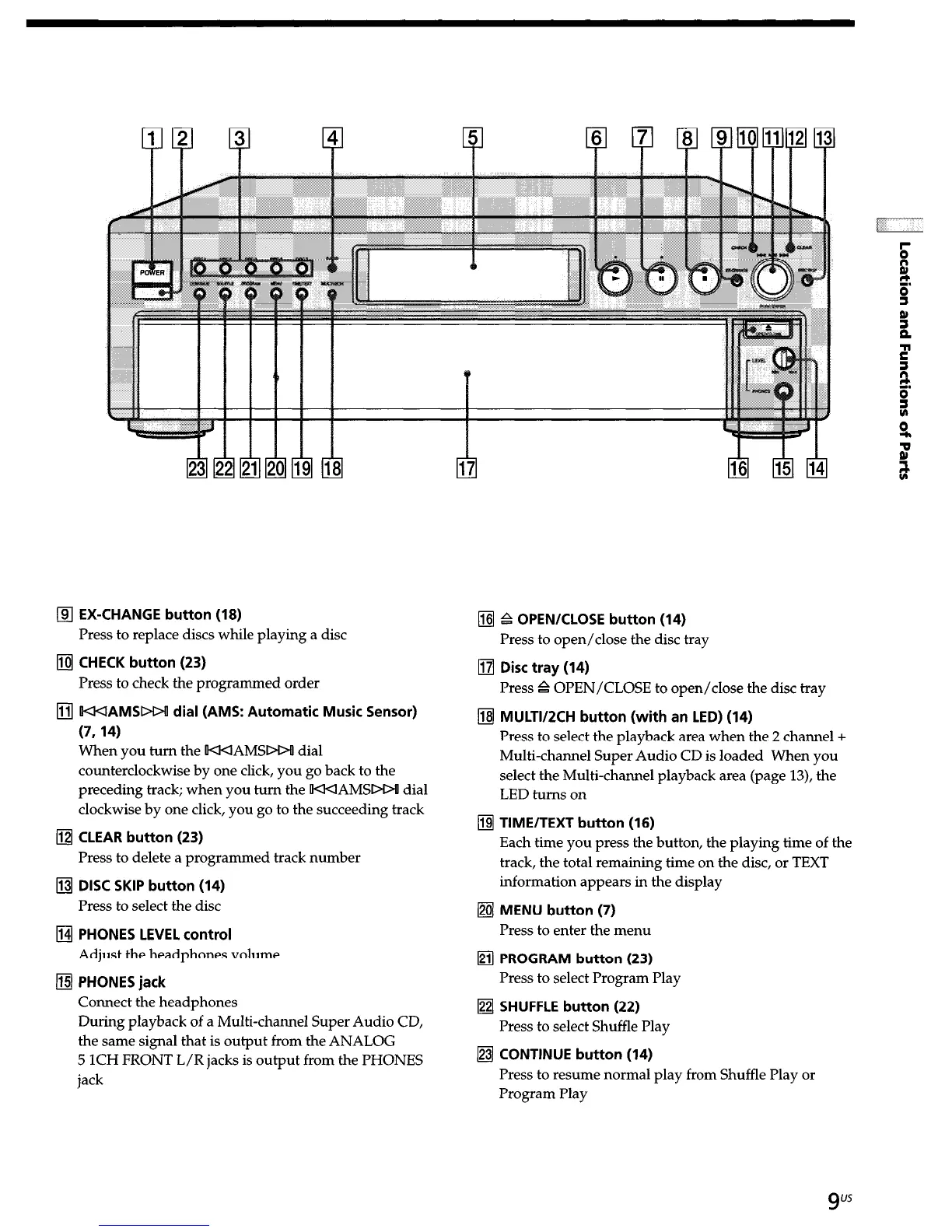
EX-CHANGE button (18)
Press to replace discs while playing a disc
q
CHECK button (23)
Press to check the programmed order
q
WAMSDW dial (AMS: Automatic Music Sensor)
(7,14)
When you turn the KKIAMSPOU dial
counterclockwise by one click, you go back to the
preceding track; when you turn the KKIAMSDO! dial
clockwise by one click, you go to the succeeding track
q
CLEAR button (23)
Press to delete a programmed track number
q
DISC SKIP button (14)
Press to select the disc
q
PHONES LEVEL control
Adjust the headphones volume
q
PHONES jack
Connect the headphones
During playback of a Multi-channel Super Audio CD,
the same signal that is output from the ANALOG
5 1CH FRONT L/R jacks is output from the PHONES
jack
q
P OPEN/CLOSE button (14)
Press to open/close the disc tray
q
Disc tray (14)
Press & OPEN/CLOSE to open/close the disc tray
q
MULTI/ZCH button (with an LED) (14)
Press to select the playback area when the 2 channel +
Multi-channel Super Audio CD is loaded When you
select the Multi-channel playback area (page 13), the
LED turns on
q
TIME/TEXT button (16)
Each time you press the button, the playing time of the
track, the total remaining time on the disc, or TEXT
information appears in the display
q
MENU button (7)
Press to enter the menu
q
PROGRAM button (23)
Press to select Program Play
q
SHUFFLE button (22)
Press to select Shuffle Play
q
CONTINUE button (14)
Press to resume normal play from Shuffle Play or
Program Play
9
us


 To Next Page