Creating Your Own
Program
(Program Play)
You can pick out the tracks that you like and specify the
playback order in a program containing up to 32 tracks
1
2
3
4
5
6
7
8
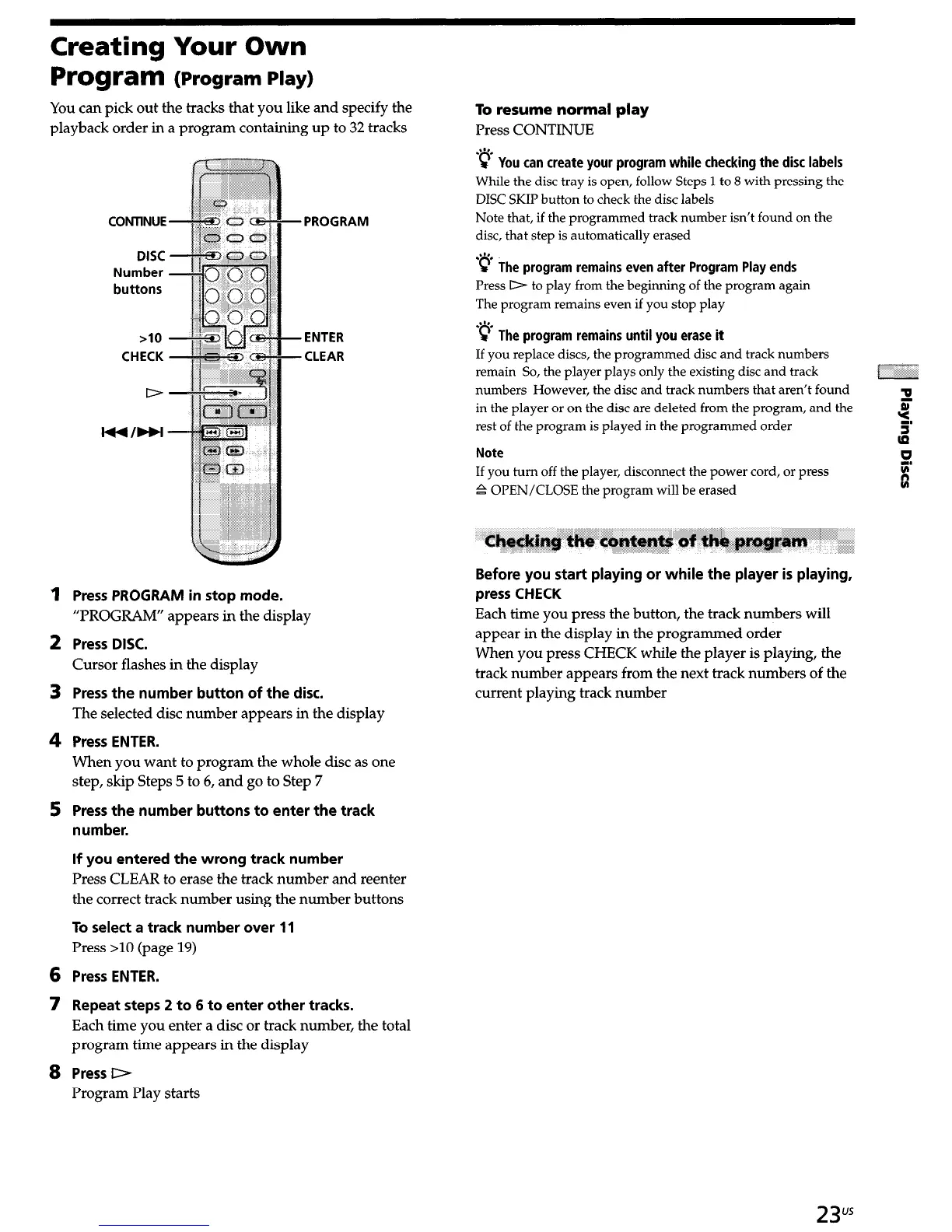
CONTlNUE
DISC
Number
buttons
PROGRAM
>I0
ENTER
CHECK CLEAR
D
Press PROGRAM in stop mode.
“PROGRAM” appears in the display
Press DISC.
Cursor flashes in the display
Press the number button of the disc.
The selected disc number appears in the display
Press ENTER.
When you want to program the whole disc as one
step, skip Steps 5 to 6, and go to Step 7
Press the number buttons to enter the track
number.
If you entered the wrong track number
Press CLEAR to erase the track number and reenter
the correct track number using the number buttons
To select a track number over 11
Press >10 (page 19)
Press ENTER.
Repeat steps 2 to 6 to enter other tracks.
Each time you enter a disc or track number, the total
program time appears in the display
Press D
Program Play starts
To resume normal play
Press CONTINUE
2”.
c You can create your program while checking the disc labels
While the disc tray is open, follow Steps 1 to 8 with pressing the
DISC SKIP button to check the disc labels
Note that, if the programmed track number isn’t found on the
disc, that step is automatically erased
‘@ Th
e program remains even after Program Play ends
Press D to play from the beginning of the program again
The program remains even if you stop play
-p Th
e pro
g
ram remains until you erase it
If you replace discs, the programmed disc and track numbers
remain So, the player plays only the existing disc and track
numbers However, the disc and track numbers that aren’t found
3
in the player or on the disc are deleted from the program, and the
rest of the program is played in the programmed order
5.
ti
Note
If you turn off the player, disconnect the power cord, or press
.& OPEN/CLOSE the program will be erased
0
I
Q
Before you start playing or while the player is playing,
press CHECK
Each time you press the button, the track numbers will
appear in the display in the programmed order
When you press CHECK while the player is playing, the
track number appears from the
next
track numbers of the
current playing track number
23”s


 To Next Page