Locating a Specific Disc
Locating a Specific Track
You can locate any disc before or while playing a disc
During stop or play mode, you can locate any track to be
played
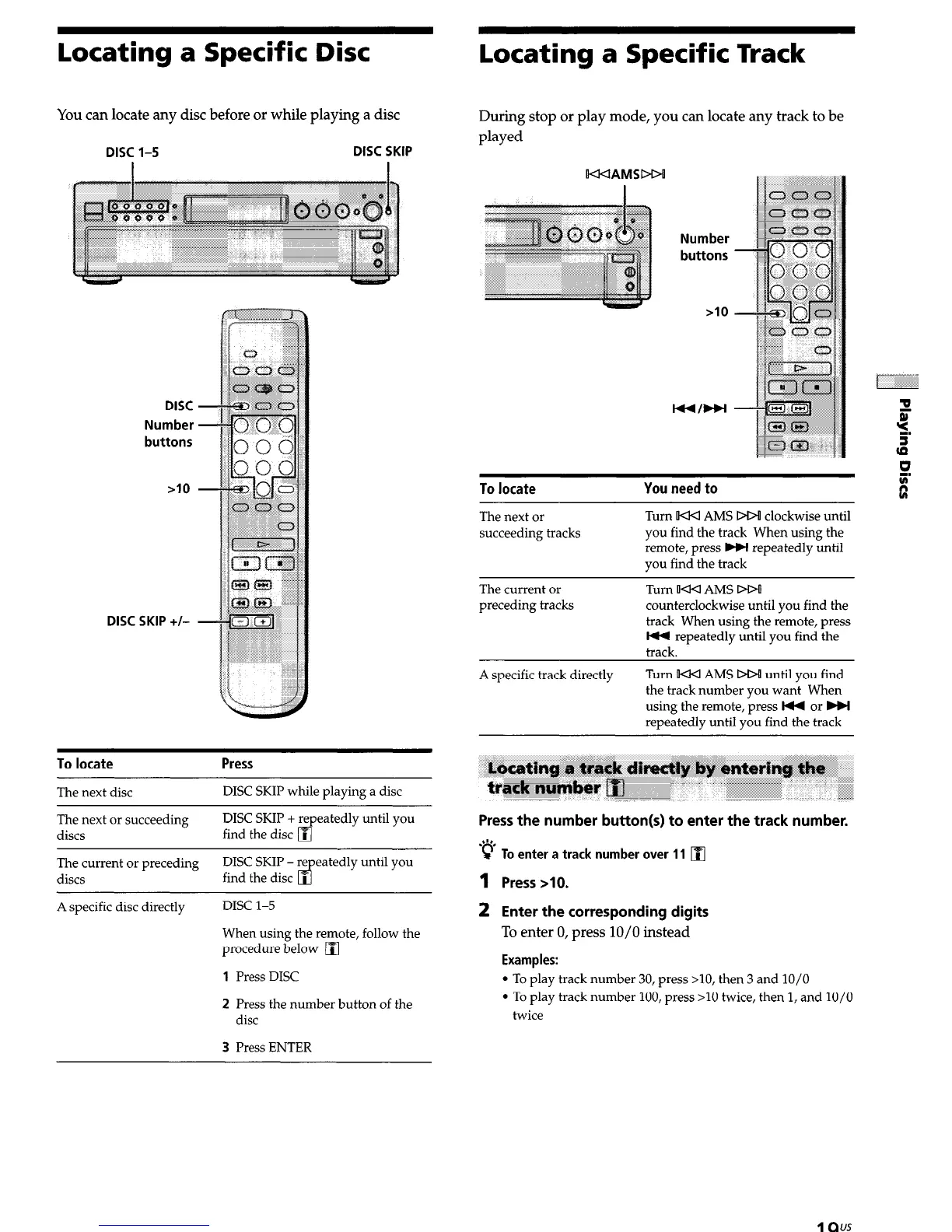
DISC l-5 DISC SKIP
DISC
Number
buttons
DISC SKIP +/-
To locate
The next disc
Press
DISC SKIP while playing a disc
The next or succeeding
discs
DISC SKIP + repeatedly until you
find the disc
q
The current or preceding
discs
A specific disc directly
DISC SKIP - repeatedly until you
find the disc
q
DISC l-5
When using the remote, follow the
procedure below
q
1
Press DISC
2 Press the number button of the
disc
3 Press ENTER
Number
buttons
To locate
You need to
The next or
succeeding tracks
Turn w<l AMS DD! clockwise until
you find the track When using the
remote, press w repeatedly until
you find the track
The current or
preceding tracks
Turn w<l AMS DO!
counterclockwise until you find the
track When using the remote, press
t44 repeatedly until you find the
track.
A specific track directly Turn !U4 AMS DO! until you find
the track number you want When
using the remote, press I44 or HI
repeatedly until you find the track
Press the number button(s) to enter the track number.
‘e To enter a track number over 11
q
1 Press >lO.
2 Enter the corresponding digits
To enter 0, press 10/O instead
Examples:
l
To play track number 30, press >lO, then 3 and 10/O
l
To play track number 100, press >10 twice, then 1, and 10/O
twice
19"*


 To Next Page