To import contacts using Bluetooth
®
technology
1
Make sure you have the Bluetooth
®
function turned on and that your device is set
to visible.
2
When you are notified of an incoming file to your device, drag the status bar
downward and tap the notification to accept the file transfer.
3
Tap Accept to start the file transfer.
4
Drag the status bar downward. When the transfer is complete, tap the notification.
5
Tap the received file.
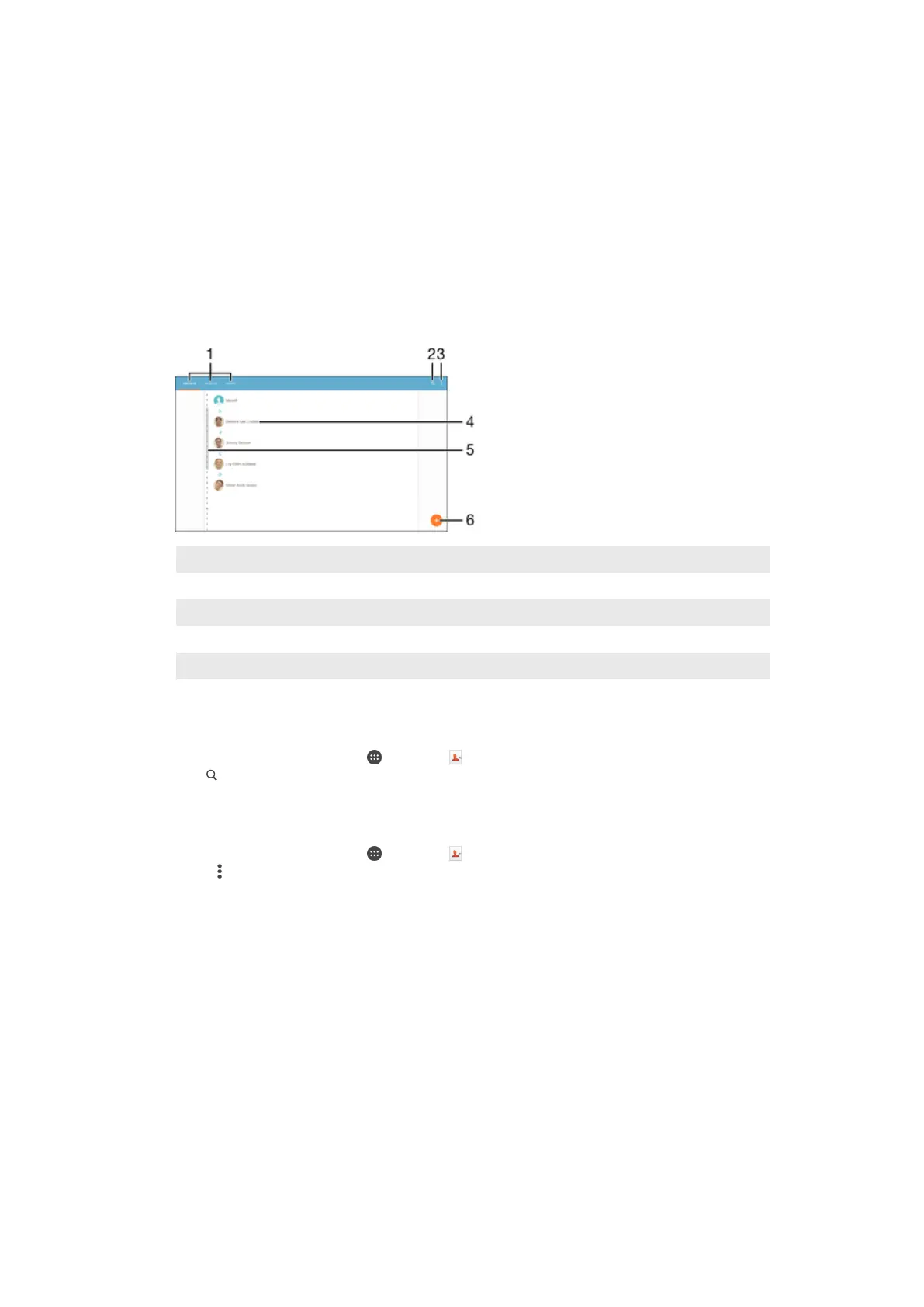
Searching and viewing contacts
1 Contacts, Favorites, and Groups tabs
2 Search for contacts
3 View more options
4 View contact details
5 Jump to contacts starting with the selected letter
6 Add a contact
To search for a contact
1
From your Homescreen, tap , then tap .
2
Tap
and enter a phone number, name, or other information in the
Search
contacts field. The result list is filtered as you enter each character.
To select which contacts to display in the Contacts application
1
From your Homescreen, tap , then tap .
2
Press , then tap
Filter
.
3
In the list that appears, mark or unmark the desired options. If you have
synchronized your contacts with a synchronization account, that account appears
in the list. To further expand the list of options, tap the account.
48
This is an internet version of this publication. © Print only for private use.














 To Next Page