Email
Setting up email
Use the email application in your device to send and receive email messages through
your email accounts. You can have one or several email accounts at the same time,
including corporate Microsoft Exchange ActiveSync accounts.
To set up an email account
1
From your Homescreen, tap
.
2
Find and tap Mail.
3
Follow the instructions that appear on the screen to complete the setup.
For some email services, you may need to contact your email service provider for information
on detailed settings for the email account.
To add an extra email account
1
From your Homescreen, tap
.
2
Find and tap Mail.
3
Tap , then tap Settings > Add account.
4
Enter the email address and password, then tap Next. If the settings for the email
account cannot be downloaded automatically, complete the setup manually.
5
When you are finished, tap Next.
Sending and Receiving Email Messages
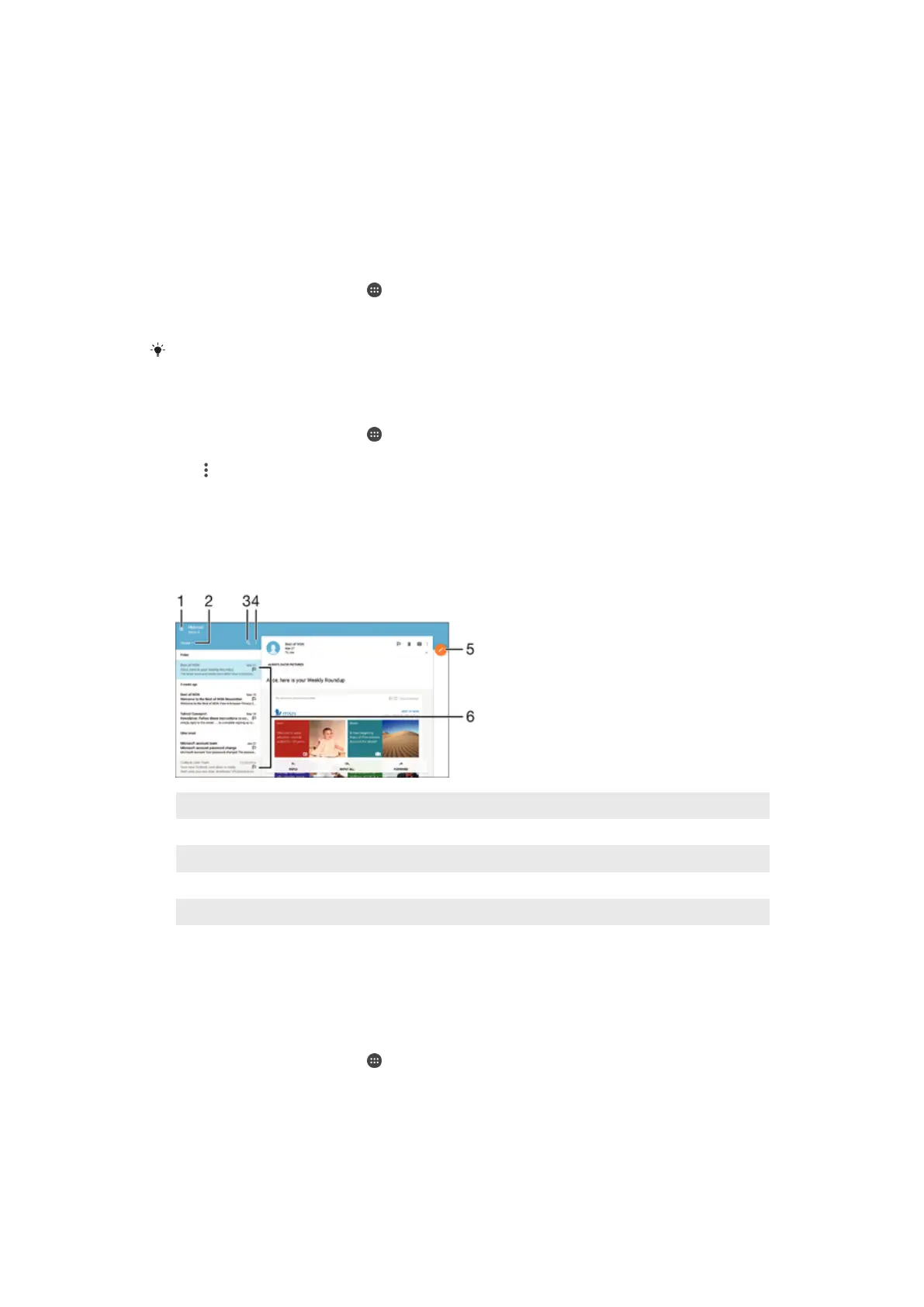
1 View a list of all email accounts and recent folders
2 Sort email messages
3 Search for email messages
4 Access settings and options
5 Write an email message
6 List of email messages
To download new email messages
•
When the inbox is open, swipe downward on the message list.
To Read Your Email Messages
1
From your Homescreen, tap .
2
Find and tap Mail.
3
If you are using several email accounts, drag the left edge of the screen to the
right and select the account you want to check. If you want to check all your email
accounts at once, drag the left edge of the screen to the right, then tap Combined
inbox.
4
In the email inbox, scroll up or down and tap the email message that you want to
read.
52
This is an internet version of this publication. © Print only for private use.














 To Next Page