For more information about Android™ and Google™, go to
http://support.google.com
.
It is crucial that you remember your Google™ account username and password. In some
situations, you may need to identify yourself for security reasons using your Google™ account.
If you fail to give your Google™ username and password in such situations, your device is
locked. Also, if you have more than one Google™ account, make sure to enter the details for
the relevant account.
To Set up a Google™ Account on Your Device
1
From your Homescreen, tap .
2
Find and tap Settings > Accounts > Add account > Google.
3
Follow the registration wizard to create a Google™ account, or sign in if you
already have an account.
You can also sign in to or create a Google™ account from the setup guide the first time you
start your device. Or you can go online and create an account at
www.google.com/accounts
.
Charging your Device
Your device has an embedded, rechargeable battery that should be replaced only by
Sony or an authorized Sony repair center. You should never try to open or take apart this
device yourself. Opening the device can cause damage that will void your warranty.
The battery is partly charged when the device is shipped from the factory. The battery
level may be very low, depending on how long the device was in the box before you
purchased it. It is therefore recommended that you charge the battery for at least 30
minutes before starting up your device for the first time. You can still use your device
while it is charging. Read more about how to improve battery performance in
Battery
and power management
on page 18.
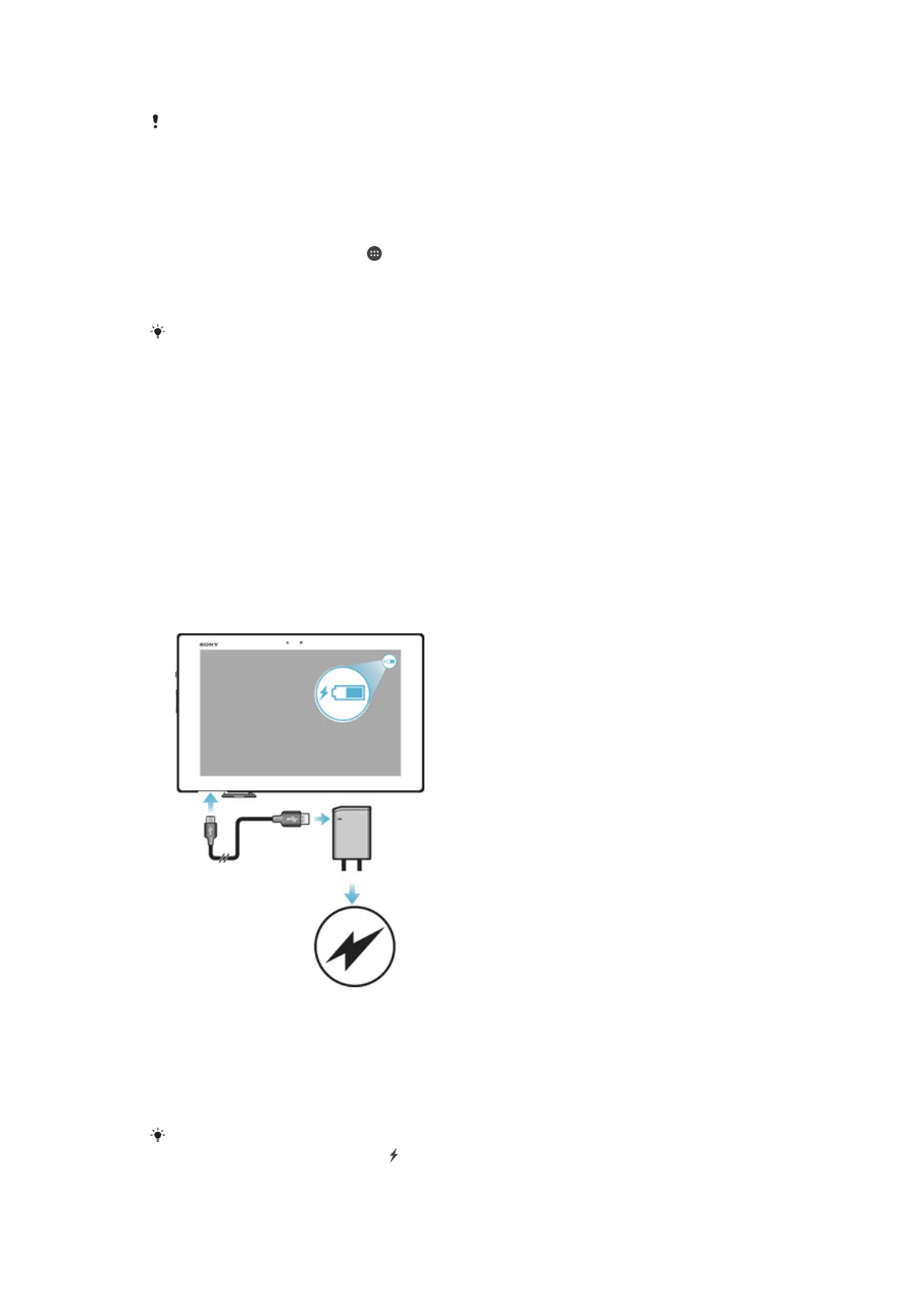
To charge your device
1
Plug the charger into a power outlet.
2
Plug one end of the USB cable into the charger (or into the USB port of a
computer).
3
Plug the other end of the cable into the micro USB port on your device, with the
USB symbol facing up. The notification light illuminates when charging begins.
4
When the device is fully charged, disconnect the cable from your device by pulling
it straight outward. Make sure not to bend the connector.
If the battery is completely discharged, it may take a few minutes before the
notification light
illuminates and the charging icon appears.
9
This is an internet version of this publication. © Print only for private use.














 To Next Page