Getting Started
16
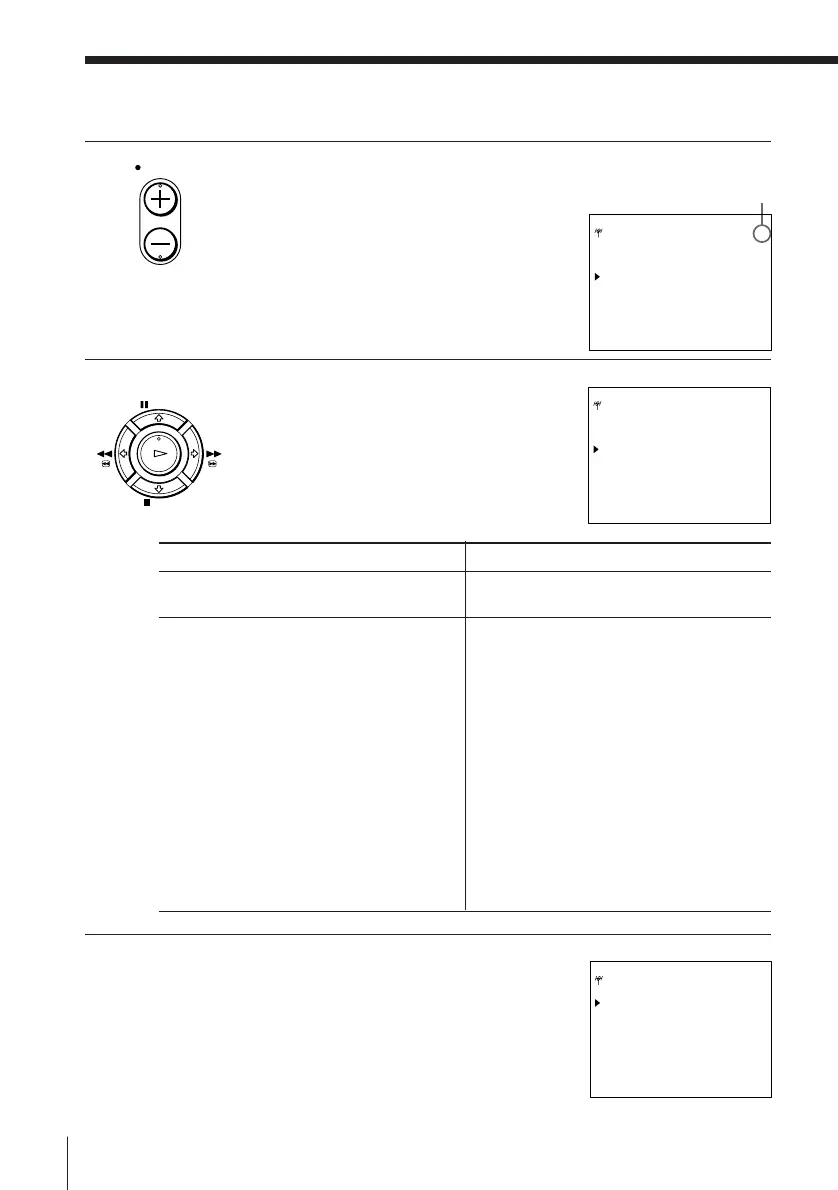
5 Press PROG +/– to select the programme
position.
6 Press ? // repeatedly until the channel
you want is displayed.
The channels appear in the following
order.
7 If the TV sound is distorted or noisy, press
> /. to move the cursor ( ) to SYSTEM,
then select B/G or D/K so that you get the
better sound.
Manual setup — Presetting channels (continued)
D/K TV system
CHANNEL SET
number
2
5
6
12
13
14
15
16
17
18
19
20
21-69
Corresponding
TV channel
R1
R6
R7
R12
R2
R3
R4
R5
R8
R9
R10
R11
R21-R69
B/G TV system
CHANNEL SET
number
2
3
4
5
6
7
8
9
10
11
12
21-69
CATV 1-41
CATV 42-46
Corresponding
TV channel
E2
E3
E4
E5
E6
E7
E8
E9
E10
E11
E12
E21-E69
S1-S41
S01-S05
PROG
PAUSE
STOP
FFREW
PLAY
OK
TUNER PROG 7
SYSTEM [D/K ]
NORMAL/CATV [NORM]
CHANNEL SET [S01 ]
AFT [ON ]
FINE TUNING
SELECT : Vv
SET : Bb
Selected programme position
TUNER PROG 7
SYSTEM [D/K ]
NORMAL/CATV [NORM]
CHANNEL SET [C02 ]
AFT [ON ]
FINE TUNING
SELECT : Vv
SET : Bb
TUNER PROG 7
SYSTEM [B/G ]
NORMAL/CATV [NORM]
CHANNEL SET [C02 ]
AFT [ON ]
FINE TUNING
SELECT : Vv
SET : Bb



 To Next Page