Getting Started
15
Getting Started
Manual setup —
Presetting
channels
If some channels could not be preset
using the Auto Set Up function, you can
preset them manually.
Before you start…
• Turn on the VCR and the TV.
• Set the TV to the video channel.
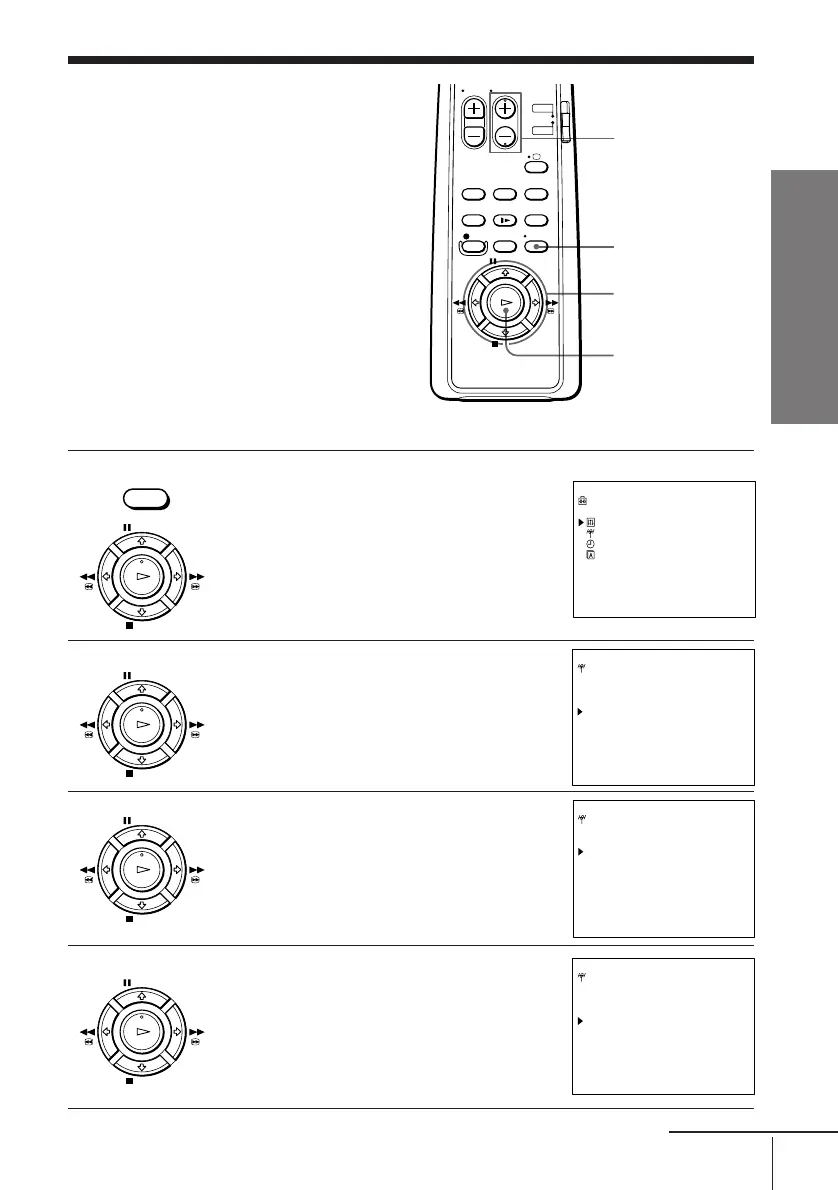
1 Press MENU, then press > /. to select
SETTINGS and press OK.
2 Press > /. to select TUNER, then press
OK.
3 Press > /. to move the cursor ( ) to
NORMAL/CATV, then select either
NORM or CATV using ? // .
4 Press > /. to move the cursor ( ) to
CHANNEL SET.
MENU
OK
> /. /? //
continued
PROG +/–
• MENU
SETTINGS
OPTIONS
TUNER
CLOCK
LANGUAGE
SELECT : Vv
SET : OK
PAUSE
STOP
FFREW
PLAY
OK
PAUSE
STOP
FFREW
PLAY
OK
PAUSE
STOP
FFREW
PLAY
OK
PAUSE
STOP
FFREW
PLAY
OK
TUNER PROG14
SYSTEM [D/K ]
NORMAL/CATV [CATV]
CHANNEL SET [S01 ]
AFT [ON ]
FINE TUNING
SELECT : Vv
SET : Bb
TUNER PROG14
SYSTEM [D/K ]
NORMAL/CATV [NORM]
CHANNEL SET [S01 ]
AFT [ON ]
FINE TUNING
SELECT : Vv
SET : Bb
TUNER PROG14
SYSTEM [D/K ]
NORMAL/CATV [NORM]
CHANNEL SET [S01 ]
AFT [ON ]
FINE TUNING
SELECT : Vv
SET : Bb



 To Next Page