Basic Operations
22
Time counter
Recording TV programmes (continued)
Remaining time
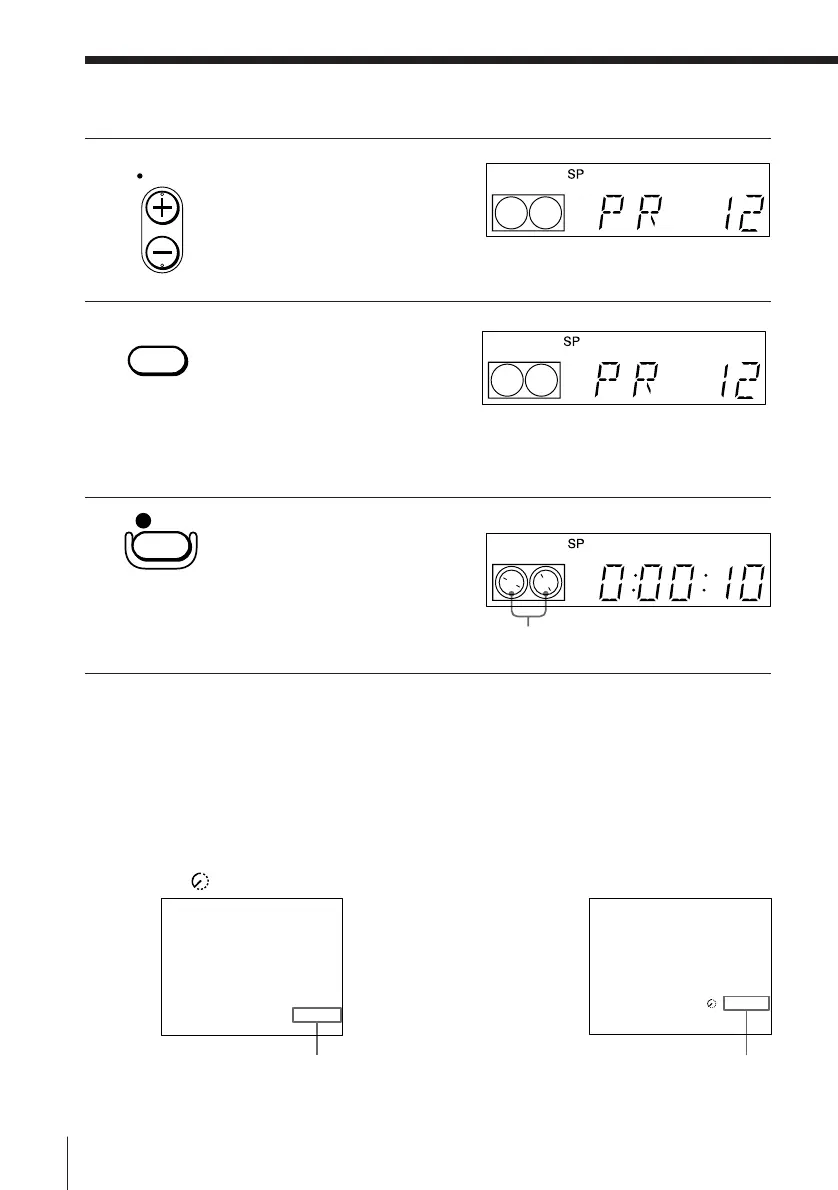
4 Press PROG +/– to select the
programme position you
want to record.
5 (SLV-E480EE only)
Press SP/LP to select the
tape speed, SP or LP.
LP (Long Play) provides
recording time twice as long
as SP(Standard Play) ,
however, SP produces better
picture and audio quality.
6 Press r REC to start recording.
The recording indicator lights
up red in the display window.
To stop recording
Press p STOP.
To check the remaining time
Press DISPLAY. With the display on, press COUNTER/REMAIN to check
the remaining time. Each time you press COUNTER/REMAIN, the time
counter and the remaining time appear alternately. The remaining time with
the
indicator also appears in the display window.
To correctly check the remaining time of the tape, set TAPE SELECT in the
TAPE OPTIONS menu according to the tape type you use (see page 33).
PROG
SP/LP
REC
Recording indicator
PROG12
SP 0:00:22



 To Next Page