Additional Operations28
Playing/searching at various speeds (continued)
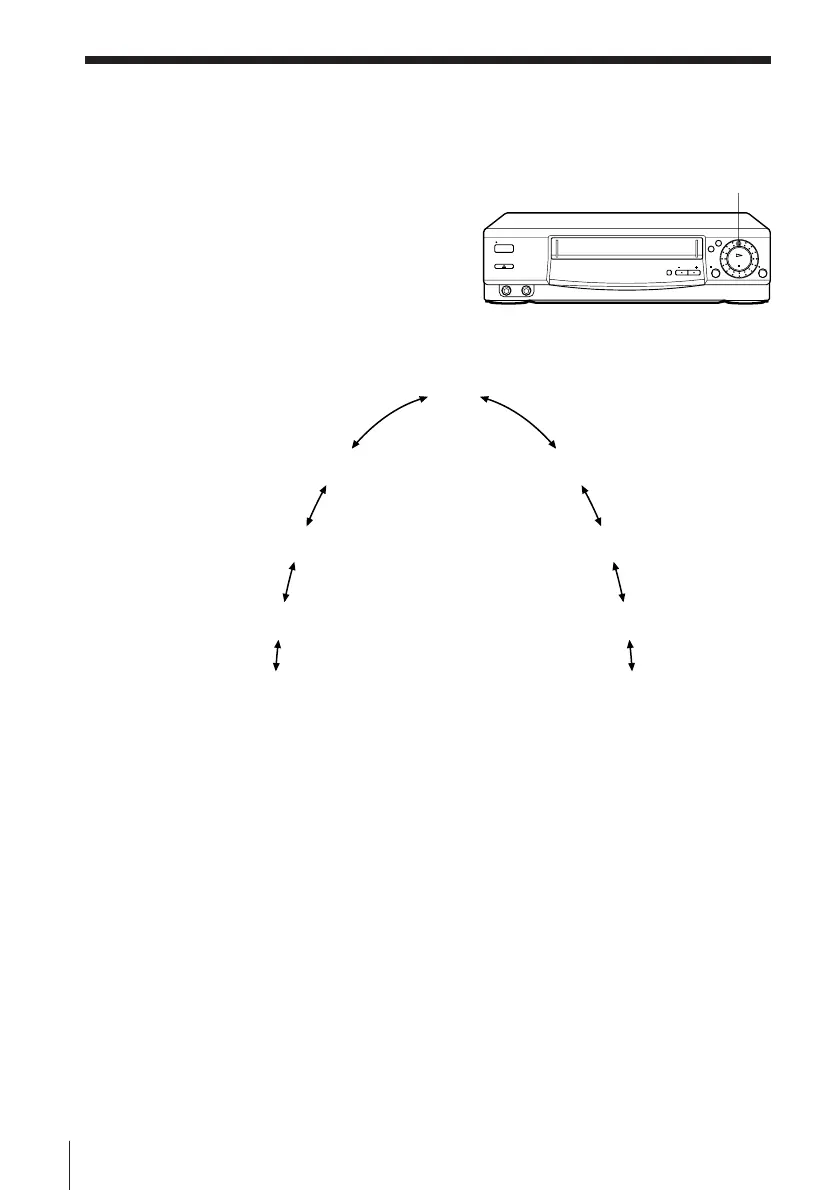
CLICK SHUTTLE ring
Using the CLICK SHUTTLE ring (SLV-E380EE only)
With the CLICK SHUTTLE ring, you
can operate a variety of playback
options.
During playback or pause, turn the
CLICK SHUTTLE ring clockwise or
anticlockwise. Each change in the
CLICK SHUTTLE ring position
changes the playback mode in the
following way.
Tip
• Adjust the picture using TRACKING +/– on the VCR if:
– streaks appear while playing in slow motion
– the picture shakes while pausing.
To set tracking to the centre position, press both buttons (+/–) at the same time.
Notes
• The sound is muted during these operations.
• The picture may have snow:
– when playing at high speed in reverse
– when playing in reverse slow motion
– when playing in reverse.
Slow motion
Double speed
High speed
Slow motion in
reverse
Normal speed in
reverse
Double speed in
reverse
High speed in
reverse
pause
Normal speed
(Initial speed)



 To Next Page