EasyManua.ls Logo

Sony SPP-A250 - Page 14

Sony SPP-A250
86 pages
Print Icon
To Next Page IconTo Next Page
To Previous Page IconTo Previous Page
Loading...
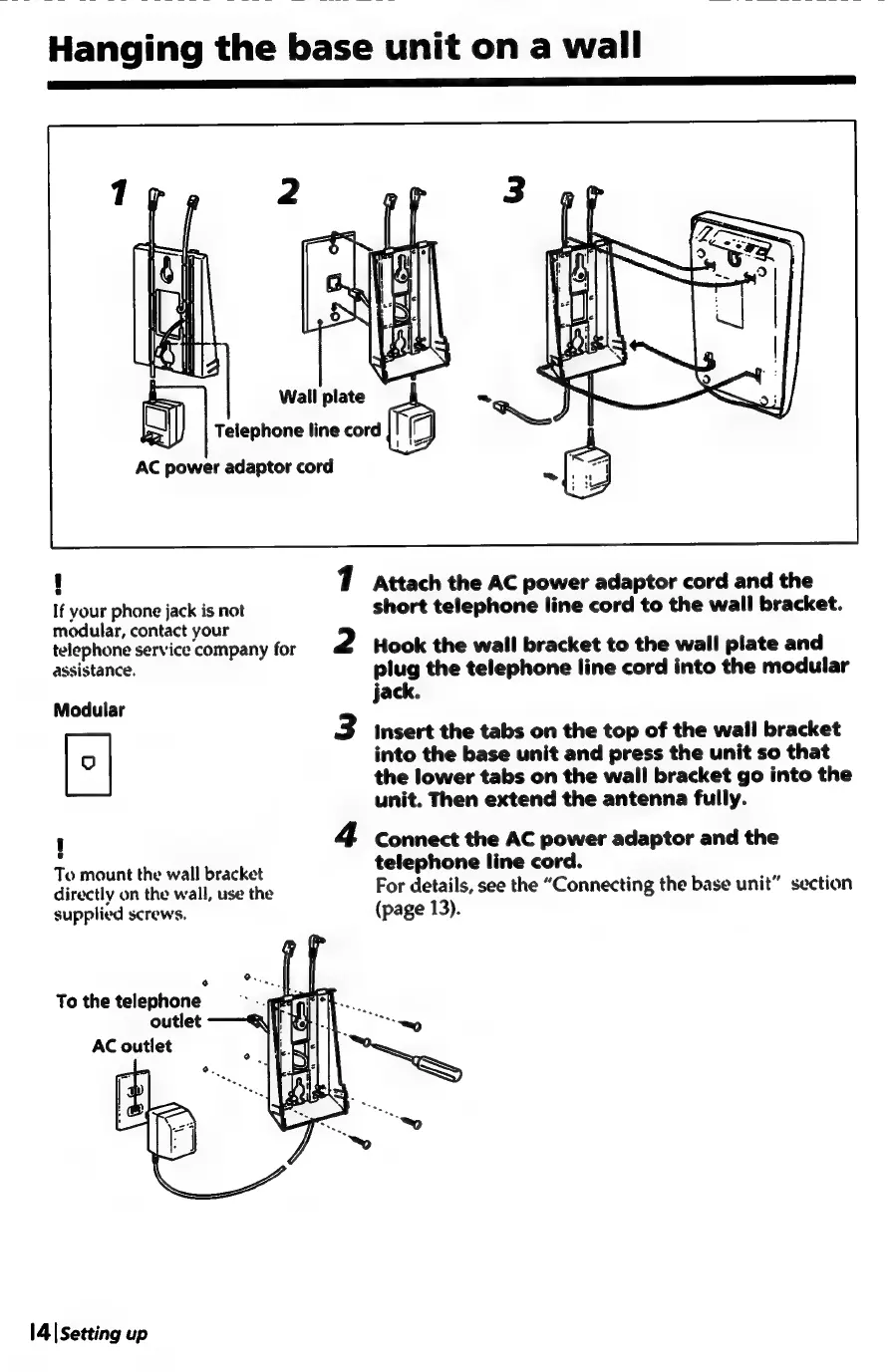
AC
power
adaptor
cord
s
If
your
phone
jack
is
not
modular,
contact
your
telephone
service
company
for
assistance.
Modular
u
e
To
mount
the
wall
bracket
directly
on
the
wall,
use
the
supplied
screws.
e
o.,
To
the
telephone
outlet
AC
outlet
1
2
3
Attach
the
AC
power
adaptor
cord
and
the
short
telephone
line
cord
to
the
wall
bracket.
Hook
the
wall
bracket
to
the
wall
plate
and
plug
the
telephone
line
cord
into
the
modular
jack.
Insert
the
tabs
on
the
top
of
the
wall
bracket
into
the
base
unit
and
press
the
unit
so
that
the
lower
tabs
on
the
wall
bracket
go
into
the
unit.
Then
extend
the
antenna
fully.
Connect
the
AC
power
adaptor
and
the
telephone
line
cord.
For
details,
see
the
“Connecting
the
base
unit”
section
(page
13).

Table of Contents

Related product manuals