EasyManua.ls Logo

Sony SPP-A250 - Page 16

Sony SPP-A250
86 pages
Print Icon
To Next Page IconTo Next Page
To Previous Page IconTo Previous Page
Loading...
Choosing
tone
or
pulse
dialing
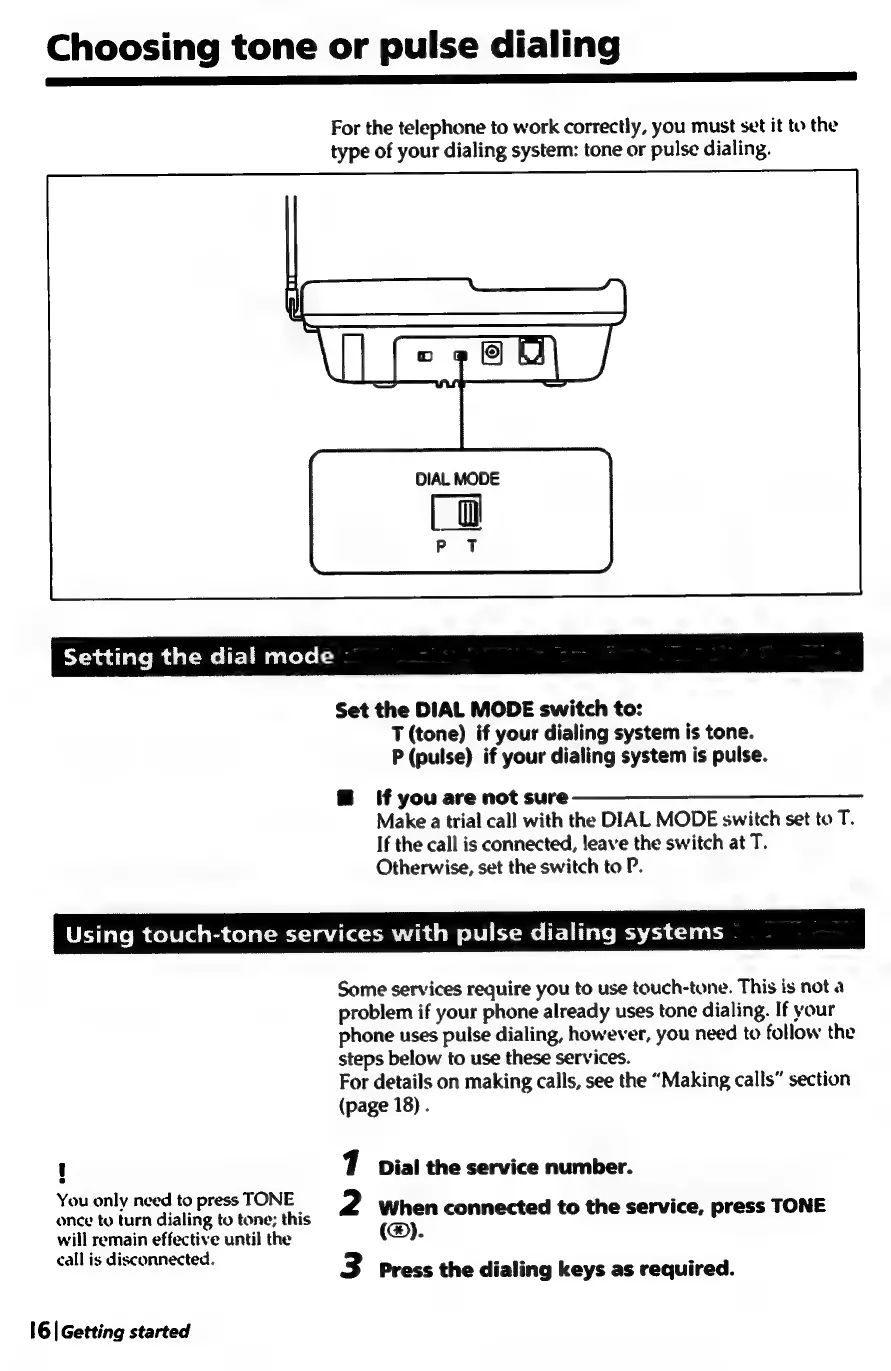
For
the
telephone
to
work
correctly,
you
must
set
it
to
the
type
of
your
dialing
system:
tone
or
pulse
dialing.
DIAL
MODE
[gi
P T
Ycpadiatemdal-me
it]
muacelo
(3
Set
the
DIAL
MODE
switch
to:
T
(tone)
if
your
dialing
system
is
tone.
P
(pulse)
if
your
dialing
system
is
pulse.
@
lf
you
are
not
sure
Make
a
trial
call
with
the
DIAL
MODE
switch
set
to
T.
If
the
call
is
connected,
leave
the
switch
at
T.
Otherwise,
set
the
switch
to
P.
Using
touch-tone
services
with
pulse
dialing
systems
Some
services
require
you
to
use
touch-tone.
This
is
not
a
problem
if
your
phone
already
uses
tone
dialing.
If
your
phone
uses
pulse
dialing,
however,
you
need
to
follow
the
steps
below
to
use
these
services.
For
details
on
making
calls,
see
the
“Making
calls”
section
(page
18)
.
]
1
Dial
the
service
number.
You
only
need
to
press
TONE
:
once
to
turn
dialing
to
tone;
this
2
When
connected
to
the
service,
press
TONE
will
remain
effective
until
the
(@).
call
is
dis
:
bias
7
eae
ice
ee
3
Press
the
dialing
keys
as
required.
16|
Getting
started

Table of Contents

Related product manuals