EasyManua.ls Logo

Sony SPP-A250 - Page 17

Sony SPP-A250
86 pages
Print Icon
To Next Page IconTo Next Page
To Previous Page IconTo Previous Page
Loading...
Adjusting
the
volume
BATT
SAVE
PNoHTers
alate
Maat-Matate
(-1s
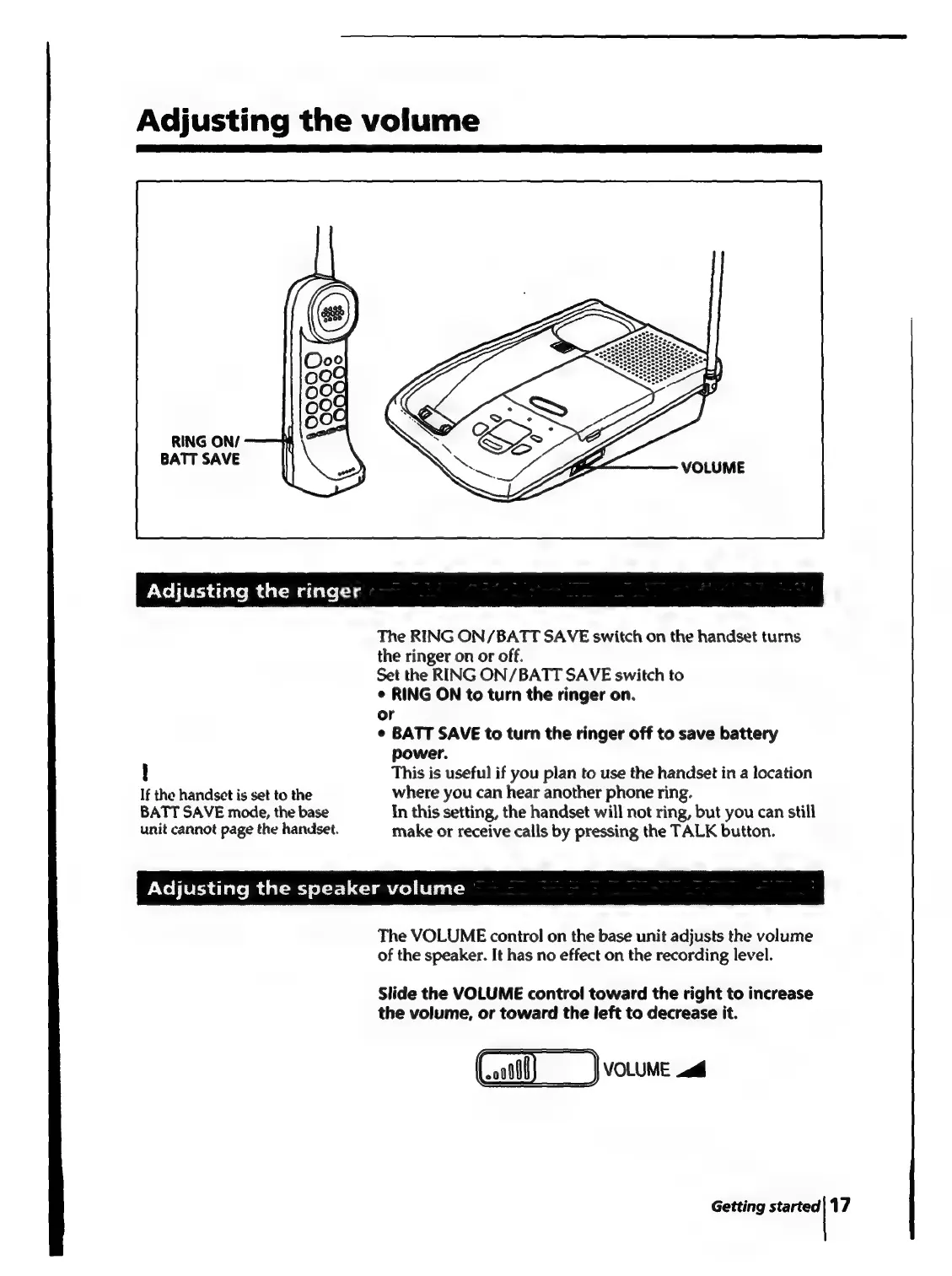
The
RING
ON/BATT
SAVE
switch
on
the
handset
turns
the
ringer
on
or
off.
Set
the
RING
ON/BATT
SAVE
switch
to
¢
RING
ON
to
turn
the
ringer
on.
or
¢
BATT
SAVE
to
turn
the
ringer
off
to
save
battery
power.
!
This
is
useful
if
you
plan
to
use
the
handset
in
a
location
If
the
handset
is
set
to
the
where
you
can
hear
another
phone
ring.
BATT
SAVE
mode,
the
base
In
this
setting,
the
handset
will
not
ring,
but
you
can
still
unit
cannot
page
the
handset.
make
or
receive
calls
by
pressing
the
TALK
button.
Adjusting
the
speaker
volume
The
VOLUME
control
on
the
base
unit
adjusts
the
volume
of
the
speaker.
It
has
no
effect
on
the
recording
level.
Slide
the
VOLUME
contro!
toward
the
right
to
increase
the
volume,
or
toward
the
left
to
decrease
it.
(00)
VOLUME
Getting
started|
17

Table of Contents

Related product manuals