Getting Started
6
EN
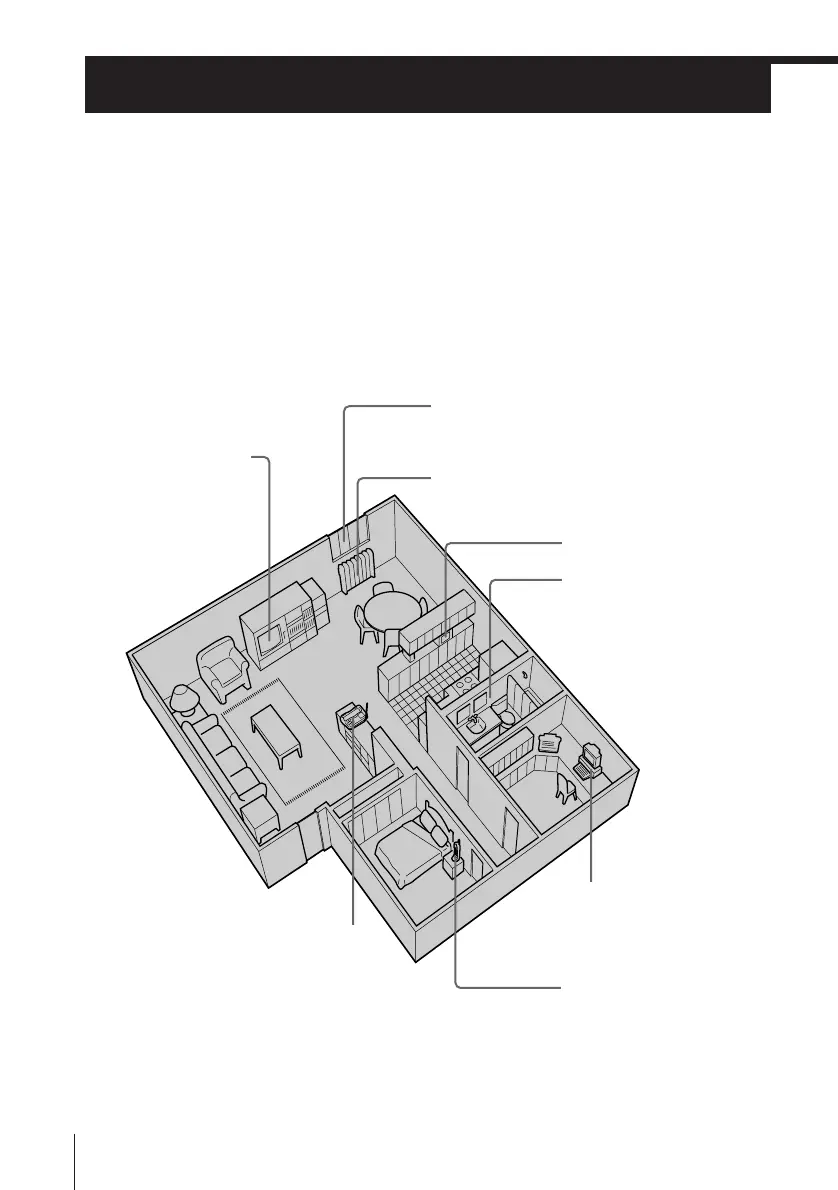
Step 2
Away from television
sets and other
electronic equipment
Away from a microwave
oven
Away from excessive
moisture, extremely low
temperatures, dust,
mechanical vibration, or
shock
Away from a personal
computer
Away from another
cordless telephone
Near a central location
and on a level surface
Away from heat sources, such as radiators,
airducts, and sunlight
Away from noise sources such as a window
by a street with heavy traffic
CAUTION
The cordless telephone operates at a frequency that may cause interference to nearby TVs and VCRs;
the base unit should not be placed near or on the top of a TV or VCR; and, if interference is
experienced, moving the cordless telephone farther away from the TV or VCR will often reduce or
eliminate the interference.
Setting up the base unit
Do the following steps:
• Choose the best location
• Connect the base unit
• Choose the dialing mode
Choose the best location
Where you place the base unit affects the reception quality of the
handset.












 To Next Page