EasyManua.ls Logo

Sony STR-AV1000 - Audio Adjustment

Sony STR-AV1000
42 pages
Print Icon
To Next Page IconTo Next Page
To Previous Page IconTo Previous Page
Loading...
I
Audio
Adjustment
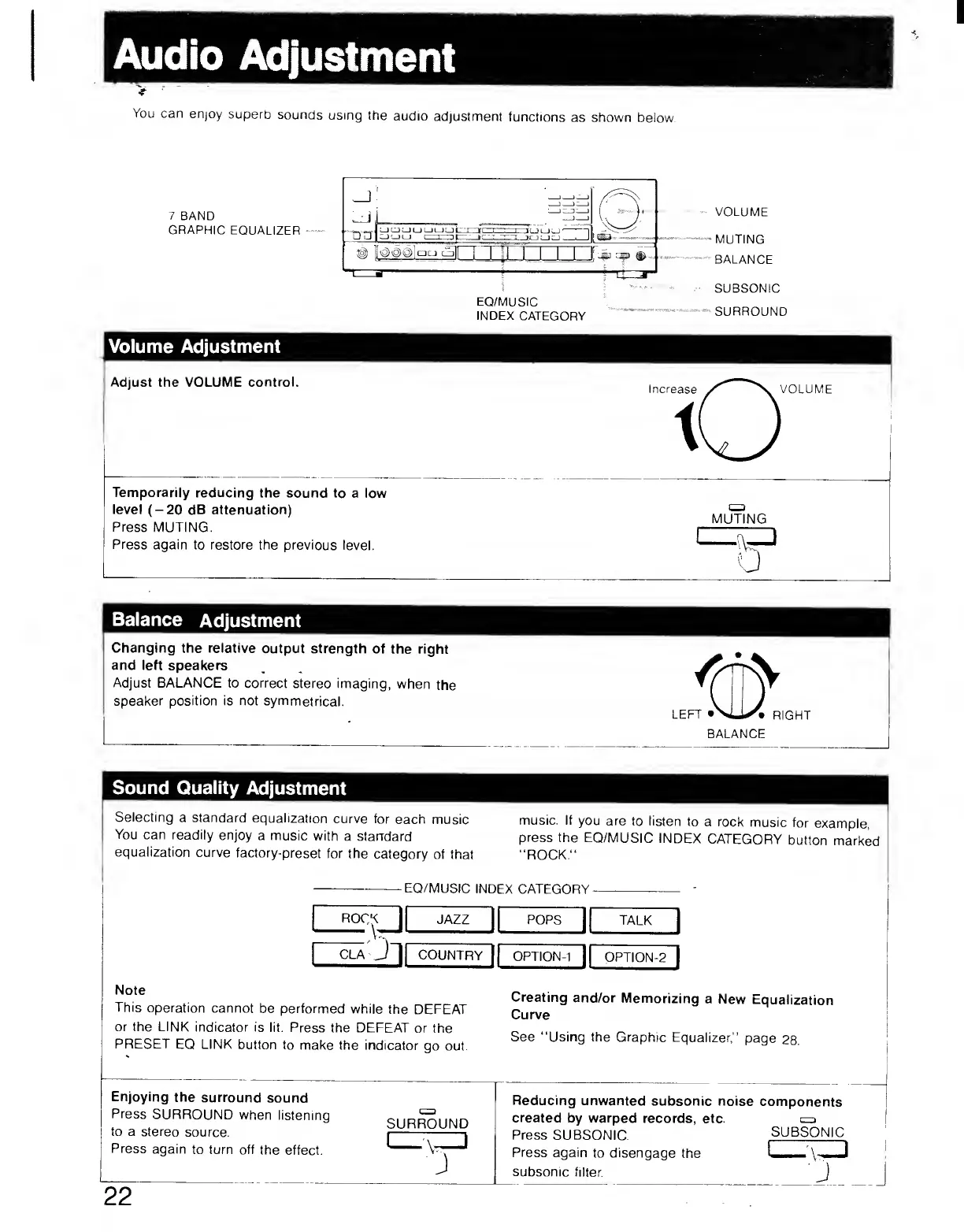
You
can
enjoy
superb
sounds
using
the
audio
adjustment
functions
as
shown
below.
7
BAND
GRAPHIC
EQUALIZER
Volume
Adjustment
Adjust
the
VOLUME
control.
Temporarily
reducing
the
sound
to
a
low
level
(-20
dB
attenuation)
Press
MUTING.
Press
again
to
restore
the
previous
level.
Balance
Adjustment
Changing
the
relative
output
strength
of
the
right
and
left
speakers
,
Adjust
BALANCE
to
correct
stereo
imaging,
when
the
▼
(
speaker
position
is
not
symmetrical.
V
j
LEFT
•Xi,
RIGHT
BALANCE
Sound
Quality
Adjustment
Selecting
a
standard
equalization
curve
for
each
music
music.
If
you
are
to
listen
to
a
rock
music
for
example,
You
can
readily
enjoy
a
music
with
a
standard
press
the
EQ/MUSIC
INDEX
CATEGORY
button
marked
equalization
curve
factory-preset
for
the
category
of
that
“ROCK."
EQ/MUSIC
INDEX
CATEGORY
rock
I
JAZZ
1
POPS
1
TALK
1
CLA
J
1
COUNTRY
1
OPTION-1
1
OPTION-2
1
Note
This
operation
cannot
be
performed
while
the
DEFEAT
or
the
LINK
indicator
is
lit.
Press
the
DEFEAT
or
the
PRESET
EQ
LINK
button
to
make
the
indicator
go
out.
Creating
and/or
Memorizing
a
New
Equalization
Curve
See
“Using
the
Graphic
Equalizer,”
page
28.
Enjoying
the
surround
sound
Press
SURROUND
when
listening
to
a
stereo
source.
Press
again
to
turn
off
the
effect.
SURROUND
Reducing
unwanted
subsonic
noise
components
created
by
warped
records,
etc.
a
Press
SUBSONIC.
SUBSONIC
Press
again
to
disengage
the
I
\
I
subsonic
filter.
J
22