EasyManua.ls Logo

Sony STR-AV1000 - Receiving FM Simulcast TV Programs

Sony STR-AV1000
42 pages
Print Icon
To Next Page IconTo Next Page
To Previous Page IconTo Previous Page
Loading...
than
Radio
Broadcasts
SYSTEM
POWER
•
ON
I
L-J
LJ
L
J;
:
□
lJ
lieu
1—)L-J
:
I
^
-
Select
SPEAKERS
A
or
B
I
Turntable
system
CD
player
I
Tape
deck
”
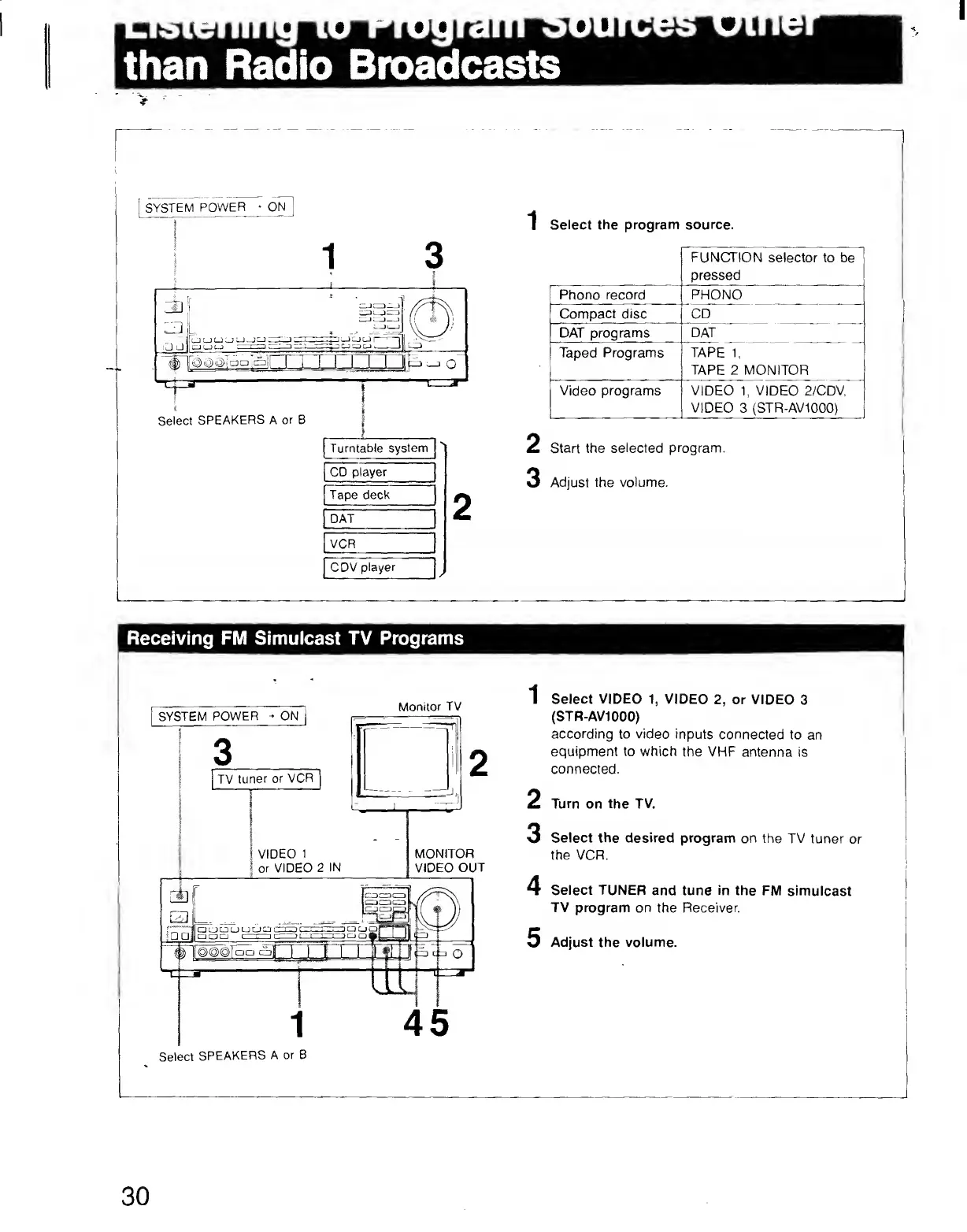
Select
the
program
source.
Phono
record
Compact
disc
DAT
programs
FUNCTION
selector
to
be
pressed
PHONO
~
^
__
'_
DAT
Taped
Programs
TAPE
1,
_T
APE
2
MONITOR
_
Video
programs
VIDEO
1,
VIDEO
2/CDV,
VIDEO
3
(STR-AV1000)
2
Start
the
selected
program.
3
Adjust
the
volume,
CDV
player
Receiving
FM
Simulcast
TV
Programs
SYSTEM
POWER
-
ON
TV
tuner
or
VCR
Monitor
TV
VIDEO
1
or
VIDEO
2
IN
MONITOR
VIDEO
OUT
UJJ
45
1
Select
VIDEO
1,
VIDEO
2,
or
VIDEO
3
(STR-AV1000)
according
to
video
inputs
connected
to
an
equipment
to
which
the
VHP
antenna
is
connected.
2
Turn
on
the
TV.
3
Select
the
desired
program
on
the
TV
tuner
or
the
VCR.
4
Select
TUNER
and
tune
in
the
FM
simulcast
TV
program
on
the
Receiver.
5
Adjust
the
volume.
Select
SPEAKERS
A
or
B
30