EasyManua.ls Logo

Sony STR-AV1000 - Video Operations; Recording a TV Program on a Video Tape

Sony STR-AV1000
42 pages
Print Icon
To Next Page IconTo Next Page
To Previous Page IconTo Previous Page
Loading...
Video
Operations
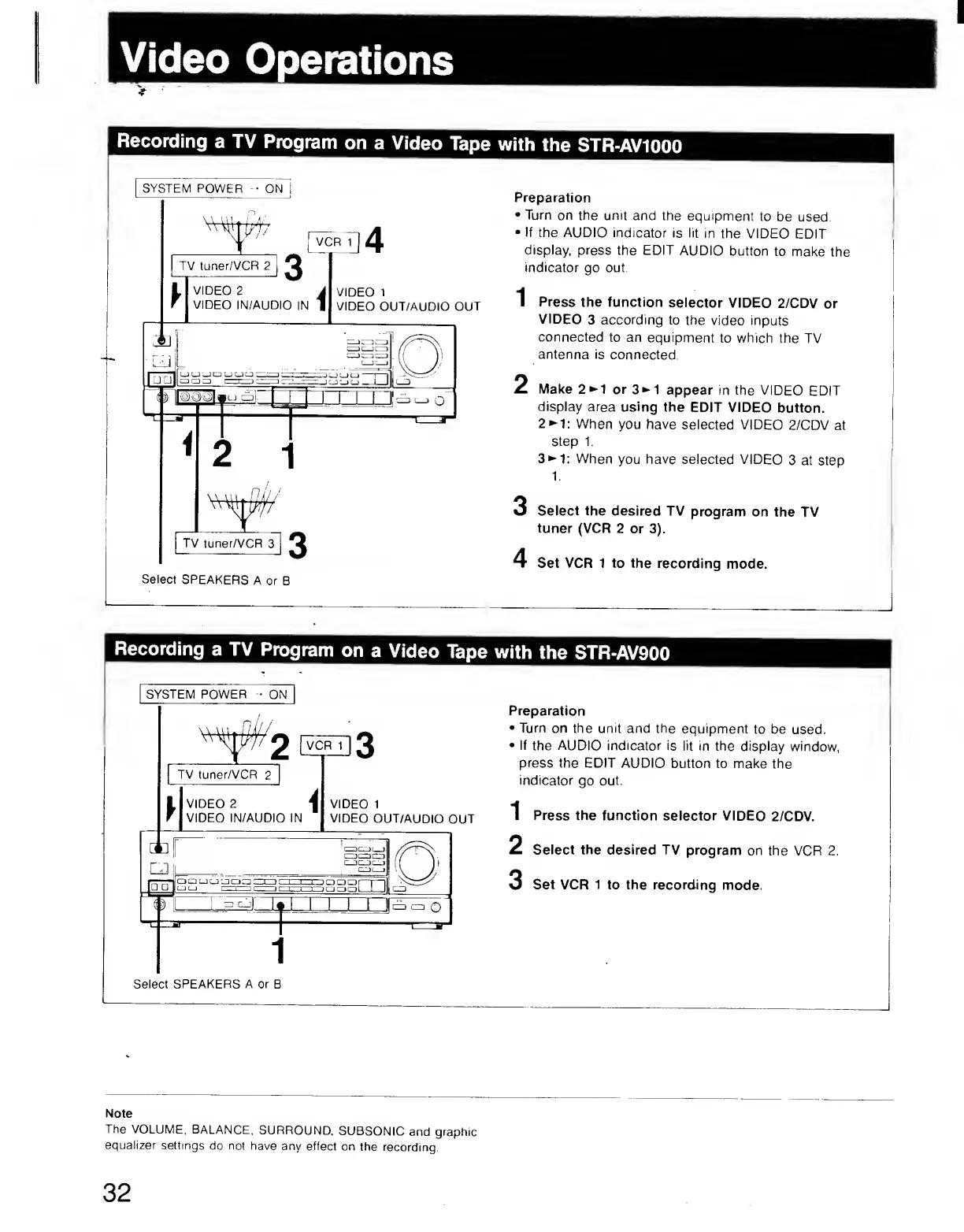
Recording
a
TV
Program
on
a
Video
Tape
with
the
STR-AV1000
Select
SPEAKERS
A
or
B
Preparation
•
Turn
on
the
unit
and
the
equipment
to
be
used.
•
If
the
AUDIO
indicator
is
lit
in
the
VIDEO
EDIT
display,
press
the
EDIT
AUDIO
button
to
make
the
indicator
go
out.
1
Press
the
function
selector
VIDEO
2/CDV
or
VIDEO
3
according
to
the
video
inputs
connected
to
an
equipment
to
which
the
TV
antenna
is
connected.
2
Make
2^1
or
3^1
appear
in
the
VIDEO
EDIT
display
area
using
the
EDIT
VIDEO
button.
2^1:
When
you
have
selected
VIDEO
2/CDV
at
step
1.
3^1;
When
you
have
selected
VIDEO
3
at
step
1
.
3
Select
the
desired
TV
program
on
the
TV
tuner
(VCR
2
or
3).
4
Set
VCR
1
to
the
recording
mode.
Note
The
VOLUME,
BALANCE,
SURROUND.
SUBSONIC
and
graphic
equalizer
settings
do
not
have
any
effect
on
the
recording.
32