EasyManua.ls Logo

Sony STR-AV1000 - Creating a New Equalization Curve.28

Sony STR-AV1000
42 pages
Print Icon
To Next Page IconTo Next Page
To Previous Page IconTo Previous Page
Loading...
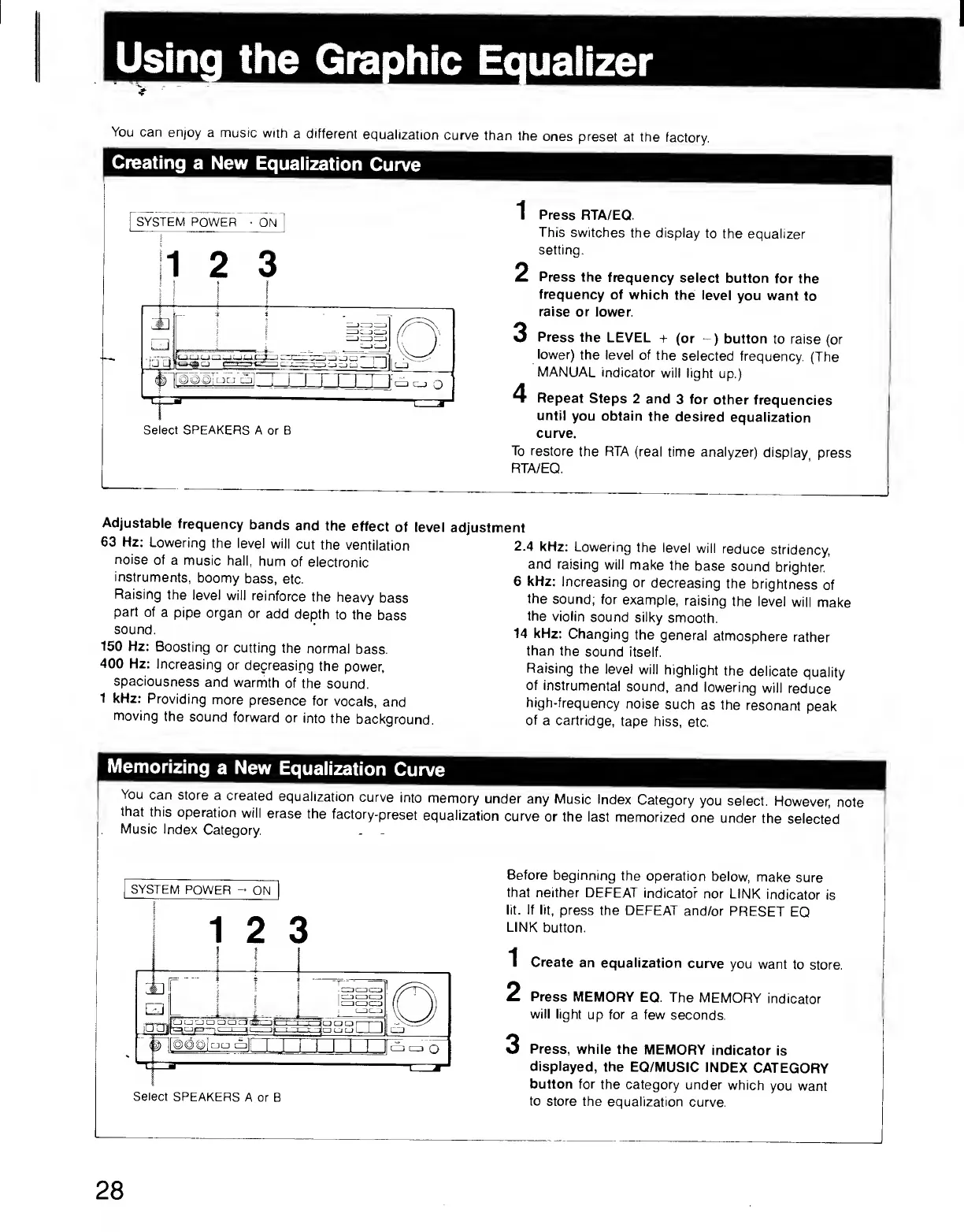
You
can
enjoy
a
music
with
a
different
equalization
curve
than
the
ones
preset
at
the
factory.
Creating
a
New
Equalization
Curve
Select
SPEAKERS
A
or
B
1
Press
RTA/EQ.
This
switches
the
display
to
the
equalizer
setting.
2
Press
the
frequency
select
button
for
the
frequency
of
which
the
level
you
want
to
raise
or
lower.
O
Press
the
LEVEL
+
(or
-)
button
to
raise
(or
lower)
the
level
of
the
selected
frequency.
(The
MANUAL
indicator
will
light
up.)
4
Repeat
Steps
2
and
3
for
other
frequencies
until
you
obtain
the
desired
equalization
curve.
To
restore
the
RTA
(real
time
analyzer)
display
press
RTA/EQ.
Adjustable
frequency
bands
and
the
effect
of
level
63
Hz:
Lowering
the
level
will
cut
the
ventilation
noise
of
a
music
hall,
hum
of
electronic
instruments,
boomy
bass,
etc.
Raising
the
level
will
reinforce
the
heavy
bass
part
of
a
pipe
organ
or
add
depth
to
the
bass
sound.
150
Hz:
Boosting
or
cutting
the
normal
bass.
400
Hz:
Increasing
or
decreasing
the
power,
spaciousness
and
warmth
of
the
sound.
1
kHz:
Providing
more
presence
for
vocals,
and
moving
the
sound
forward
or
into
the
background.
adjustment
2.4
kHz:
Lowering
the
level
will
reduce
stridency,
and
raising
will
make
the
base
sound
brighter,
6
kHz:
Increasing
or
decreasing
the
brightness
of
the
sound;
for
example,
raising
the
level
will
make
the
violin
sound
silky
smooth.
14
kHz:
Changing
the
general
atmosphere
rather
than
the
sound
itself.
Raising
the
level
will
highlight
the
delicate
quality
of
insfrumental
sound,
and
lowering
will
reduce
high-frequency
noise
such
as
the
resonant
peak
of
a
cartridge,
tape
hiss,
etc.
Memorizing
a
New
Equalization
Curve
You
can
store
a
created
equalization
curve
into
memory
under
any
Music
Index
Category
you
select.
However,
note
that
this
operation
will
erase
the
factory-preset
equalization
curve
or
the
last
memorized
one
under
the
selected
Music
Index
Category.
SYSTEM
POWER
-
ON
Before
beginning
the
operation
below,
make
sure
that
neither
DEFEAT
indicate?
nor
LINK
indicator
is
lit.
If
lit,
press
the
DEFEAT
and/or
PRESET
EQ
LINK
button.
1
Create
an
equalization
curve
you
want
to
store.
2
Press
MEMORY
EQ.
The
MEMORY
indicator
will
light
up
for
a
few
seconds.
3
Press,
while
the
MEMORY
indicator
is
displayed,
the
EQ/MUSIC
INDEX
CATEGORY
button
for
the
category
under
which
you
want
to
store
the
equalization
curve.