102
US
This function targets content via a USB device, a home network, and Internet video.
x 480i/576i
x 480p/576p
x 720p
x 1080i
x 1080p
* If you play back content that is protected by Macrovision, the receiver may output the image at low resolution,
or a warning message which informs that the video signals cannot be output may appear.
Notes
• If the warning message “Video cannot be output
from this jack.” appears, perform the following
procedure.
1Select “BD” as the input for the main zone.
2Set “Playback Resolution” to “480i/576i” or
“480p/576p.”
• If no picture is output when you play back content
via a USB device, a home network, or Internet
video from the Watch/Listen menu, perform the
following procedure.
1Select “BD” as the input for the main zone.
2Set “Playback Resolution” to a lower resolution.
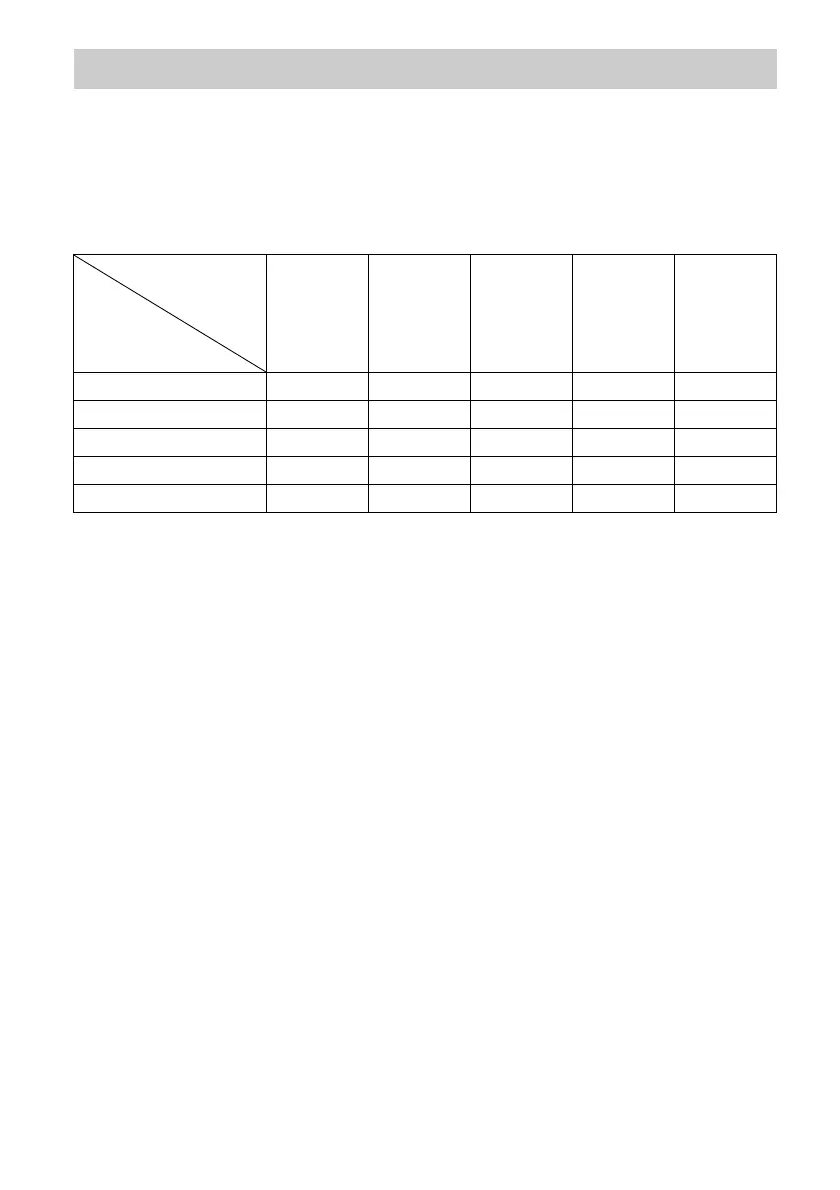
Playback Resolution
HDMI OUT
jacks
MONITOR
COMPONENT
VIDEO OUT
jacks
MONITOR
VIDEO OUT
jack
ZONE 2
COMPONENT
VIDEO OUT
OUT jacks
ZONE 2
VIDEO OUT
jack
480i/576i 480i/576i 480i/576i* 480i/576i* 480i/576i* 480i/576i*
480p/576p 480p/576p 480p/576p* 480i/576i* 480p/576p* 480i/576i*
720p (factory default setting) 720p 720p* – 720p* –
1080i 1080i 1080i* – 1080i* –
1080p 1080p 1080i* – 1080i* –
“Playback
Resolution”
menu setting
Output
video
resolution















 To Next Page