50
US
USB Device/WALKMAN
You can play video/music/photo files on the
connected USB device.
For playable types of files, see “Network/
USB” (page 22).
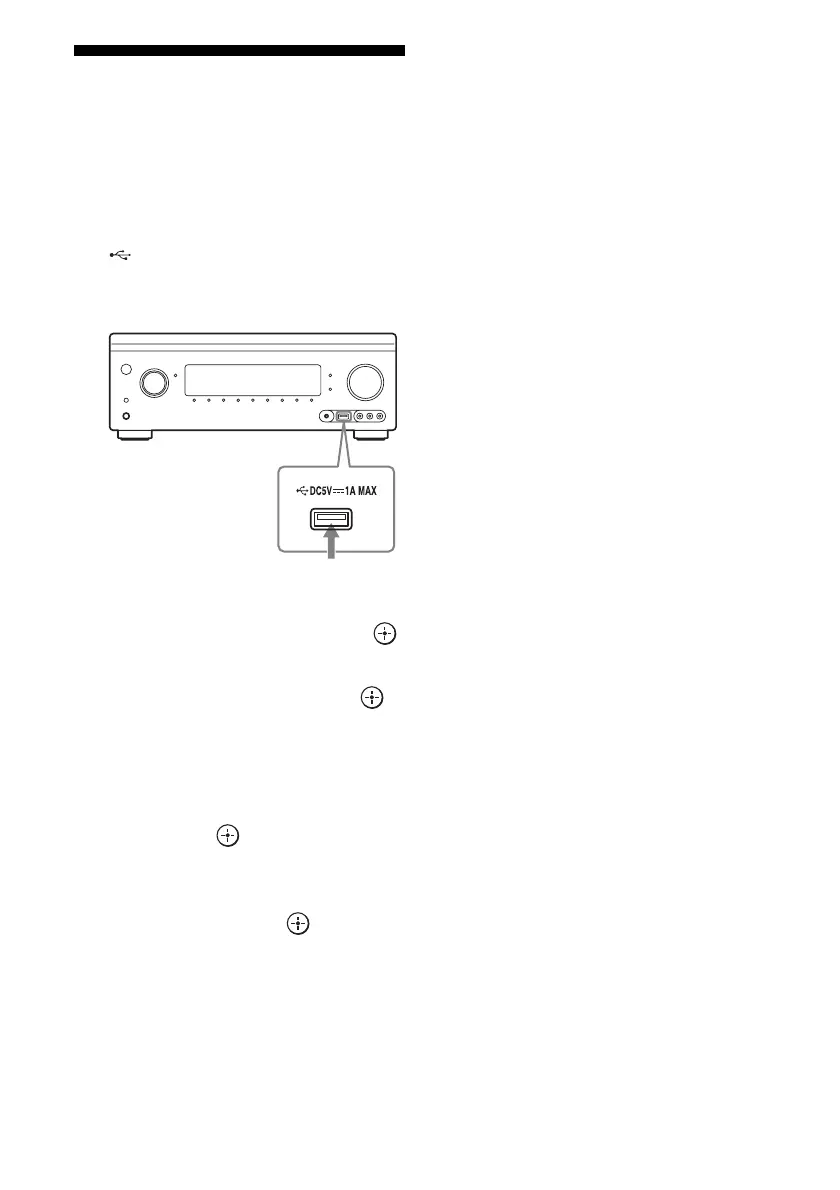
1 Connect the USB device to the
(USB) port on the receiver.
Refer to the operating instructions of the
USB device before connecting.
2 Select “Watch” or “Listen” from
the home menu, then press .
3 Select “My Video,” “My Music,”
or “My Photo,” then press .
Note
If no picture is output, change the setting for
“Playback Resolution” (page 102).
4 Select “USB device (front),”
then press .
The folders and video/music/photo files
are listed on the TV screen.
5 Press V/v/B/b and to select
the file that you want to play.
The image or sound from the USB device
is played on the receiver.
Notes
• Do not remove the USB device during operation.
To avoid data corruption or damage to the USB
device, turn the receiver off when removing the
USB device.
• If you connect a WALKMAN to the receiver,
operate the WALKMAN using the remote control
of the receiver the same way you do when you
connect other USB devices to the receiver. You
cannot use the controls on the WALKMAN.
• Some USB devices may not work with this
receiver.
• The receiver can recognise Mass Storage Class
(MSC) devices (such as flash memory or an HDD)
(front USB jack only).
USB device















 To Next Page