30
US
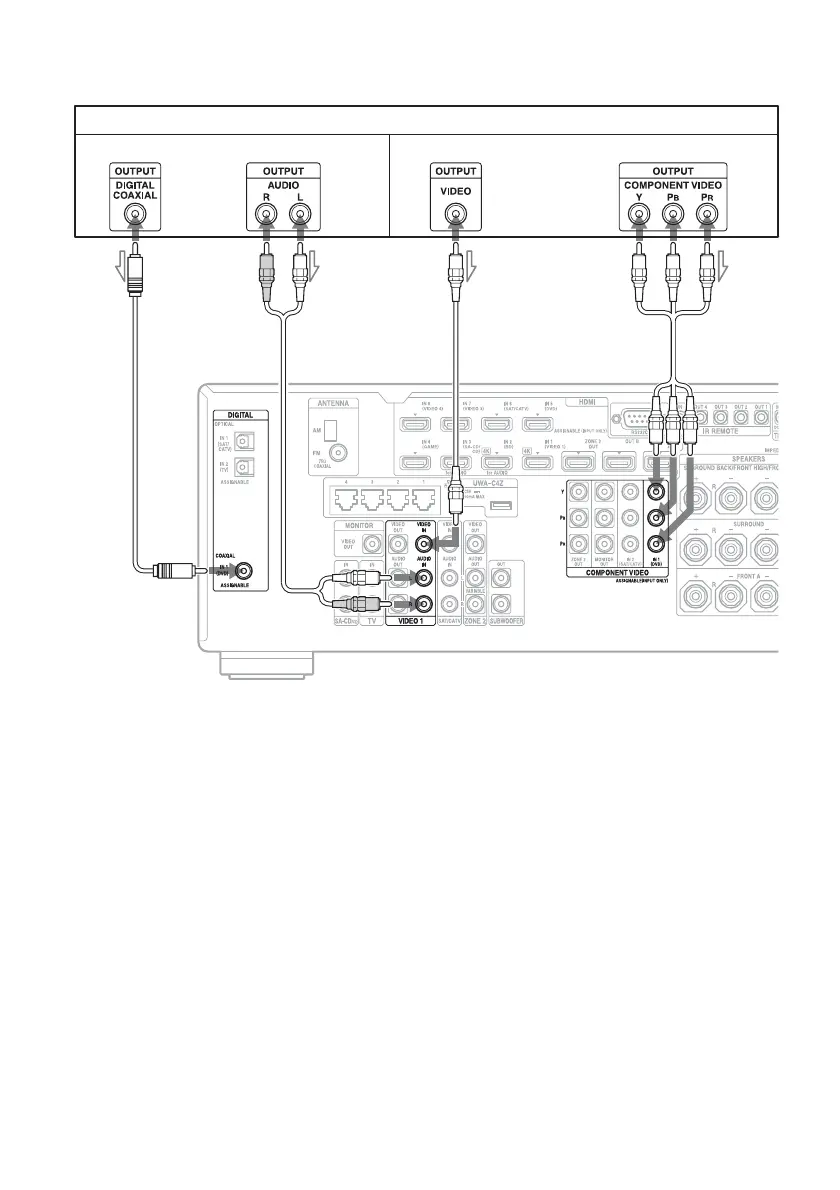
To connect equipment with jacks other than HDMI jacks
It is not necessary to connect all the cords. Connect cords according to the jacks of your equipment.
A Coaxial digital cord (not supplied)
B Audio cord (not supplied)
C Video cord (not supplied)
D Component video cord (not supplied)
* When you connect equipment with an analog audio jack and analog video jack, set “Audio Input Assign” and
“Video Input Assign” in the Input Settings menu (page 83).
DVD player, Blu-ray Disc Player
Audio signals Video signals
or or
ADBC
**















 To Next Page