48
US
Guide to on-screen
display operation
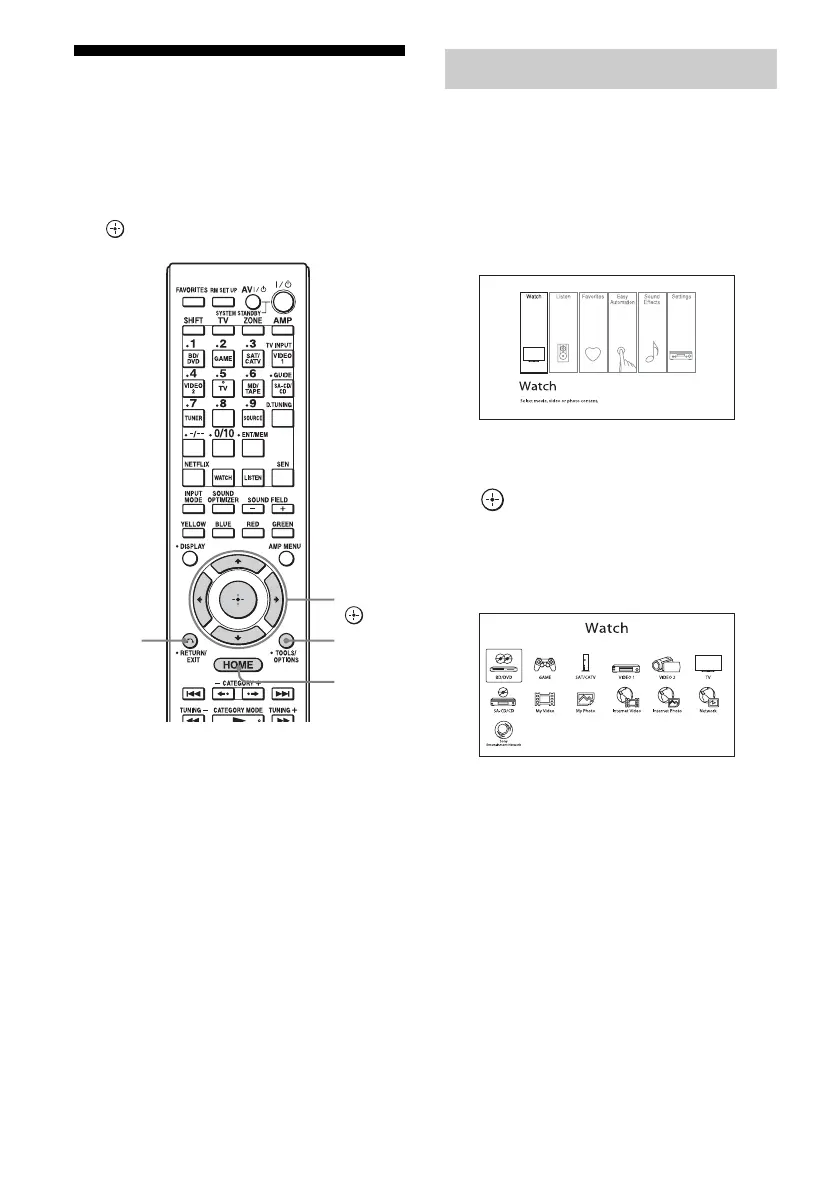
You can display the menu of the receiver on
the TV screen and select the function you want
to use on the TV screen by pressing V/v/B/b
and on the remote control.
1 Switch the input of the TV to the
input to which the receiver is
connected.
2 Press HOME.
The home menu is displayed on the TV
screen.
3 Press B/b repeatedly to select
the menu you want, then press
to enter the menu mode.
The menu item list appears on the TV
screen.
Example: When you select “Watch.”
Tip
When “z Option” appears in the lower right portion
of the screen, you can display the option menus by
pressing TOOLS/OPTIONS and select a related
function without reselecting the menu.
To return to the previous screen
Press RETURN/EXIT O.
To exit the menu
Press HOME to display the home menu,
then press HOME again.
V/v/B/b,
HOME
RETURN/
EXIT O
TOOLS/
OPTIONS
Using the menu

















 To Next Page