90
US
Using the setting menu
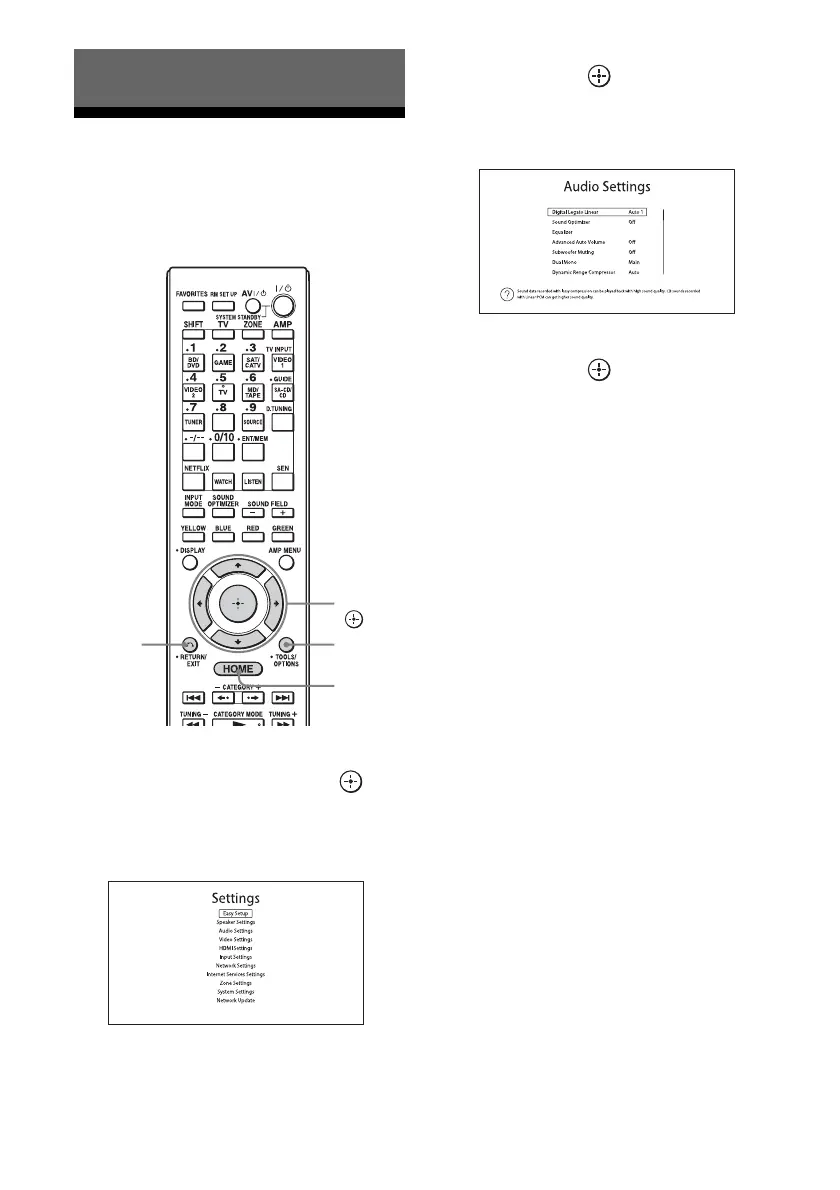
You can adjust the various settings for
speakers, surround effects, multi-zone, etc.,
using the setting menu.
1 Select “Settings” from the
home menu, then press to
enter the menu mode.
The setting menu list appears on the TV
screen.
2 Select the menu item you want,
then press to access the
menu item.
Example: When you select “Audio Settings.”
3 Select the parameter you want,
then press to enter.
To return to the previous screen
Press RETURN/EXIT O.
To exit the menu
Press HOME.
Adjusting Settings
V/v/B/b,
HOME
RETURN/
EXIT O
TOOLS/
OPTIONS

















 To Next Page