55
US
Enjoying images/sound
FM/AM
You can listen to FM and AM broadcasts
through the built-in tuner. Before operation,
make sure you have connected the FM and
AM antennas (aerials) to the receiver
(page 40).
1 Select “Listen” from the home
menu, then press .
2 Select “FM/AM,” then press .
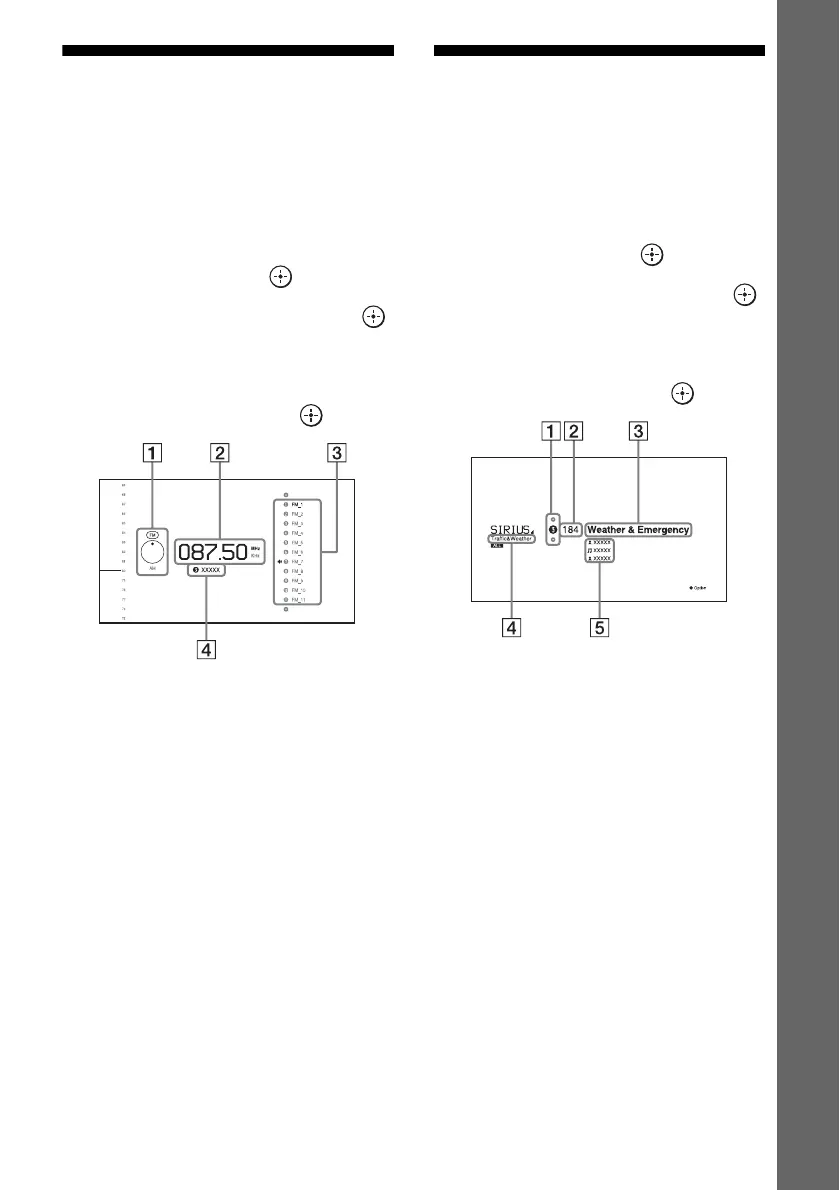
FM/AM screen
You can select and operate each item on the
screen by pressing V/v/B/b and .
A Band switch (page 58)
B Frequency indication (page 58)
C Preset station list (page 59)
D Preset station name (page 59)
SIRIUS
You can listen to the satellite radio. Before
operation, make sure you have connected a
satellite radio tuner to the receiver and prepare
to listen to the satellite radio (page 61, 61).
1 Select “Listen” from the home
menu, then press .
2 Select “SIRIUS,” then press .
SIRIUS screen
You can select and operate each item on the
screen by pressing V/v/B/b and .
A Preset number (page 63)
B Channel number (page 62)
C Channel name (page 62)
D Category name (page 62)
E Information
Indicates various information, such as artist,
song title, etc.

















 To Next Page