Name Function
[] -/-- Press -/-- mid TV ([]) at the
same time to select the
chamlel entry mode. either
one or two digits of the TV.
>10/. Press to select
track mnnbers over 10 of the
VCR. satellite tuner or CD
player.
channel nmnbers of the
Digital CATV terminah
CLEAR Press to clear a mistake when
you press the incorrect
numeric button.
[] Numeric Press to
buttons preset/tune to preset
(number 5a)) stations.
select track numbers of the
CD player, DVD player or
blu-ray disc player. Press !t/
10to select track number 10.
select channel numbers of
the VCR or satellite tuner.
Press the numeric buttons and
TV ([]) at the same time to
select the TV chammls.
[] TV INPUT Press TV INPUT and TV ([])
at the same time to select the
input signal (TV input or
video input).
SLEEP Press to activate the Sleep
Timer lunction and the
duration which the receiver
turns off automatically.
[] AUTO CAL Press to activate the Auto
Calibration function.
a/The number 5. MASTER VOL +. TV VOL +. and
D::>buttons have tactile dots. Use the tactile dots
as reti:rences when operating the receiver.
Notes
• Some functions explained in this section may not
work depending on the model.
• The above explanation is intended to serve as an
example only. Therelore. depending on the
compoimnt, the above operation may not be
possible or may operate difli:rently than described.
• The VIDE() 3 button on the remote is lint available
lor receiver operation.
1: Installingspeakers
This receiver allows you to use a 5.1 channel
system (5 speakers and one sub woofer).
To fully enjoy theater-like multi channel
surround sound requires five speakers (two
front speakers, a center speaker, and two
snrround speakers) and a sub woofer (5.1
channel).
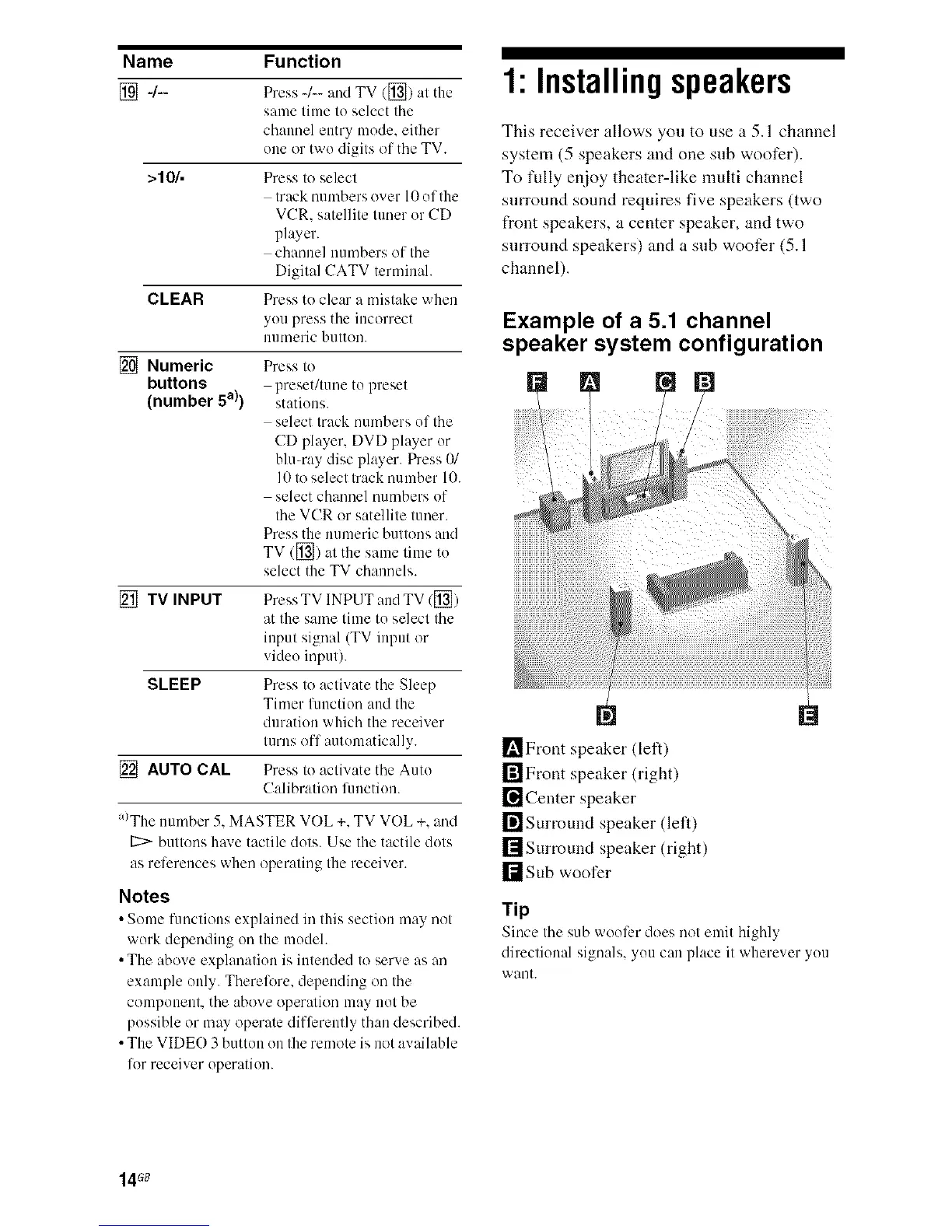
Example of a 5.1 channel
speaker system configuration
I_Front speaker (left)
rilFront speaker (right)
[] Center speaker
[]Surround speaker (lell)
[]Surround speaker (right)
r_sub woofer
Tip
Since the sub woofer does not emit highly
directional signals, you can place it wherever you
want.
14G8



 To Next Page