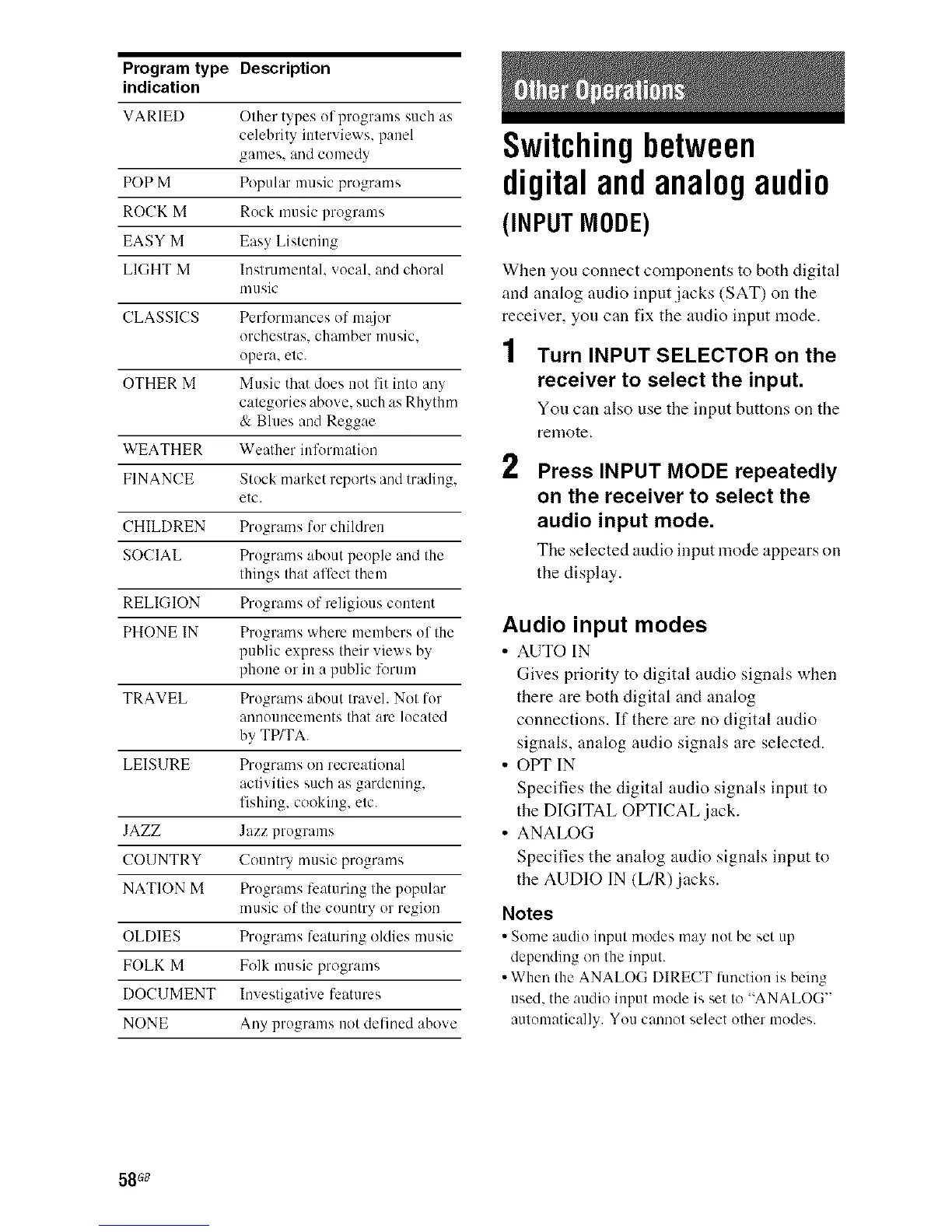
ProgramtypeDescription
indication
VARIED Other types of programs such as
celebrity interviews, panel
games, and comedy
POP M Popular music programs
ROCK M Rock music programs
EASY M Easy Listening
LIGHT M h/strumeutah vocal, aud choral
music
CLASSICS Performances of m_tjor
orchestras, chamber music,
opera, etc.
OTHER M Music that does not fit into any
categories above, such as Rhythm
& Bhms and Reggae
WEATHER Weather iufurmatiou
FINANCE Stock market reports and trading,
etc.
CHILDREN Programs for children
SOCIAL Programs about people and the
things that affect them
RELIGION Programs of religious content
PHONE IN Programs where members of the
public express their views by
phone or in apublic lorum
TRAVEL Programs about tmveh Not for
announcements that am located
by TP/TA.
LEIS1 IRE Programs on recreational
activities such as gardening,
fishing, cooking, etc.
JAZZ Jazz programs
COUNTRY Country music programs
NATION M Programs lcaturing the popular
music of the country or region
OLDIES Programs featuring oldies music
FOLK M Folk music programs
DOCUMENT Investigative Ii:atures
NONE Any programs not defined above
Switchingbetween
digitalandanalogaudio
(INPUT MODE)
When you connect components to both digital
and analog audio input jacks (SAT) on the
receiver, you can fix the audio input mode.
1 Turn INPUT SELECTOR on the
receiver to select the input.
You can also use the input buttons on the
remote.
2 Press INPUT MODE repeatedly
on the receiver to select the
audio input mode.
The selected audio input mode appears on
the display.
Audio input modes
• AUTO IN
Gives priority to digital audio signals when
there are both digital and analog
connections. If there are no digital audio
signals, analog audio signals are selected.
• OPT IN
Specifies the digital audio signals input to
the DIGITAL OPTICAL jack.
• ANALOG
Specifies the analog audio signals input to
the AUDIO IN (L/R)jacks.
Notes
• Some audio input modes may not he set up
depending on the iuput.
• When the ANALOG DIRECT function is being
used. the audio input mode is set to "ANALOG"
automatically. You cannot select other modes.
58 G8



 To Next Page