Warning codes and solutions
Warning Explanation and solution
code
WARN. 40 The eu'droument is noisy. Make
sure the environment is quiet
during Autu Calibration.
WARN. 60 The front speaker balance is out of
range. Repusitiun your l?ont
speakers, cl
WARN. 62 The center speaker level is out of
range. Repusition your center
speaker. J)
WARN. 63 The surround left speaker level is
out of range. Reposition your
surround lelt speaker, e)
WARN. 64 The surruund right speaker level is
uut ol range. Reposiliol yuur
surruund righl speaker. _
WARN. 70 The lhont speaker distance is out of
range. Repusitiun your front
speakers, cl
WARN. 72 The center speaker distance is out
of range. Repusitiuu vuur center
speaker.a)
WARN. 73 The surround leR speaker dist:mce
is out of range. Repositiun your
surround left speaker, e)
WARN. 74 The surround right speaker distance
is out ul range. Repusitiunl>yuur
surround righl speaker.
C>Fordetails, refer "From speaker distance"
(page 44).
dYFordetails, reler "Center speaker distance"
(page 44).
e)For details, refer "Surround left speaker distance"
(page 44).
I/For details, reli:r "Surround right speaker
distance" (page 44).
8:Adjustingthespeaker
levelsandbalance
(TEST TONE)
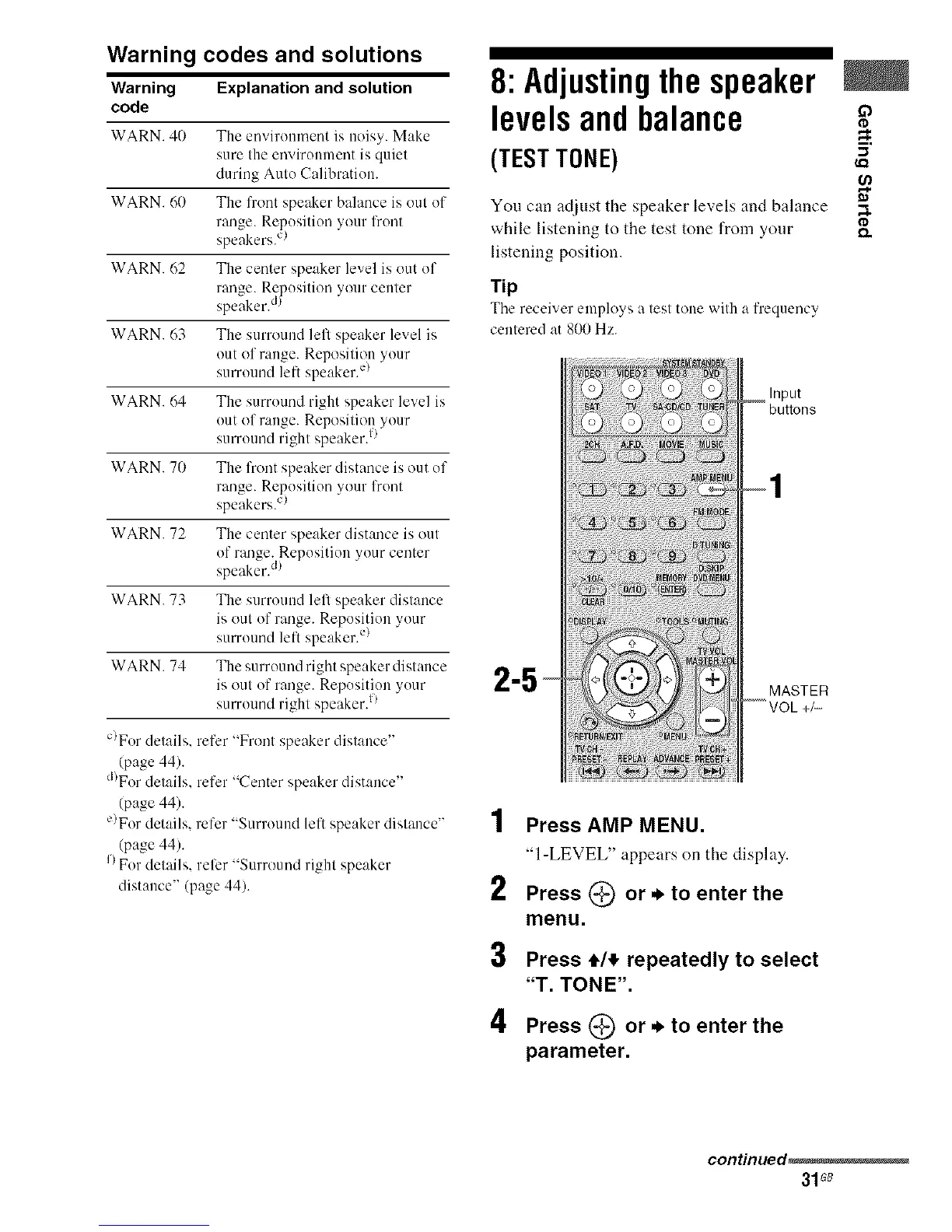
You can adjust the speaker levels and balance
while listening to the test tone from your
listening position.
Tip
The receiver employs a test tonewith a frequency
centered at 800Hz.
Input
"5 MASTER
,4
! Press AMP MENU.
"1-LEVEL" appears on the display.
2 Press (_) or, to enter the
menu.
3 Press 4,1,!,repeatedly to select
"T. TONE".
4 Press _ or._ to enter the
parameter.
O
1=
;I
o.
continued_
31 G8



 To Next Page