26
GB
4b: Connecting the
audio equipment
Before connecting cords, be sure to
disconnect the AC power cord (mains
lead).
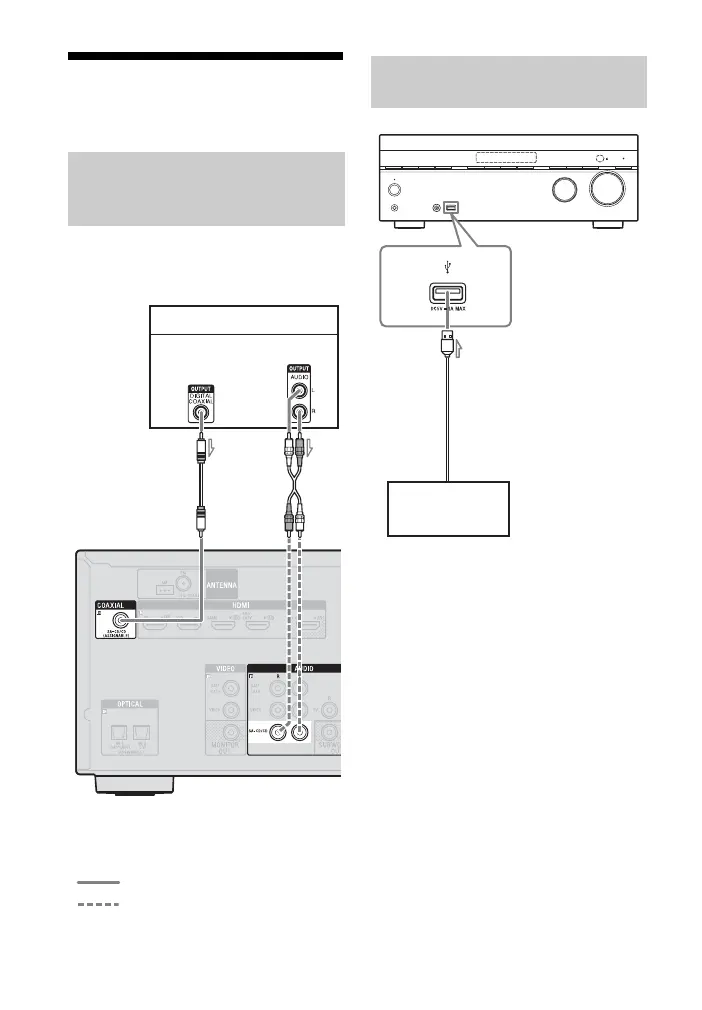
A Coaxial digital cord (not supplied)
B Audio cord (not supplied)
A USB cable (not supplied)
Connecting a Super
Audio CD player, CD
player
Recommended connection
Alternative connection
Super Audio CD player, CD player
AB
Audio signals
or
Connecting an iPod,
iPhone, USB device
iPod, iPhone,
USB device
A



 To Next Page