65
GB
Adjusting Settings
a)
You can select this setting only when you have performed the Auto Calibration and saved the settings.
b)
Depends on the speaker pattern setting, some parameters or settings may not be available.
c)
xxx represent a speaker channel (FL, FR, CNT, SL, SR, SW).
d)
You can only select this parameter if your speaker is set to “SMALL”.
e)
You can only select this parameter if you select “HD-D.C.S.” as sound field.
f)
For USA, Canada and Australia models only.
g)
x.xxx represent a version number.
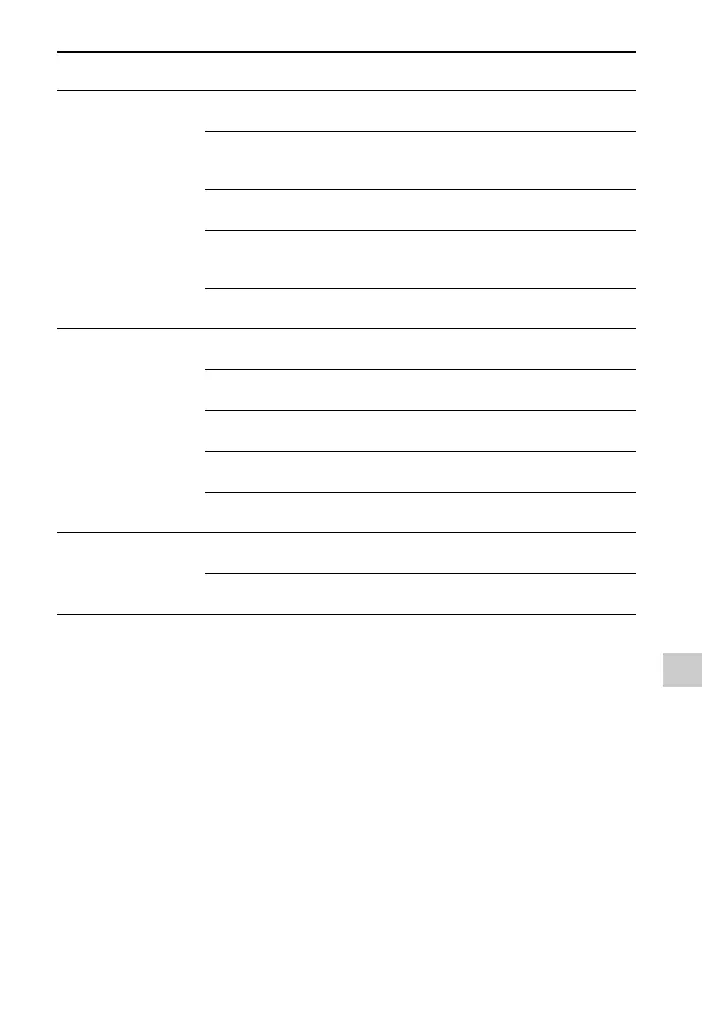
Audio settings
[<AUDIO>]
Night mode
[NIGHT MODE]
NIGHT ON, NIGHT OFF
Synchronizes audio with video
output
[A/V SYNC]
SYNC ON, SYNC OFF
Advanced auto volume
[AUTO VOL]
A. VOL ON, A. VOL OFF
Digital broadcast language
selection
[DUAL MONO]
MAIN/SUB, MAIN, SUB
Dynamic range compression
[D. RANGE]
COMP. ON, COMP. AUTO,
COMP. OFF
HDMI settings
[<HDMI>]
Control for HDMI
[CTRL: HDMI]
CTRL ON, CTRL OFF
Pass Through
[PASS THRU]
ON
f)
, AUTO, OFF
HDMI audio out
[AUDIO OUT]
AMP, TV+AMP
HDMI subwoofer level
[SW LEVEL]
SW AUTO, SW +10 dB,
SW 0 dB
Fast view
[FAST VIEW]
AUTO, OFF
System settings
[<SYSTEM>]
Auto standby mode
[AUTO STBY]
STBY ON, STBY OFF
Ve rs io n
[VER. x.xxx]
g)
Menu
[Display]
Parameters
[Display]
Settings



 To Next Page